





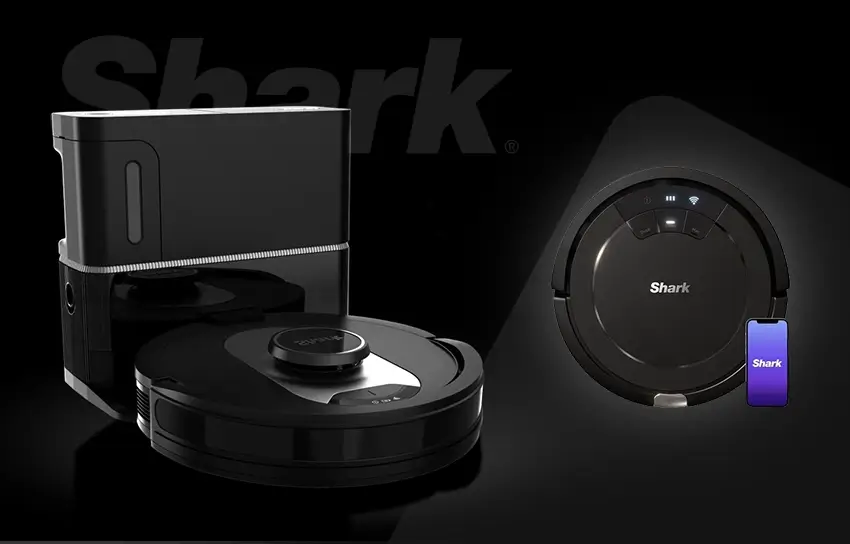
Robot vacuums have come a long way in the past few years. What once felt like a novelty gadget that bumped into furniture and missed half the floor has evolved into a genuinely useful home appliance. The shark av2501s ai ultra robot vacuum sits right in the middle of that evolution, offering some impressive technology at a mid-range price point, without all the bells and whistles of the more expensive models. But does it actually deliver on its promises? That is exactly what this review is going to walk you through.
This shark av2501s ai ultra robot vacuum review is not a quick overview. We are going to dig into real performance data, look at what daily life with this vacuum actually looks like, and give you an honest picture of both its strengths and its limitations. If you are thinking about buying this vacuum, you deserve the full story.
Shark AV2501S At a Glance: Full Specifications
Before we dive into the details, here is a complete look at what this vacuum offers on paper. These numbers come directly from testing and manufacturer data, so you can use this table as a quick reference at any point during your research.
| Specification | Details |
| Navigation System | LIDAR with Matrix Clean technology |
| Battery Life | 92 to 172 minutes |
| Recharge Time | Approximately 280 minutes |
| Robot Dustbin Capacity | 0.16 liters |
| Base Station Capacity | 0.60 liters (30-day advertised capacity) |
| Self-Emptying | Yes (bagless) |
| HEPA Filtration | Yes (base station post-motor filter) |
| Airflow | 17.7 CFM |
| Noise Level | 59 to 64 dBA (robot), 69 dBA (dock) |
| Power Modes | Eco, Normal, Max |
| Companion App | SharkClean (2.4GHz Wi-Fi required) |
| Scheduled Cleaning | Yes |
| No-Go Zones | Yes |
| Multi-Floor Mapping | No |
| Mop Functionality | No |
| Hard Floor Pickup Score | 7.0 / 10 |
| Carpet Pickup Score | 6.5 to 7.0 / 10 |
| Pet Hair Pickup Score | 5.0 / 10 |
| Max Threshold Height | 1.9 cm (0.7 inches) |
First Impressions and Build Quality

Design and What Comes in the Box
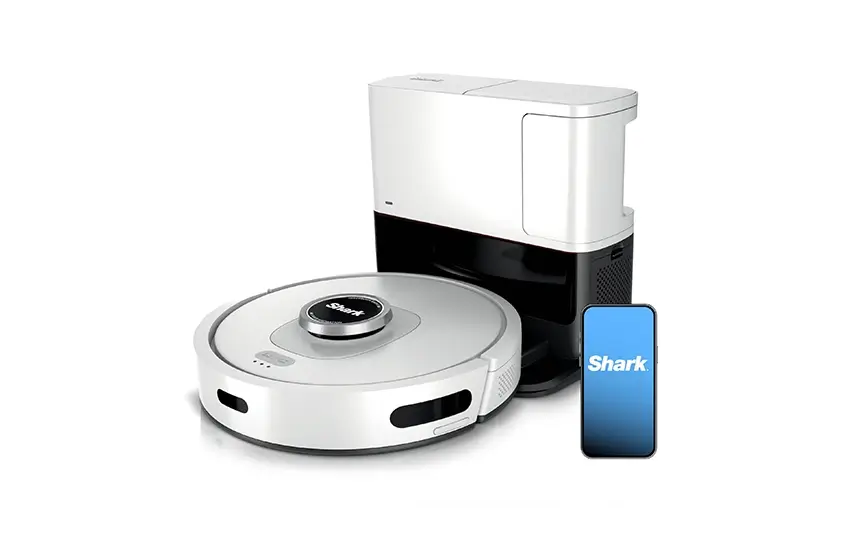
When you first unbox the Shark AI Ultra, the setup is refreshingly simple. You snap the two side brushes into place, plug in the docking station, and you are basically ready to go. The vacuum body has a matte-finish hard plastic shell that looks clean and modern without being flashy.
Out of the box, you get the vacuum body with its internal dustbin and pre-motor filter already installed, two side brushes, a brushroll with its door, and the self-empty base station complete with its own dustbin, pre-motor filter, HEPA post-motor filter, and cover. It is a complete setup right out of the package, which is always a good sign.
How Solid Does It Feel in Your Hands?
Here is where things get a little more nuanced. The build quality is decent but not exceptional. The plastic body does not flex or creak when you pick it up, which is reassuring, but the cover over the LIDAR sensor scratches surprisingly easily. If you are the type of person who cares about keeping your appliances looking pristine, that is worth knowing upfront.
There are sturdier options out there, even within Shark’s own lineup. Compared to the shark ai robot vacuum model av2501s siblings, the Shark Matrix Robot feels more premium in hand. That said, for the price range, the AI Ultra holds its own and does not feel cheap.
Getting Started and App Experience
Connecting to the SharkClean App
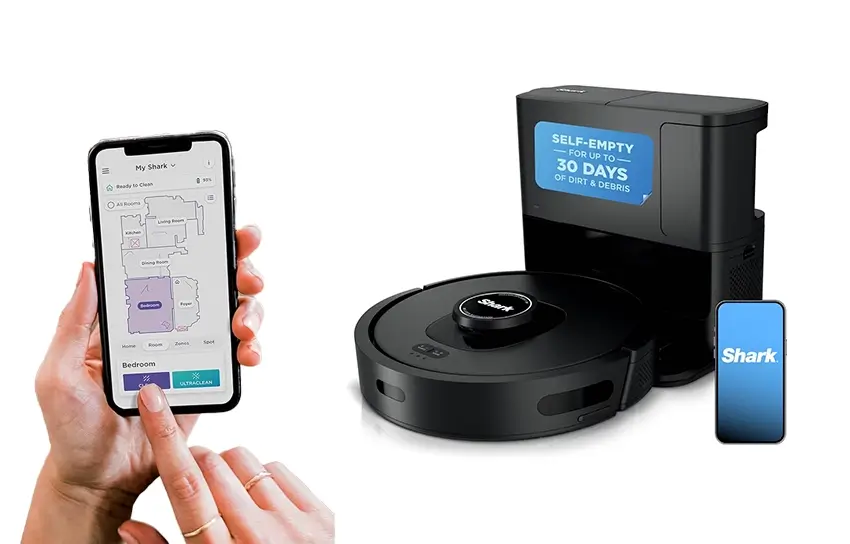
The vacuum connects to your home’s 2.4GHz Wi-Fi network through the SharkClean companion app. The initial setup process is straightforward enough, and the app gives you access to a useful set of features including scheduling, cleaning mode adjustments, no-go zone creation, and cleaning history.
However, it would be misleading to call the app experience smooth. It runs slowly, occasionally reports incorrect status information, and lacks some features you would expect from a modern smart vacuum. You cannot see the robot’s real-time location on a map while it is cleaning, and the app does not support multi-floor mapping. If you live in a multi-story home and want room-specific schedules, this vacuum will not fully meet that need.
What First-Time Users Should Know
One quirk worth mentioning right away is the power mode behavior. The vacuum has three modes: Eco, Normal, and Max. The problem is that it resets to Normal mode every single time it turns on, regardless of what you had it set to before. Since you can only change the power mode through the app while the robot is already running, this creates a small but recurring annoyance for anyone who prefers a different setting. If you want to understand every feature in detail before getting started, the shark av2501s ai ultra robot vacuum manual is available directly on Shark’s website and is worth a read before your first run.
Cleaning Performance
How It Handles Different Floor Types
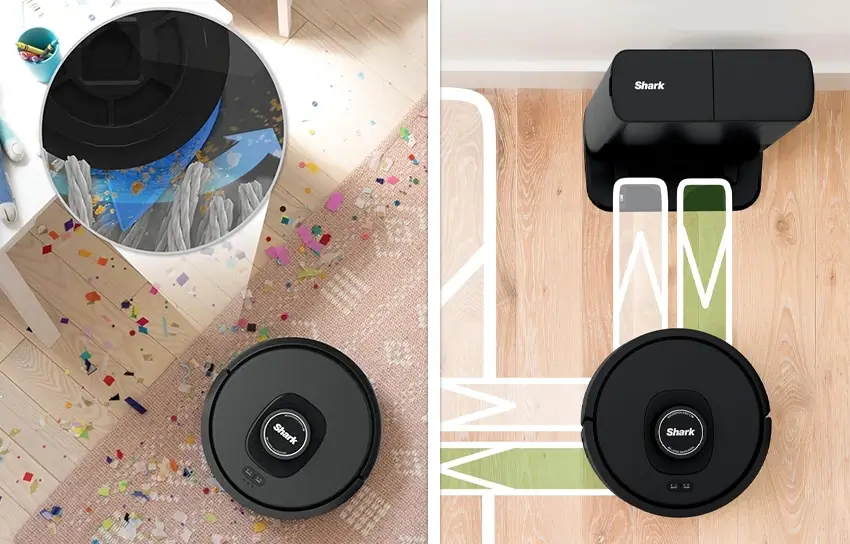
On hard floors, the Shark AI Ultra delivers decent results. It handles larger debris like cereal without much trouble, and its airflow is genuinely impressive for a robot vacuum, measuring at 17.7 CFM, which is comparable to pricier models like the iRobot Roomba S9. That kind of suction is powerful enough to lift heavier debris without difficulty. It is also worth noting that the shark av2501s ai ultra robot vacuum with matrix clean navigation moves in an overlapping grid pattern rather than random lines, which helps it cover ground more systematically than older-style robot vacuums.
The story changes when you get to corners and edges. The side brushes tend to scatter debris rather than funnel it into the vacuum’s path, which means you will often see the robot make multiple passes before everything is picked up. Along walls and in tight corners, performance drops noticeably.
On high-pile carpet, the vacuum handles medium and large debris reasonably well. Fine debris like sand, however, is a consistent weak point. It struggles to clear it in a single pass and will require multiple attempts to get the job done.
Low-pile carpet performance is similar. The side brushes can toss lighter debris around rather than collecting it cleanly, and walls and corners remain problem areas.
The Truth About Pet Hair
This is probably the area where the marketing narrative diverges most sharply from real-world performance. The Shark AI Ultra scored a 5.0 out of 10 in pet hair pickup testing, which puts it firmly in the “below average” category for this task.
The main issue is that the brushes tend to press pet hair into low-pile carpet fibers rather than pulling it away. If you have pets and your home has carpet, you will likely need to run the vacuum multiple times per week to keep up with shedding. The self-cleaning brushroll design does help reduce tangling over time, but long hair can still get caught around the roller and the bearings, requiring you to pull it free manually.
AI Navigation and Obstacle Handling
How LIDAR Mapping Works Here
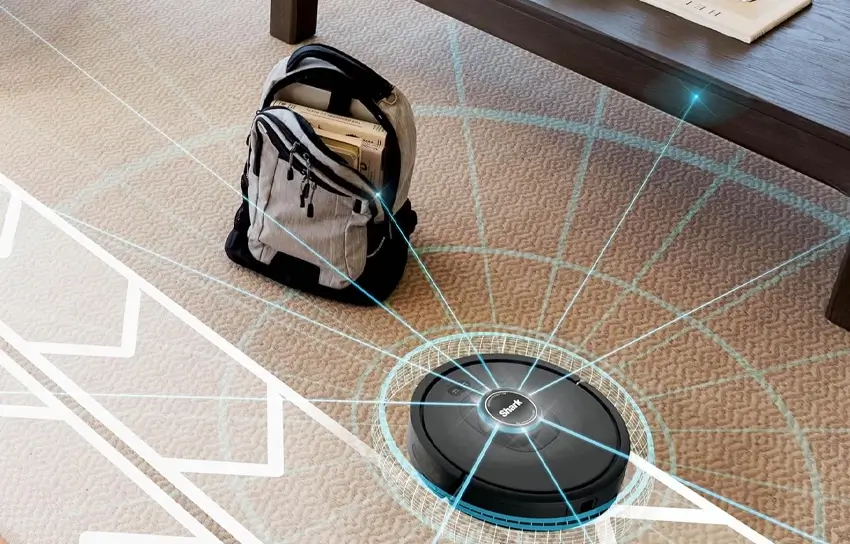
The vacuum uses LIDAR-based mapping to navigate your home, which gives it a significant advantage over cheaper bump-and-go models. LIDAR allows the robot to build a map of your space and clean in an organized pattern rather than wandering randomly. It can also operate in the dark, which is a practical benefit for overnight cleaning schedules.
That said, the real-world navigation experience has some meaningful limitations. The vacuum’s room coverage was not found to be significantly better than cheaper, non-LIDAR Shark models in testing. It also lacks a camera or true AI object recognition system, so it cannot identify what is in front of it the way higher-end models can.
Obstacle Detection and Avoidance
The obstacle avoidance system is one of the weaker areas of this vacuum. Because it only uses light-based detection without any object recognition, it tends to interpret common household items as hazards. Thicker rugs and power cords are frequent offenders. The vacuum cannot see obstacles that fall below the height of its LIDAR sensor, which means it will sometimes run into lower objects without detecting them first.
On the positive side, it handles rug tassels better than most robot vacuums, which is a genuinely useful trait for homes with decorative rugs.
Battery Life and Charging
How Long Does It Last?
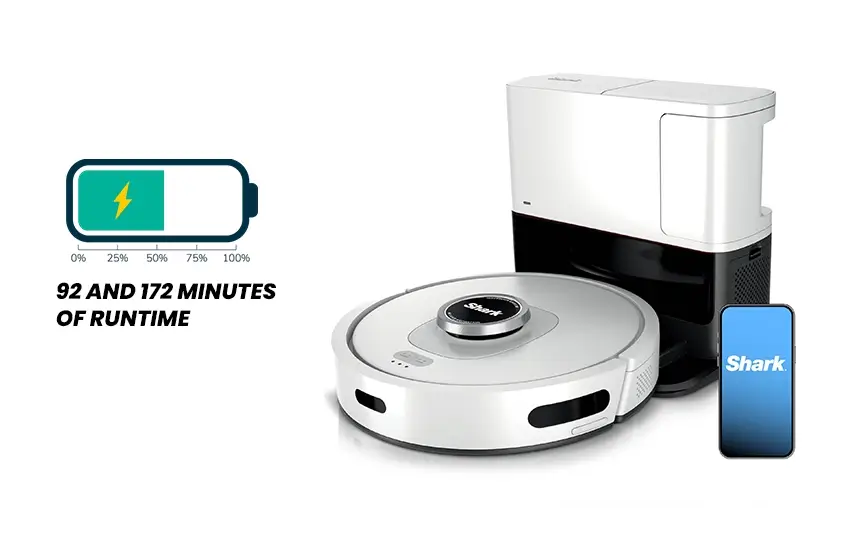
Battery performance is one of the stronger suits of this vacuum. In testing, it achieved between 92 and 172 minutes of runtime depending on the cleaning mode and surface type. That is a wide and impressive range that makes it suitable for larger homes.
It supports recharge and resume functionality, so if the battery runs out mid-clean, it will return to its base, recharge, and pick up where it left off. That is exactly what you want from a robot vacuum meant to work autonomously.
The Recharge Time Concern
The one significant downside here is the recharge time. Getting back to a full battery takes approximately 280 minutes, which is considerably long compared to some competitors. If you run multiple cleaning sessions in a day, or if your home requires several charges to complete a full clean, the long recharge cycle can become a genuine inconvenience.
Self-Emptying Base and Maintenance
How the Auto-Empty System Works
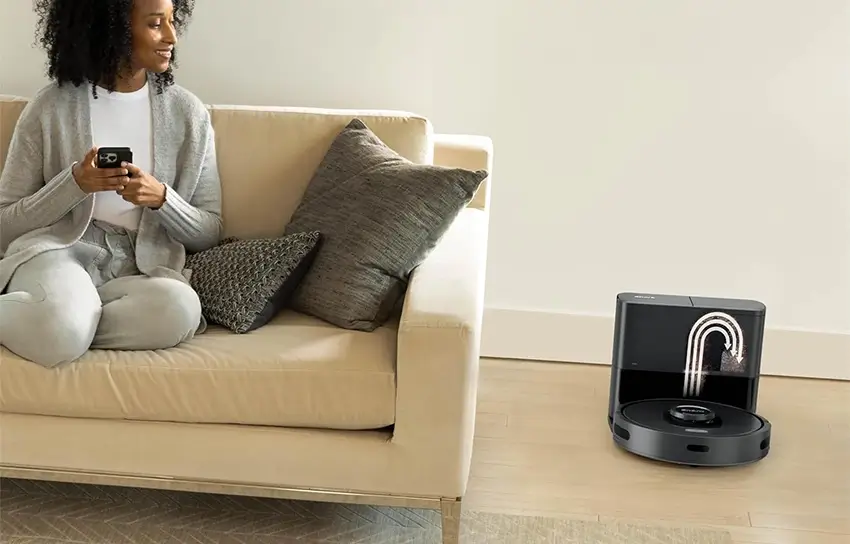
The self-emptying base station is the headline feature of this vacuum, and it does deliver real convenience. After each cleaning session, the dock automatically suctions debris out of the robot’s internal dustbin, depositing it into the station’s own compartment. If you deal with allergies at home, the shark av2501s ai robot vacuum with hepa self empty base is specifically designed with that in mind, as the dock’s post-motor HEPA filter claims to capture 99.97% of particles down to 0.3 microns in size.
One notable difference from most competitors is that this system is bagless. Instead of depositing debris into a disposable bag, it goes into a reusable compartment. That cuts down on ongoing consumable costs, but it does make emptying the dock a messier process. The dock on the base AV2501S model has a 30-day advertised capacity, which is smaller than the XL variants that come with other model codes and offer a 60-day capacity.
The internal dustbin on the robot itself is quite small, so it will need to empty itself after nearly every cleaning session.
Filter and Brush Maintenance Tips
Maintenance requirements for this vacuum are on the higher end. The pre-motor filter inside the robot should be tapped clean after each use but cannot be washed with water, which is a real limitation if it gets heavily soiled. The brushroll should be checked regularly for tangled hair. The drive wheels and front wheel both need periodic cleaning to prevent hair buildup from affecting performance. When it comes to the dock itself, the shark r av2501s hepa self empty base ai robot vacuum station has two filters to keep track of: the pre-motor filter should be rinsed monthly, while the HEPA filter only needs rinsing once a year.
Replacement parts are available through Shark’s website, though recurring costs are considered high for this model. The brushroll should be replaced every six to twelve months depending on use.
Who Should Buy This Vacuum?
The Shark AI Ultra makes the most sense for someone who wants LIDAR navigation and a self-emptying base without moving into the premium price tier. If your home is primarily hard floors or high-pile carpet, and you do not have heavy pet hair demands, this vacuum can serve you well. The strong airflow, solid battery life, and quiet operation make it a capable daily driver for the right household.
It is less well-suited for pet owners with carpet, those who want a seamless app experience, or people who live in multi-story homes and need room-specific scheduling. If those features matter to you, it is worth looking at alternatives like the Shark Matrix Robot, which improves on this model in several meaningful ways.
Conclusion
The Shark AI Ultra sits in an interesting spot in the robot vacuum market. It offers technology that would have been considered premium not long ago, including LIDAR mapping and a self-emptying base, at a price that feels accessible. But it also comes with real trade-offs: a demanding maintenance routine, a small internal dustbin, a limited app experience, and below-average pet hair performance.
If you go in with clear expectations about what this vacuum can and cannot do, it can be a worthwhile addition to your home. Just make sure the features it excels at are the ones that matter most in your specific situation. A robot vacuum is a long-term investment, and getting the right one for your home makes all the difference.


