





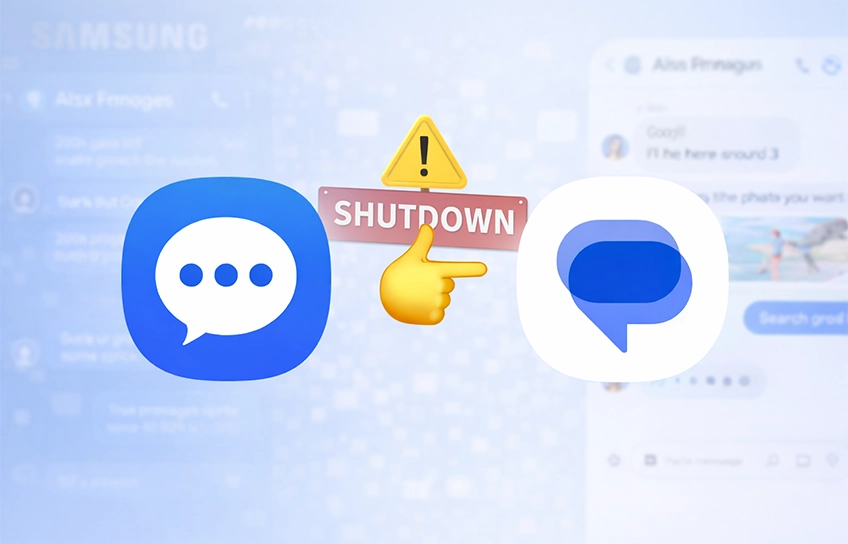
Samsung quietly posted a shutdown notice and told you to switch to Google. But what about your OTPs? Your chat history? Your privacy? Nobody’s talking about that.
So Samsung finally did it. The Messages app that’s lived on your Galaxy phone forever is getting shut down this July, and you have roughly 12 weeks to sort it out. Samsung’s official notice is basically just “switch to Google Messages, bye.” Cool. Very helpful. Thanks.
I get it, it’s not the most shocking news. But 12 weeks goes faster than you think, especially when nobody’s actually answering the questions people are panicking about in the comments. What happens to your bank OTPs? Do you lose years of chat history? Does this even affect you if you’re not in the US? What if you just don’t want to hand everything over to Google?
Wasn’t This App Already Dead?
Kind of, yeah. Samsung had been slowly ghosting its own app for years. But now there’s an actual deadline, which changes things.
2022: Samsung quietly starts making Google Messages the default on US Galaxy phones. Samsung Messages is still there, just… not the priority anymore.
2024: Samsung stops pre-installing its Messages app on flagship devices. At this point the writing was pretty clearly on the wall.
Early 2025: Galaxy S25 ships with Google Messages as the default. Samsung Messages is still downloadable, at least for now.
2026: Galaxy S26 launches with no Samsung Messages. You can’t even download it from the Galaxy Store on these devices.
July 2026: Samsung Messages stops working for standard messaging on Android 12 and above. Pulled from the Galaxy Store entirely.
So yeah. Not a sudden decision. More like a slow fade that finally has an end date on it.
The Stuff Samsung’s Notice Doesn’t Actually Explain
What Happens After Shutdown
Once July hits, Samsung Messages basically stops being a messaging app. You won’t be able to send or receive standard texts through it anymore. The only carve-out is emergency service numbers and emergency contacts you’ve manually saved on your device. That’s genuinely it. After July it becomes a read-only relic sitting on your phone until you wipe it or switch anyway.
What About Your OTPs?
This is the question I keep seeing in every comment section and nobody’s giving a straight answer to. Will your bank OTPs, 2FA codes, and verification messages still work after you switch?
Short answer: yes, they will. OTPs come in as regular SMS messages and they land in whatever app you’ve set as your default. Switch to Google Messages and they follow automatically. Bonus: Google Messages has a feature that auto-deletes OTP messages after 24 hours, which is actually something Samsung Messages never bothered to add.
Will You Lose Your Chat History?
This one genuinely makes people nervous, and I get why. But calm down. Your SMS messages live on your actual device, not on Samsung’s servers somewhere. When you set Google Messages as your default, it reads that same local storage. Your texts are not going anywhere.
Your SMS and MMS history transfers automatically when you switch. Conversations stay intact. That said, back up anything important before you do it. Screenshots, exports, whatever. Just in case.
RCS conversations are a slightly different situation since they live in Google’s ecosystem. If your device was released before 2022, you might see a brief gap in RCS chats when you make the switch. Important thing to know: your regular SMS and MMS messages keep working normally the entire time. You won’t miss texts or group chats. The RCS gap fixes itself once both you and whoever you’re texting have moved to Google Messages.
Wait, Does This Affect Everyone or Just US Users?
Genuinely fair question, and Samsung’s notice is frustratingly vague about it. The end-of-service announcement was posted on Samsung’s US website, which is where most of the coverage has been sourced from. Samsung has not published the same notice on its global pages as of this writing.
What that probably means in practice: the July 2026 date is confirmed for the US. Other regions may follow on the same date, or slightly later, or with a phased rollout. Samsung itself says to open the Samsung Messages app on your specific device to check the exact discontinuation date that applies to you, so that’s genuinely the most reliable way to know.
If you’re outside the US, open Samsung Messages and check for an in-app notice. That’s your actual deadline. The July date is confirmed for the US. Your region may differ slightly.
Who Is Actually Affected?
Galaxy S22, S23, S24 and newer (Android 12+): Affected. Switch to Google Messages before July.
Galaxy S21 series (Android 12+): Affected. Switch to Google Messages before July.
Galaxy S26, Z Fold7 and newer: Already switched. Google Messages is already your default. Nothing to do here.
Galaxy S9, Note 9 and older (Android 11 or lower): Not affected. Samsung Messages keeps working. No action needed.
Galaxy Watch 4 and newer (Wear OS): Supported. Google Messages syncs normally.
Galaxy Watch 3 and older (Tizen OS): Partially affected. Full message history won’t sync to your watch. You can still send and read texts, but no conversation thread on your wrist.
Is Google Messages Actually Better, Though?
Samsung’s notice calls this an upgrade. To be fair, they’re not entirely wrong. But nobody’s being upfront about what you’re giving up either.
What you get with Google Messages: full RCS support across Android and iOS, AI-powered scam and spam detection, Gemini smart replies and photo remixing, auto-delete OTPs after 24 hours, multi-device sync across phone, tablet and web, end-to-end encryption on RCS chats, and faster feature updates.
What you lose from Samsung Messages: Samsung’s custom interface and feel, the message recycle bin (deleted messages are gone for good in Google), deeper One UI integration, and a bit of distance from Google’s data ecosystem.
On features, Google Messages wins pretty comfortably. But there’s a trade-off that doesn’t get mentioned in any press release: you’re now giving Google access to your messaging habits. Google says it doesn’t sell your message content. It does use on-device signals to train its AI features. Whether that bothers you or not is genuinely a personal call.
The Privacy Thing Nobody Wants to Say Out Loud
Google Messages scans your messages on-device for spam detection and smart replies. Google’s policy says they don’t sell that content. But they do use device signals to improve AI models. If that sits wrong with you, you don’t have to go to Google Messages at all.
Samsung’s official notice steers you straight to Google Messages and doesn’t mention a single alternative. That’s obviously in their interest. But you have options, and some of them are genuinely good.
Signal: Gold standard for privacy. Works as your default SMS app too, not just for Signal users.
Pulse SMS: Cross-device SMS sync without handing everything to Google. Feature-rich alternative.
Textra: Clean, fast, highly customizable. Loved by power users who hate bloat.
QKSMS: Open-source and lightweight. No trackers, no fluff.
Any of these can be set as your default SMS app and they’ll handle everything Samsung Messages used to. You’re not being forced into Google’s ecosystem. Samsung just really, really wants you there.
How to Actually Switch Without Screwing Anything Up
Most of you are going to Google Messages and that’s fine. Just do it properly so you don’t lose anything or miss OTPs while you’re figuring it out.
- Back up important conversations first. Screenshot anything critical. While SMS history does transfer, don’t leave it to chance.
- Download Google Messages from the Play Store if it’s not already installed on your device.
- Open Google Messages. A pop-up will appear saying “Make it your default SMS app.” Tap Set default SMS app.
- Select Google Messages (white icon, blue chat bubble) and tap Set as default.
- Android 12/13 users: The icon may not auto-appear in your dock. Long-press Samsung Messages in the dock, remove it, then drag Google Messages from your app drawer into the dock.
- Check your OTPs. Send yourself a test verification code from any app to confirm texts are landing in Google Messages properly.
Pre-2022 device users: expect a brief gap in RCS conversations right after you switch. It’s normal and temporary. Your SMS and MMS keep working fine throughout. Things go back to normal once both sides of the conversation are on Google Messages.
“Samsung didn’t kill Samsung Messages. It just stopped feeding it and waited.”
The Bigger Thing Nobody’s Saying
This isn’t really about a messaging app. It’s Samsung quietly admitting that it’s done trying to compete in the software layer of Android.
Think about it. Samsung once had its own browser, its own email app, its own payment system, Bixby, its own music player. One by one, the Google versions won out or Samsung just quietly stopped investing. Samsung Messages is the latest one to go. Probably not the last.
The business logic is straightforward enough. Samsung and Google have basically stopped competing with each other on software. Samsung does hardware, displays, and AI chips. Google runs the software layer. That split works for both of them, especially when the shared enemy is Apple’s iMessage, which still has an iron grip on the US market through the green bubble thing.
Pushing hundreds of millions of Galaxy users to Google Messages at once gives Android a real shot at closing that gap. It’s a calculated move that just happens to look like a boring app retirement notice.
Okay, So What Do You Actually Do?
Switch before July. Back up anything you care about. Test your OTPs after switching. And if giving Google your texts feels off to you, Signal and Textra are solid options. Just don’t wait until the app stops working mid-conversation to figure this out.
Samsung Messages. Born 2009. Quietly neglected for years. Officially discontinued July 2026. Google Messages is waiting for you.


