


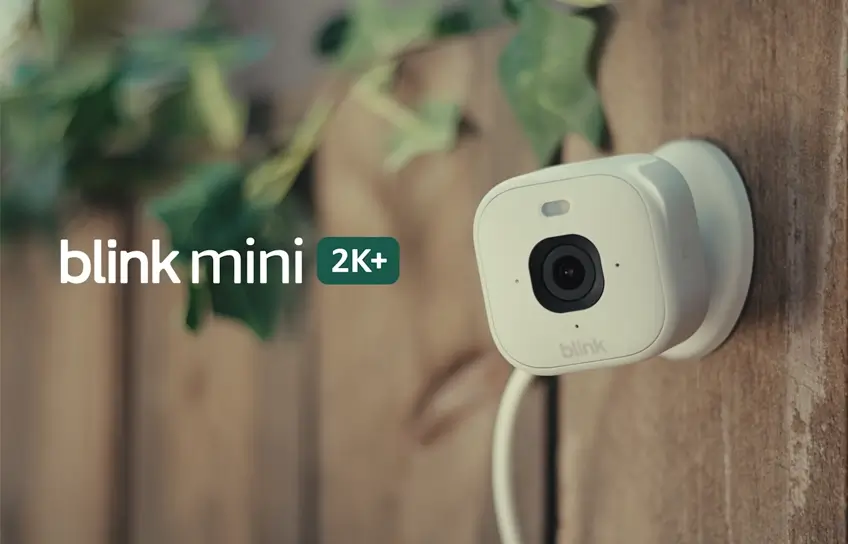
Home security does not have to be expensive to be effective. Most people just want something simple: a small camera they can set up in minutes, that actually records clearly, and that will send them an alert when something moves in the house while they are asleep or away. The Blink Mini 2K+ was built with exactly that kind of buyer in mind.
It sits in the $50 range, fits in the palm of your hand, and packs genuine 2K video into a body barely larger than a golf ball. But a low price and a high-resolution sensor do not automatically make something worth buying, so this review will walk through everything honestly, from design and setup to real-world performance and subscription costs.
If you are trying to decide whether this camera belongs in your home, or whether a competitor offers better value, this post will give you a clear picture before you spend a cent.
Who Is This Camera Actually For?
Before getting into specs, it helps to understand the kind of person this camera is built for. This is not a camera for someone building a whole-home surveillance system with multiple access points, outdoor perimeter coverage, and advanced analytics. For that kind of setup, you would want something more powerful and more expensive.
The Blink Mini 2K+ is for someone who wants to keep an eye on one or two rooms without overthinking it. Maybe you want to check on a baby napping in the next room, or you run a small home office and want to monitor the front door area from your desk. Perhaps you have a pet that gets into trouble when left alone, or you just want peace of mind that nothing is happening downstairs while you sleep. For all of those situations, this camera is a strong fit.
It is a wired camera, meaning it needs to stay plugged into a power outlet at all times. That limits placement to areas near a socket, but it also means you will never pick it up one morning and find it dead because a battery drained overnight. For indoor monitoring, the tradeoff is completely reasonable.
Blink Mini 2K+ Full Specifications
Here is a complete breakdown of what you are getting before you buy.
| Specification | Details |
| Price | $49.99 (single unit) |
| Resolution | 2K (2,560 x 1,440 pixels) |
| Frame Rate | Up to 24fps |
| Field of View | 138 degrees diagonal |
| Aspect Ratio | 16:9 |
| Digital Zoom | 4x |
| Night Vision | Color (spotlight) + IR black-and-white |
| Spotlight | Built-in, controllable via app |
| Connectivity | Wi-Fi 2.4GHz only |
| Smart Home | Amazon Alexa, IFTTT |
| Two-Way Audio | Yes, with noise cancellation |
| Built-in Siren | Yes |
| Storage Options | Cloud (subscription) or local via Sync Module 2 + USB |
| Cloud Storage | 60 days (Basic plan), unlimited cameras (Plus plan) |
| Subscription Cost | $3.99/month or $39.99/year (Basic); $11.99/month (Plus) |
| Power | Wired, USB-C |
| Weather Resistance | IP65 |
| Indoor/Outdoor | Indoor primary; outdoor with separate adapter |
| Dimensions | 2 x 2 x 1.5 inches (body); 3.2 inches total with stand |
| Colors Available | Black or White |
| In the Box | Camera, stand, USB-C cable, AC adapter, mounting screws |
| Doorbell Chime | Yes, compatible with Blink Video Doorbell |
| Google Home | Not supported |
| Apple HomeKit | Not supported |
Design and Build Quality
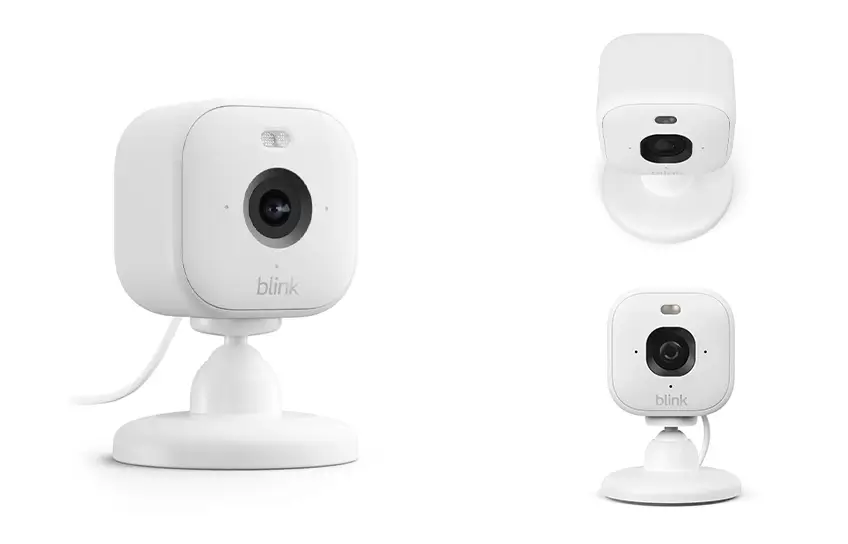
The camera body measures 2 by 2 inches and sits on a small round stand with manual tilt and swivel. The total height with the stand is about 3 inches. It is available in black or white, and whichever color you choose, it blends into a shelf or countertop without drawing attention. That matters if you want a camera that does not look like a camera at first glance.
The build quality feels surprisingly solid for the price. It does not flex or creak, and the stand holds its position after you adjust it. The front face holds the lens at the center, a built-in spotlight at the top, a microphone underneath, and two infrared LEDs for night vision. There are also two small status lights that blink different colors during setup to tell you what state the camera is in, which helps during installation when you are trying to figure out if things are working.
On the back is a USB-C power port and a small speaker used for two-way audio. The camera has an IP65 weather resistance rating, which technically makes it usable outdoors. However, to do that safely you need to purchase a separate weather-resistant power adapter from Blink, sold for around $10. For most people using this indoors, none of that matters, but it is a useful option if your needs ever change.
Video Quality
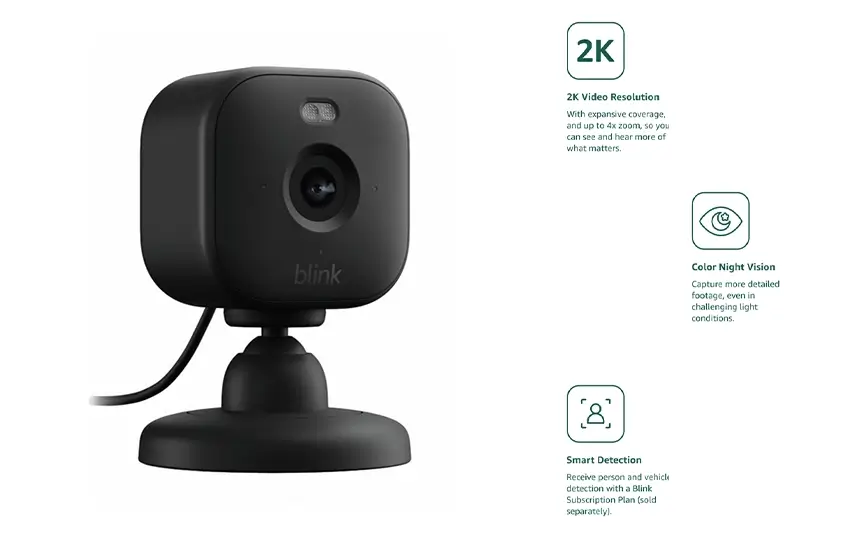
Resolution is where this camera earns its keep. The sensor records at 2560 by 1440 pixels, which is a meaningful step above standard 1080p. The difference is not dramatic when you are watching live footage on a small phone screen, but it becomes very obvious the moment you use the 4x digital zoom. On a 1080p camera, zooming in quickly turns the image blurry and soft. At 2K, you can zoom in and still read small text, make out facial features, or identify what someone is wearing. For home security, that kind of detail can matter.
The field of view is 138 degrees diagonal, which is wide enough to cover most living rooms or hallways without any blind spots in the corners. The camera records footage in a 16 by 9 aspect ratio at up to 24 frames per second, which looks smooth and natural during playback.
Daytime and Low-Light Performance
In good lighting, the colors are bright, well-balanced, and natural-looking. Footage from a sunlit room looks genuinely good, not just passable for a budget camera. When the light drops, the camera has two modes: it uses its built-in spotlight to keep recording in color, or it falls back to black-and-white infrared recording when you switch off the spotlight and the ambient light falls below what the color sensor needs.
The spotlight is one of the more useful upgrades compared to older or cheaper models. Color night vision footage is usable and clear enough to identify people and objects. It lacks the richness of daylight video, but it is a significant improvement over the grainy monochrome footage you get from cameras without a spotlight. If you are using this camera in a dark hallway or a room that gets no natural light at night, the spotlight makes a real difference.
Motion Detection and AI Descriptions
Motion alerts arrive fast. In real-world testing, alerts came through within seconds of movement being detected, and the camera correctly identified both people and animals. The camera can differentiate between a person walking through a room and a cat jumping off the sofa, which helps cut down on unnecessary notifications.
Blink also offers a feature called Video Descriptions, currently in beta for select subscribers. It uses AI to generate short written summaries of each motion event, so instead of just getting an alert that motion occurred, you might receive a notification explaining that a person walked through the hallway, or that a pet moved across the sofa. This is a genuinely useful addition when you do not have time to watch every clip but still want to know what happened.
Blink Mini 2K+ Setup
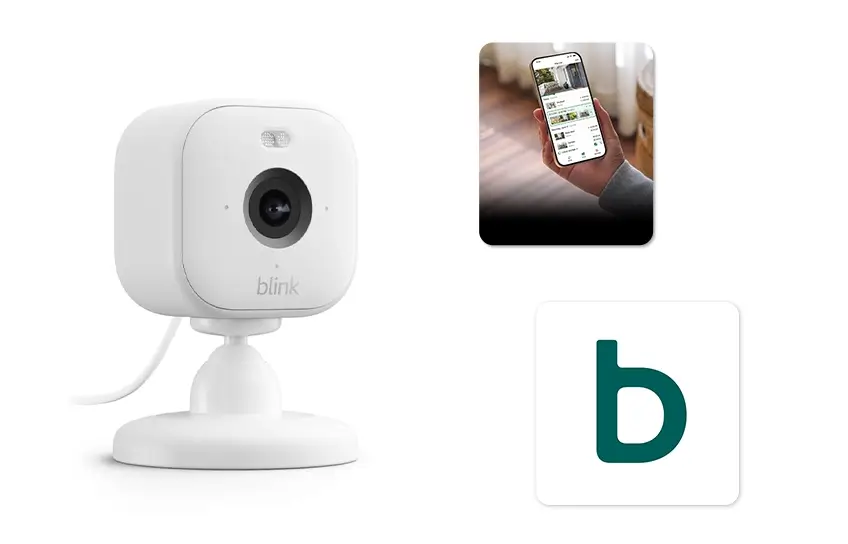
Setup takes about five minutes. Download the Blink app, create a free account, tap the plus button to add a new device, scan the QR code on the back of the camera, plug it in, and follow the prompts to connect it to your Wi-Fi. That is essentially it. The camera connects to 2.4GHz Wi-Fi networks only, so if your router only broadcasts on 5GHz, you will run into trouble. Most home routers broadcast both frequencies, but it is worth confirming before you buy.
The app itself is clean and straightforward. The home screen shows a thumbnail from each camera with the most recent captured image, and you can tap into any camera for a live stream. The live view screen gives you controls for the spotlight, audio muting, manual clip recording, and access to a settings panel where you can adjust motion sensitivity, create privacy zones, configure video quality preferences, and update the firmware.
The extended live view option lets you watch a continuous stream for up to 90 minutes, which is handy for situations where you want to keep an eye on something without setting up motion-triggered recording.
The camera also works with Amazon Alexa, including Alexa voice commands to stream video to an Echo Show display. If you already have Alexa devices in your home, this integration works smoothly. The camera does not work with Google Home or Apple HomeKit, which is worth knowing if you are invested in either of those ecosystems.
Storage and Subscriptions
This is where most budget cameras catch people off guard, and the Blink Mini is no exception. Out of the box, without any subscription, you can view a live stream and receive motion alerts, but you cannot go back and watch recorded footage. To access saved video, you have two paths.
Cloud storage is the first option, available through a Blink subscription. The Basic plan costs $3.99 per month or $39.99 per year and covers one camera. It includes motion-event recording with instant playback, 60 days of cloud storage, person and vehicle detection, the Blink Moments feature that stitches related clips together, extended live view, and custom notification controls. Priced at $11.99 per month or $119.99 per year, the Plus plan covers unlimited cameras and adds extended warranty coverage.
The second option is local storage. If you purchase a Blink Sync Module 2 separately (around $50) and connect a USB drive to it, the camera can save footage locally without any monthly fee. This is a good choice for people who do not want to pay ongoing costs, though it does require that extra hardware purchase upfront.
Compared to competitors like Ring, which charges more per month for similar features, Blink’s pricing is reasonable. Still, it is important to factor the subscription into your budget if you want the camera to do more than just show you a live view.
How It Compares to Similar Cameras
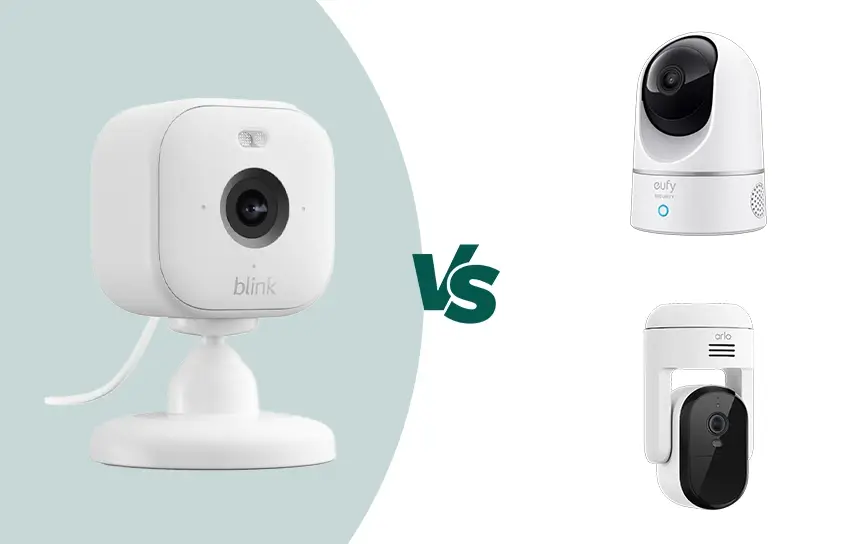
At the $50 price point, the Blink Mini 2K+ has a few notable competitors. Priced similarly, the Arlo Essential Pan Tilt Indoor adds mechanical pan and tilt, giving you a much wider coverage area than a fixed-lens camera. It also works with Google Home, making it a better fit for people outside the Amazon ecosystem. If room coverage and smart home flexibility matter more to you than keeping everything in one brand’s app, the Arlo is worth a look.
The Eufy E220 Indoor Cam sits at a similar price and works with Apple HomeKit, which makes it the natural choice for iPhone-first households. It also offers some local storage options that reduce reliance on a subscription.
Where the Blink camera pulls ahead is in simplicity and ecosystem integration for existing Blink or Amazon users. If you already use other Blink devices or have multiple Alexa smart speakers in your home, adding this camera takes almost no effort and everything works together out of the box. For that kind of buyer, the value is hard to beat at this price.
What Works Well and What Could Be Better
On the positive side, the video quality is genuinely above average for a $50 camera. Setup is fast and painless. Motion alerts are quick and accurate. AI-generated video descriptions are a practical feature that most cameras at this price do not offer. Night vision benefits meaningfully from the built-in spotlight, and the siren is loud enough to fill a single-story home with sound.
On the downside, the stand is lightweight and can be bumped out of position fairly easily. If you place the camera somewhere with foot traffic or in a spot where kids or pets might brush against it, you may find it shifted or knocked over more often than you would like. Mounting it with the included screws or using an adhesive wall bracket solves this, but it is an extra step.
The 2.4GHz-only Wi-Fi is another limitation worth noting. Most home networks handle this fine, but in dense apartment buildings or homes with congested wireless channels, 2.4GHz signals can be more susceptible to interference than 5GHz. It is not a dealbreaker, but it is a real-world consideration.
Finally, the lack of a microSD card slot means local storage requires buying the Sync Module separately, which adds cost and a piece of hardware to manage. Cameras like the TP-Link Tapo C120 offer local storage directly via microSD at a similar price, which is a simpler approach for people who want to avoid subscriptions.
Final Thoughts
For $50, this camera delivers real value. The 2K video is sharp, setup is refreshingly simple, and the AI motion descriptions add a layer of usefulness that makes the app genuinely informative rather than just a pile of unreviewed clips. It fits naturally into a home that already uses Amazon or Blink devices, and the subscription costs, while not free, are lower than most comparable services.
The limitations are real but manageable. You need a subscription or extra hardware to record and save footage. The stand is light and easy to knock. It does not work with Google Home or Apple HomeKit. If any of those are dealbreakers for your setup, look at the Arlo Essential Pan Tilt Indoor or the Eufy E220 instead.
But if you want a small, plug-in indoor camera that records clearly, alerts you reliably, and does not require a degree in networking to set up, this one earns its place on the shelf. It does exactly what it promises, and for most people, that is more than enough.
