
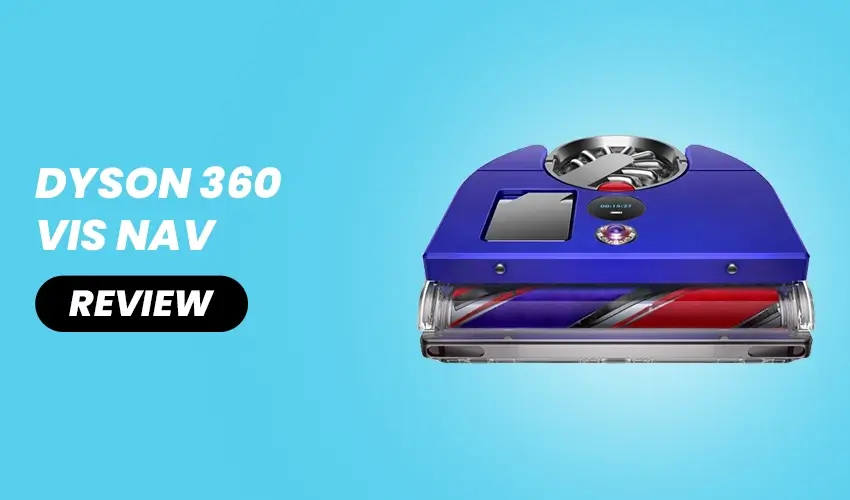
Why I Threw Away My Mop After Using the Dyson 360 Vis Nav
I never thought a robot vacuum would make me rethink my entire cleaning routine. But here we are. After spending a few weeks living with the Dyson 360 Vis Nav, I found myself doing something I never expected: tossing my old mop into the trash and rethinking how I keep my home clean. This isn’t a story about a perfect machine because, truthfully, it is not. It is a story about how one device changed the way I think about floor cleaning altogether, and why that shift matters more than I expected.
Dyson 360 Vis Nav Specifications at a Glance
| Specification | Details |
| Dimensions | 12.6 x 13 x 3.9 inches (W x D x H) |
| Weight | 9.9 lbs (4.5 kg) |
| Suction Power | 65 Air Watts |
| Motor Speed | 110,000 rpm (Hyperdymium motor) |
| Battery Life | Up to 75 min (Quiet mode) / 13 min (Boost mode) |
| Tested Battery Life | Approx. 58 minutes (Auto mode) |
| Recharge Time | Approx. 89 to 90 minutes |
| Dustbin Capacity | 0.25 L |
| Navigation System | 360-degree time-of-flight camera with LED ring |
| Brushroll Type | Triple-action (carbon fiber filaments, nylon bristles, soft nylon fibers) |
| Side Brush | None (uses innovative extending side duct instead) |
| Filtration | Five-stage whole-machine HEPA filtration |
| Cleaning Modes | Auto, Boost, Quiet, Quick |
| Obstacle Avoidance | Camera-based and infrared proximity sensors |
| App | MyDyson (iOS and Android) |
| Voice Control | Amazon Alexa and Google Assistant compatible |
| Self-Emptying Dock | No |
| Mopping Function | No |
| Color | Blue/Nickel |
| Price | UK: GBP 1,399.99 / US: USD 1,199.99 |
My Old Cleaning Routine Was Draining Me
Before anything else, let me paint you a picture of what cleaning used to look like in my home.
Every weekend without fail, I would drag out the mop, fill up a bucket, wring it out a dozen times, and spend an hour on my hands and knees making sure the corners and edges were not completely neglected. Then came the vacuum. Then the mop again if something got tracked in. It was repetitive, exhausting, and honestly, it never felt like it was enough.
I have a medium-sized home with a mix of hardwood floors and carpet. Pet hair is a constant battle. Fine dust seems to settle the moment you stop moving. Mopping helped with surface-level grime, but it never truly deep-cleaned anything. It just redistributed dirt in a slightly damp way and called it a day.
I knew there had to be a better approach. That is when I started looking seriously at robot vacuums.
What Made Me Stop and Pay Attention
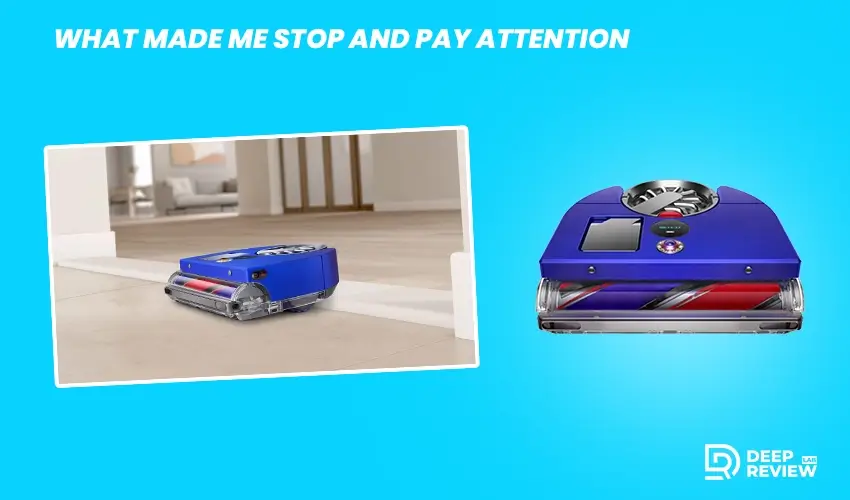
Most robot vacuums I had tried before were fine. They buzzed around, picked up some crumbs, and returned to their dock feeling proud of themselves while leaving half the floor untouched. The edges were always the worst. Corners were basically immune to them. I had low expectations when I decided to test something new.
Before committing to anything, I spent time reading every dyson robot cleaner review I could find, comparing specs, and watching real-world tests from people who had actually used these machines in their homes. What kept pulling me back to this particular model was one thing above all else: suction power. It uses a Hyperdymium motor spinning at 110,000 rpm, which produces significantly more airflow than most competitors in the robot vacuum category. For someone who has always felt that robot vacuums were underpowered, that claim alone was worth investigating.
The First Run Changed Things
I set it up, ran the initial mapping session, and let it loose. Right from the first run, the dyson 360 vis nav robot vacuum made an impression that the machines I had tried before simply could not match. The first thing I noticed was how thoroughly it pulled debris from my living room carpet. Not just surface-level dust, but the stuff that had been ground in over weeks. My carpet actually looked different after one pass. Brighter. Cleaner. Like something had genuinely been lifted out of the fibers rather than just shuffled around.
The second thing I noticed was the edge cleaning. Most robot vacuums rely on spinning side brushes that flick debris outward before the main suction pulls it in. This machine takes a different approach entirely. It extends a side duct along the wall to suction up dirt directly from the edges and baseboards. In practice, this means the edges of my rooms were getting real attention instead of being swept around carelessly.
Where It Genuinely Excelled
Deep Carpet Cleaning
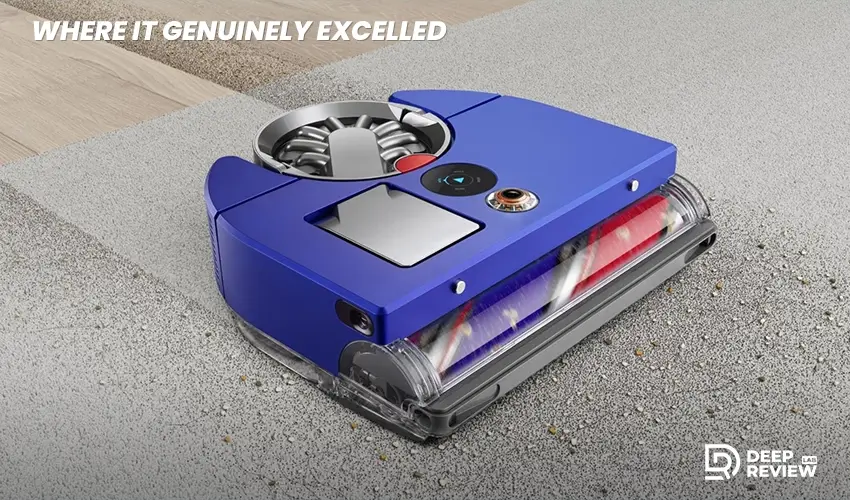
This is where the machine truly stands out. When you look at the dyson 360 vis nav specs, the triple-action brushroll immediately catches your attention. It features carbon fiber filaments, nylon bristles, and soft nylon fibers working together, and combined with the extremely high suction, it digs into carpet fibers rather than just grazing the surface. Pet hair, fine dust, and embedded debris that other vacuums routinely miss came up on the first pass.
For anyone who has struggled with robot vacuums on carpet, this was a revelation. There is something genuinely satisfying about checking the dust bin after a run and seeing just how much it collected from floors you thought were already reasonably clean.
The App and Controls
The MyDyson app is straightforward and easy to navigate. You can create room maps, set cleaning zones, assign different suction modes to different areas, and review heat maps showing where the most dust was detected in your home. The heat map feature alone is oddly fascinating. It showed me that the area under my bed was, to put it diplomatically, a situation.
The touchscreen on top of the robot itself is also a nice touch. It responds to a firm click rather than a light tap, which prevents accidental input. You can start a clean, switch modes, and check battery life without ever opening your phone.
Pet Hair Performance
For pet owners, this is worth highlighting on its own. The brushroll design handles pet hair without tangling, which is one of the most common frustrations with robot vacuums. Hair gets sucked up cleanly rather than wrapping around the brushroll into a mess that you then have to cut free. Not perfectly, but noticeably better than most alternatives.
Where It Falls Short
Being fair about a product means talking about its weaknesses, and this one has real ones worth knowing before you invest.
Navigation Can Be Unpredictable
The machine uses a camera-based visual navigation system rather than the laser-based LIDAR mapping that many competitors rely on. In well-lit rooms, it works well enough. In darker areas or under furniture, it can get confused. I had a few instances where it seemed to lose its bearings under the bed and spent several minutes wandering in circles before recovering. It occasionally struggled to find its way back to the dock, which is frustrating when you expected it to handle itself autonomously.
This is something firmware updates can address over time, and the company does push those updates remotely. But as of now, navigation is not its strongest suit.
No Self-Emptying Dock
At this price point, the dock does one thing: charge the robot. There is no automatic dustbin emptying, no self-cleaning system, nothing. You have to manually remove and empty the dustbin, which holds a relatively modest amount of debris. If you have a larger home or run it frequently, this becomes a minor but regular chore. When you consider the dyson 360 vis nav price, which sits firmly in the premium bracket, most competitors at the same level include self-emptying capability as a standard feature, making this omission all the more noticeable.
No Mopping
Here is where the headline of this piece requires a bit of honest unpacking. I threw away my mop not because this machine mops, because it does not. It has no mopping function at all. I threw away my mop because this machine convinced me that the real problem with my floors was never a surface moisture issue. It was a deep-cleaning issue. Once the floors were properly vacuumed, with actual suction and real brushroll contact, the need for mopping dropped significantly.
That said, if you have tile floors with grout lines, spill-prone areas, or sticky residue that genuinely requires wet cleaning, you will still need something else for that job.
Pros and Cons
Before you make any decision, here is a clear summary of what this machine does well and where it genuinely lets you down.
Pros:
- Powerful suction at 110,000 rpm
- Picks up pet hair without tangling
- Cleans edges with extending side duct
- HEPA filtration for allergy sufferers
Cons:
- No self-emptying dock
- Navigation struggles in dark areas
- No mopping function
- Small 0.25 L dustbin
Who Should Consider It
If you have carpet and struggle to keep it truly clean, this machine is one of the more effective tools available. If pet hair is a daily battle and you are tired of brushrolls that tangle, the design here addresses that problem thoughtfully. If you want an intelligent, app-connected robot that gives you control over zones and cleaning schedules, the dyson 360 vis nav™ robot vacuum covers those essentials well and gives you a level of cleaning performance that most machines in this category simply cannot match.
If you have a very large home, lots of dark spaces, or you need a fully autonomous system that empties itself and mops, you will likely want to weigh other options alongside this one before deciding.
Conclusion
What this experience taught me is that most of us tolerate floors that are not as clean as they could be simply because the tools we use are not powerful enough to do the job properly. A mop moves dirt. A weak vacuum redistributes it. A genuinely powerful robot vacuum with smart sensing and a well-engineered brushroll actually removes it.
That shift in thinking is what made me toss the mop. Not because this machine is flawless, but because it made me realize how much I had been settling for a cleaning routine that only looked like it was working. If you are ready to rethink your floor care from the ground up, this is a device worth your serious attention.