
Amazon Smart Thermostat Review: Alexa-Powered Climate Control
There’s something quietly revolutionary happening in homes across the country. People are discovering that controlling their home’s temperature doesn’t have to mean walking to a wall-mounted box and turning a dial anymore. The shift toward smart home technology has touched nearly every corner of our living spaces, and climate control is one area where the changes feel particularly meaningful with devices like the Amazon Smart Thermostat.
In the world of smart thermostats, there’s a newcomer that’s been generating serious buzz among homeowners and tech enthusiasts alike. The Amazon Smart Thermostat has entered a market dominated by established names, and it’s doing so with a compelling combination of affordability and functionality that’s hard to ignore. What makes this device particularly interesting isn’t just its price point, though that certainly turns heads. It’s the way Amazon has managed to strip away unnecessary complexity while keeping the features that actually matter to everyday users.
Smart home devices can sometimes feel like they’re designed by engineers for other engineers. We’ve all experienced that frustration of buying a gadget that promises to make life easier, only to spend hours deciphering confusing instructions and wrestling with temperamental apps. The real test of any smart home product isn’t whether it can do impressive things in theory. It’s whether it actually improves your daily life without becoming another source of stress or confusion.
What Makes a Thermostat Smart?
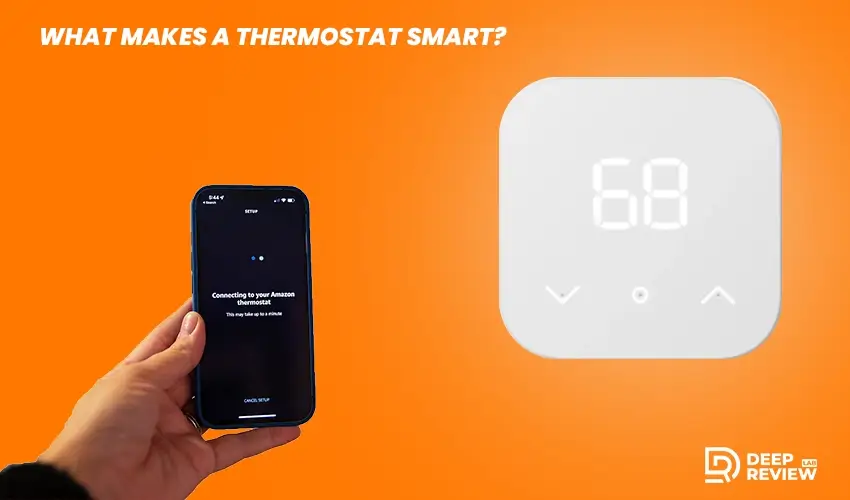
Traditional thermostats were simple devices where you set a temperature and the system maintained it. Smart thermostats fundamentally change this relationship by connecting to your home’s Wi-Fi network, opening up a world of possibilities. You can control them from your smartphone even when miles away, they can learn your patterns over time, and they integrate with other smart home devices and voice assistants. Most importantly, they help you save money on energy bills by optimizing when and how your heating and cooling systems run.
The technology has matured significantly over the past decade. Early smart thermostats were often finicky and unreliable, requiring professional installation that could cost as much as the device itself. Today’s smart thermostats are more reliable, easier to install, and genuinely capable of delivering on their promises. The market now offers options at virtually every price point, from budget models to premium devices, giving homeowners choices that fit their specific needs and budgets.
Design and First Impressions
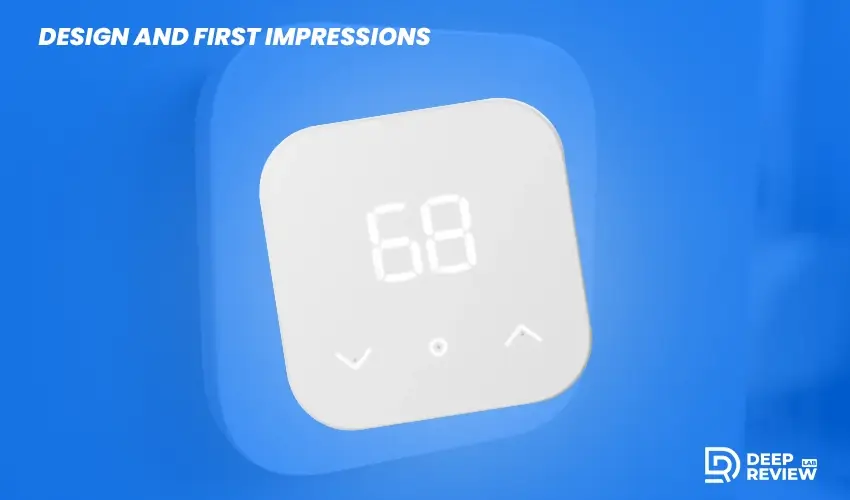
When you first unbox this thermostat, you’re struck by its simplicity. It’s a straightforward white rectangular device with a small display screen that’s clear and easy to read even from across the room. The design is minimalist in the best sense, not trying to be a statement piece but rather blending into your home’s decor without drawing attention. The display shows the current temperature in large numbers, along with whether your system is heating, cooling, or idle.
There’s a satisfying tactile quality to the physical controls with a simple interface that anyone can understand, even if they’ve never used a smart thermostat before. This accessibility is one of its strongest selling points, making advanced climate control available to people who might feel intimidated by more complex devices. The build quality feels solid and durable, suggesting this device will hold up well over years of daily use.
Installation Process Made Simple

Installation is where many smart thermostats lose people, but this device takes a different approach. The thermostat comes with detailed instructions that use clear language and helpful diagrams, making it accessible for most people with basic DIY skills. When learning how to install amazon smart thermostats, you’ll find the process typically takes about thirty minutes from start to finish. The package includes everything you need, and the step-by-step guidance walks you through each connection point carefully.
However, there are important compatibility considerations to keep in mind. Before purchasing, check the amazon smart thermostat compatibility with your specific HVAC system. The device works with most standard heating and cooling systems but doesn’t support every configuration. If you have a heat pump, multi-stage cooling, or other specialized setup, verification is essential. The device requires a common wire for power, which many homes already have installed behind their existing thermostat.
If your system lacks a C-wire, you’ll need a c wire adapter for amazon smart thermostat to provide consistent power. Some homes have an unused wire tucked behind the thermostat that can be repurposed for this function. The amazon smart thermostat wiring diagram included in the package clearly shows how each wire should connect, making it easier to understand the process even if you’re not particularly handy with electrical work.
Understanding the Wiring Setup
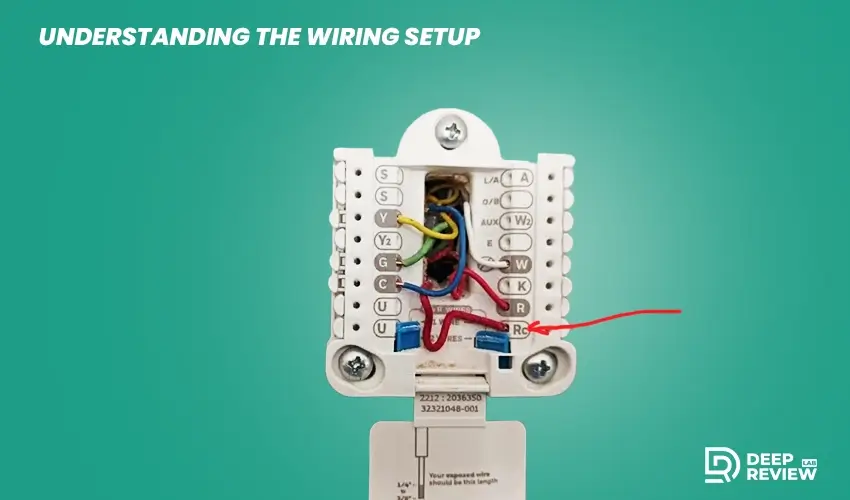
Getting the wiring right is crucial for proper operation. The amazon smart thermostat wire diagram breaks down each connection in a way that’s easy to follow, even for first-time installers. Before starting, take photos of your existing thermostat’s wiring to create a reference point. Label each wire with tape as you disconnect it, noting which terminal it connected to originally. This attention to detail prevents confusion during installation.
Turn off power to your HVAC system at the breaker before touching any wiring. This protects both you and your equipment from potential damage. The amazon smart thermostat wiring guide walks you through identifying each wire by color and function. Most systems use standard color coding, but older homes might have variations. The guide accounts for these differences and helps you make the right connections regardless of your home’s age or wiring setup.
Getting Connected and Configured
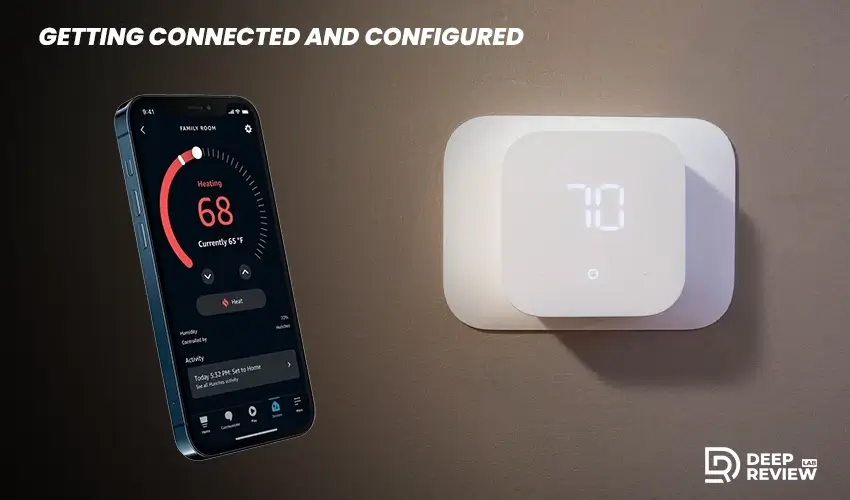
Once physical installation is complete, the amazon smart thermostat set up continues through the Alexa app on your smartphone. Download the app if you don’t already have it, as this becomes your command center for controlling the thermostat and customizing its behavior. The app guides you through initial configuration with clear instructions that don’t assume any technical knowledge, making the process accessible to everyone.
Connecting the thermostat to your Wi-Fi network is straightforward. The app walks you through selecting your network and entering your password. Within minutes, your thermostat is online and ready to receive commands from anywhere you have internet access. This connectivity transforms a simple temperature controller into a powerful tool for managing your home’s comfort and energy use efficiently.
Creating Schedules for Maximum Efficiency
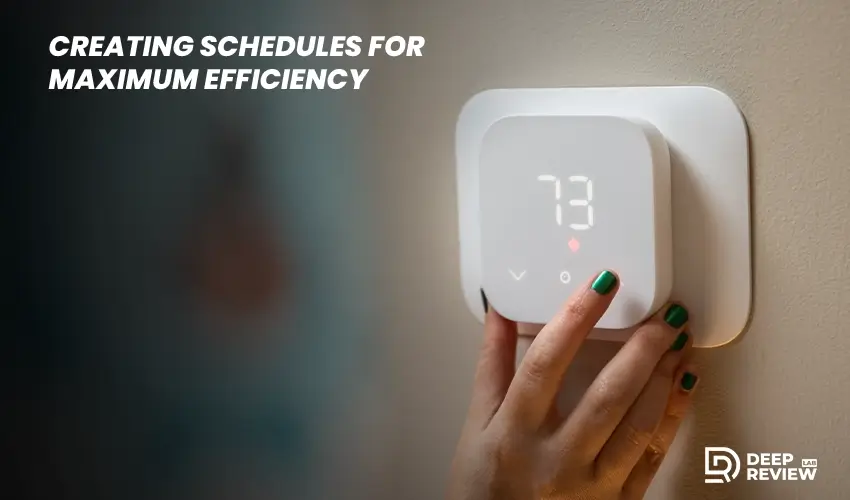
The scheduling feature is one of the most valuable aspects of smart thermostat technology. Think about your typical week and the patterns of when you’re home and away. Maybe you leave for work at eight in the morning and return around six in the evening. Perhaps you prefer cooler temperatures at night for sleeping. All of these preferences can be programmed into the device through the intuitive app interface.
Creating schedules is simple and flexible. You can set different temperatures for different times of day, and you can create separate schedules for weekdays and weekends. The system automatically adjusts your home’s climate to match these preferences. Over time, you’ll barely think about it because your home will always be at the right temperature when you need it to be, without any manual intervention required.
Voice Control and Alexa Integration
If you have Echo devices throughout your home, controlling your thermostat becomes as simple as speaking. You can ask Alexa to adjust the temperature, check current settings, or activate specific comfort modes. This hands-free control is more convenient than you might expect, especially when your hands are full or you’re already comfortable and don’t want to get up.
Imagine cooking dinner while the kitchen gets warm. Instead of washing and drying your hands to adjust the thermostat, you simply give a voice command. Or picture getting into bed and realizing the house feels too warm. A quick spoken request solves the problem without leaving your comfortable spot. These small conveniences create a genuinely more comfortable living experience that adds up throughout your daily routine.
The voice integration extends beyond simple adjustments. You can create routines that tie into other smart home aspects. A “Good Morning” routine might adjust the thermostat to your preferred daytime temperature while turning on lights and starting your coffee maker. A “Goodnight” routine could lower the temperature for sleeping while locking smart locks and turning off lights throughout the house, creating a seamless transition between different parts of your day.
Energy Savings and Financial Benefits
Heating and cooling typically account for a substantial portion of home energy consumption. In many households, it’s the single largest energy expense, making even modest improvements in efficiency translate to meaningful savings over time. Smart thermostats help reduce energy waste through better scheduling and remote control capabilities that respond to your actual life rather than a fixed program.
The ability to control your system remotely makes a real difference. If you forget to adjust the temperature before leaving for vacation, you can fix that from your phone. If plans change and you’re coming home earlier than expected, you can ensure the house is comfortable without wasting energy heating or cooling an empty home all day. These real-time adjustments prevent the waste that occurs with traditional thermostats.
Amazon claims users can save an average of fifty dollars per year on energy bills. While that might not sound like a fortune, it means the device could pay for itself relatively quickly. Those savings continue year after year, potentially adding up to hundreds of dollars over the thermostat’s lifespan. Many utility companies also offer an amazon smart thermostat rebate program that can reduce your upfront cost even further, making the investment even more attractive.
Daily Living and Real-World Performance
The reliability stands out in everyday use. The thermostat maintains a consistent Wi-Fi connection without frequent drops or disconnections that plague some smart devices. Commands through the app process quickly whether you’re at home or across town. The system responds promptly to temperature adjustments, and the climate control performs exactly as expected without any lag or delay.
Temperature readings are accurate and consistent, which matters more than you might think. Some thermostats can be off by several degrees, leading to discomfort and inefficiency. This device consistently provides readings that match independent thermometers, giving you confidence that what you see on the display reflects reality. The system maintains your set temperature reliably without the wild swings that some cheaper thermostats exhibit.
Battery backup is another practical consideration that becomes important during power outages. The thermostat retains your settings and schedule when power goes out. When electricity returns, everything resumes without requiring you to reprogram anything. It’s a small detail that prevents frustration during those inevitable power interruptions that happen throughout the year in most areas.
Troubleshooting Common Issues
If you encounter the amazon smart thermostat not turning on after installation, first check that power is flowing to the device. Verify the breaker is on and all wire connections are secure. Sometimes a wire isn’t fully inserted into its terminal, causing connection problems. The app includes diagnostic tools that can help identify where the issue lies.
The most common installation challenge involves the C-wire. If your system lacks one, the thermostat won’t receive consistent power. You can add a C-wire adapter or repurpose an unused wire if available. The troubleshooting section in the app provides detailed guidance for various scenarios. There’s also a substantial online community where users share solutions to problems they’ve encountered and resolved.
If the thermostat loses its Wi-Fi connection, start by checking your router and internet connection. Move closer to your router during setup if signal strength is weak. Restart both the thermostat and your router if connection problems persist. Most connectivity issues resolve quickly with these basic troubleshooting steps, getting you back to comfortable climate control.
Comparing Value in the Market
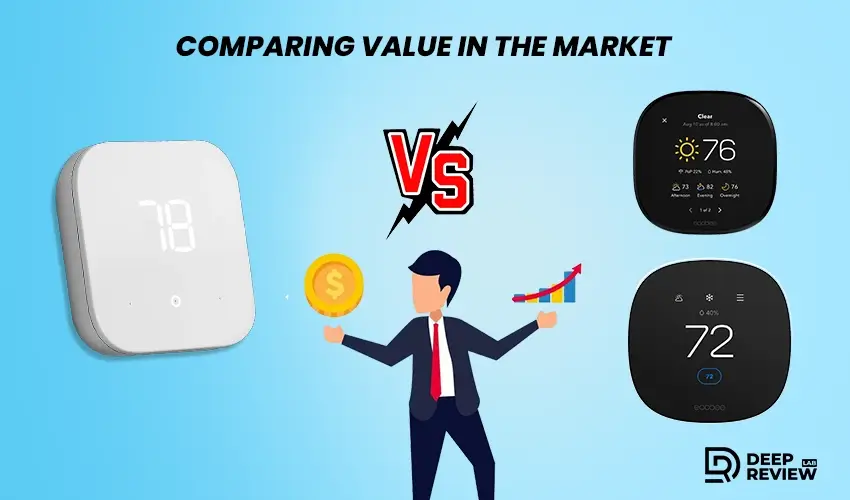
Premium thermostats justify higher prices with additional features like learning algorithms that automatically adjust to your patterns without manual scheduling. They might include room sensors for even temperature distribution or more sophisticated displays with sleeker designs. Some offer advanced energy reports powered by machine learning. These features are genuinely useful for some people, but the question is whether they’re worth the significant price premium for your situation.
At the budget end, basic smart thermostats offer connectivity and app control but little else. They might work adequately but often cut corners on build quality, app design, or customer support. Installation can be more complicated, and user interfaces might be clunky. These budget options can be hit or miss, sometimes creating frustration rather than convenience.
Amazon’s offering occupies an interesting middle ground. It delivers core functionality most people actually need without inflating the price with features many users would never utilize. The Alexa integration is seamless if you’re already in that ecosystem, but the device works perfectly well even if you’re not. The build quality feels solid, the app is well-designed, and the installation process is about as easy as it can be for a device requiring some wiring work.
Who Benefits Most From This Device
First-time smart thermostat buyers represent an ideal audience. If you’ve been curious about upgrading from a traditional thermostat but felt intimidated by options or prices, this offers an accessible entry point. You get to experience smart climate control benefits without making a huge financial commitment. The straightforward setup and operation mean you won’t feel overwhelmed by complexity or technical jargon.
Amazon ecosystem enthusiasts will find particular value here. If you already use Alexa devices throughout your home, adding this thermostat extends that ecosystem’s reach into climate control. The voice integration works beautifully with existing routines and smart home setups. Everything speaks the same language and works together without compatibility headaches or workarounds.
Renters and apartment dwellers might appreciate this option as well. The relatively modest price point means you’re not investing a fortune in a device you’ll have to leave behind when you move. Installation is simple enough to handle yourself without hiring a professional, and uninstalling when you leave is equally straightforward. You get to enjoy smart home benefits even in a temporary living situation without breaking the bank.
Potential Limitations to Consider
The lack of learning capability is the most notable omission compared to premium competitors. This device won’t automatically figure out your schedule and adjust accordingly. You need to manually create schedules through the app. For many people, this isn’t a drawback at all because they prefer having explicit control over settings. But if you want your thermostat to do the thinking for you, that hands-off automation isn’t available here.
The design, while clean and functional, won’t win awards for aesthetics. If you view your thermostat as a design element in your home and want something that makes a visual statement, you might be disappointed. The utilitarian appearance prioritizes function over form. It’s not ugly, but it’s definitely not a conversation piece that guests will comment on.
Advanced HVAC systems might not be compatible with this thermostat. If you have complex heating and cooling setups with multiple zones, heat pumps with auxiliary heat, or other specialized configurations, you’ll need to verify compatibility carefully. The device works great with standard systems, but it wasn’t designed to handle every possible HVAC scenario that exists in residential homes.
The Bigger Picture of Home Automation
We’re living through a transition period where homes are becoming more connected and intelligent. The pace of this change is accelerating, and the barriers to entry are lowering significantly. Ten years ago, smart home technology was expensive and complicated, requiring technical expertise to set up and maintain. Devices often didn’t work well together, creating frustration rather than convenience for early adopters.
Today, the landscape has transformed dramatically. Products have become more affordable, more reliable, and more user-friendly. The vision of a truly smart home is becoming accessible to average homeowners, not just tech enthusiasts with deep pockets and programming skills. Climate control sits at the heart of home automation for good reason because it’s something every home needs regardless of size or location.
What makes this particular moment interesting is the convergence of several trends. Voice assistants have become commonplace, changing how we expect to interact with technology. Energy efficiency has moved from niche concern to mainstream priority. Smartphone apps have standardized how we control connected devices. All of these elements come together in products like this thermostat, creating experiences that would have seemed like science fiction not long ago.
Making Your Decision

Choosing the right smart thermostat ultimately comes down to aligning product capabilities with your specific needs and circumstances. There’s no universal best choice that works for everyone. What matters is finding the option that makes sense for your home, your budget, and your priorities. Consider your existing smart home setup first because integration matters significantly.
If you’re already using Alexa devices and enjoying that ecosystem, this thermostat slots in beautifully. The integration is seamless, and you’ll get immediate value from voice control features. If you’re not in that ecosystem, the device still works well, but you’re missing out on one of its key strengths that differentiate it from competitors.
Think about your technical comfort level honestly. If programming schedules and adjusting settings through an app feels daunting, you might benefit from a learning thermostat that automates those decisions. But if you’re comfortable with technology and prefer having explicit control, the manual approach this device takes might actually be preferable to algorithmic decision-making.
Evaluate your HVAC system’s compatibility carefully before purchasing. Most standard systems work fine, but specialized setups might require different solutions. Taking the time to verify compatibility saves frustration later and prevents the hassle of returns or exchanges. Check the manufacturer’s website for a detailed compatibility checker tool.
Final Thoughts
This thermostat from Amazon succeeds by focusing on what actually matters to most people. It provides reliable climate control with convenient smartphone and voice control capabilities, enables energy savings through smart scheduling, and does all of this at a price point that makes sense for average homeowners.
The device isn’t perfect and lacks some advanced features like automatic learning. But for many people, these omissions don’t matter because what they want is a thermostat that works reliably, saves them money, and doesn’t require technical expertise to operate.
Whether this device is right for you depends on your unique circumstances. But it represents a compelling option for those seeking to enter smart home climate control without breaking the bank. The combination of reasonable pricing, solid functionality, and seamless Alexa integration creates a package that works well for many homeowners ready to make their homes smarter and more efficient.