


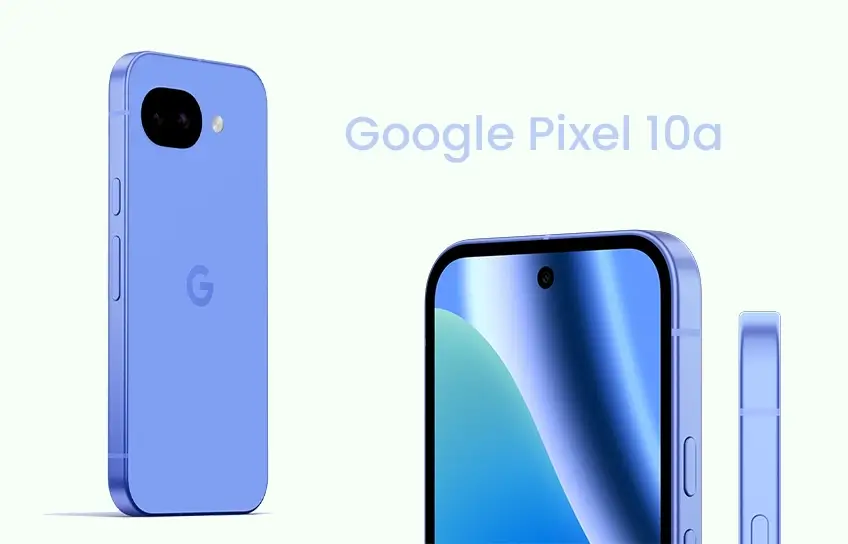
When Google announced the Pixel 10a, the reaction online was pretty much unanimous. Same chip, same cameras, same RAM, same battery, just a Pixel 9a with a flat back. And look, that reaction wasn’t wrong. If you put the two phones side by side, you’d struggle to justify spending $499 on the newer one when you already own the older one.
But here’s the thing, most people buying a $499 phone in 2026 are not coming from a Pixel 9a. They’re coming from a Pixel 7, or an old Samsung, or an iPhone they finally got tired of. And for those people, the Pixel 10a is genuinely excellent. Not exciting, not revolutionary, but excellent. The kind of phone you buy, set up in ten minutes, and stop thinking about.
I’ve been using the Pixel 10a as my daily driver for 30 days now. This is what it’s actually like.
What Actually Changed From the Pixel 9a
Because this is the first question anyone asks, let’s get it out of the way fast.
The camera hardware is identical. The chip is identical. The RAM and storage options are identical. The battery capacity is identical. The display size and resolution are identical.
What did change:
- The back is now completely flat, no camera bump at all, the glass sits behind the plastic panel
- Gorilla Glass 7i replaces Gorilla Glass 3 on the display
- Wired charging goes from roughly 23W to 30W, taking around 84 minutes for a full charge
- Wireless charging goes from 7.5W to 10W
- Satellite SOS support, a first for the A-series
- Camera Coach and Auto Best Take AI features, borrowed from the Pixel 10 lineup
- Bluetooth 6 instead of Bluetooth 5.3Android 16 with the new Material 3 Expressive interface
- Peak display brightness up from 2,700 nits to 3,000 nits
That’s the full list. Google clearly made a choice here, keep the price at $499 and hold the hardware steady, or raise the price and upgrade the internals. They chose the former, and given how much component prices moved in 2025 and early 2026, that was probably the right call.
Design
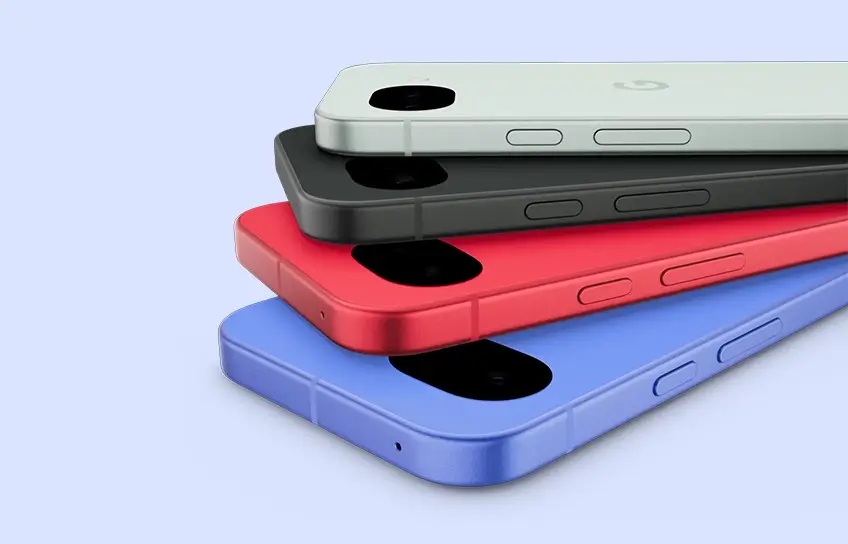
I’ll say this plainly: the Pixel 10a is one of the nicest phones to carry around at this price, and the flat back is the reason.
There is no camera bump. Not a subtle one, not a minimal ring, nothing. The camera glass sits recessed behind the plastic back panel, so the entire rear of the phone is flush. You can slide a finger over it and feel nothing. Put it on a table and it doesn’t rock. Slide it into a pocket and nothing catches. It sounds like a small thing and it absolutely isn’t. After 30 days, picking up phones with a camera bump feels noticeably worse.
The frame is aluminum with a matte finish. The back is plastic, which some people will have feelings about, but plastic survives drops better than glass and feels comfortable in hand. The phone is available in Obsidian, Fog, Lavender, and Berry. The Berry colorway is a standout, a pinkish red that catches eyes without looking garish, and it’s one of the better phone colors I’ve seen in a while.
The bezels are chunky by flagship standards. The screen-to-body ratio is around 84%, which is noticeably thicker around the edges than a Galaxy S25 or a Pixel 10 Pro. It’s easy to forget about this within a few days of normal use, but if you’re coming from a phone with slim bezels, you’ll notice the adjustment period.
The phone is IP68 rated, weighs 183 grams, and measures 9mm thick. It’s a compact, comfortable size that most people can use one-handed without thinking about it.
Display
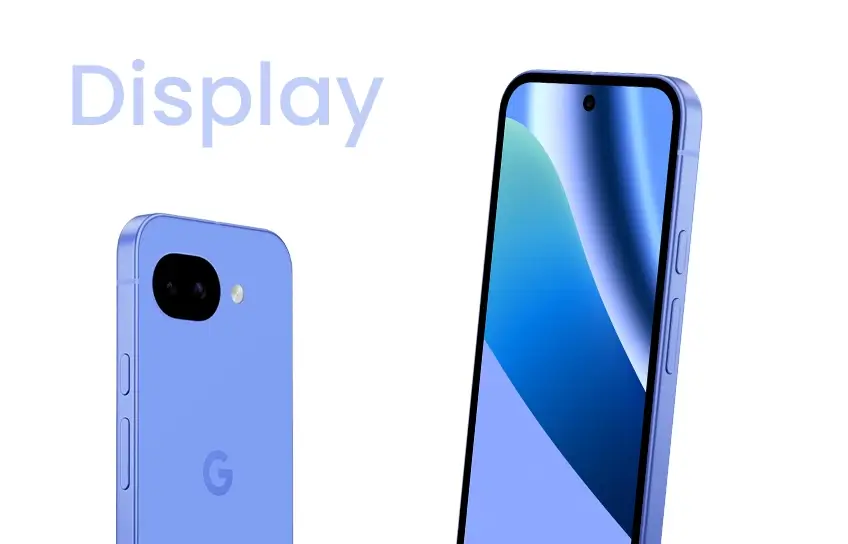
The 6.3-inch Actua pOLED display is almost identical to the Pixel 9a’s, except for the brightness. Peak brightness is now 3,000 nits, up 300 nits from last year, and that difference is genuinely visible outdoors. The display handles direct sunlight well, which matters more than most spec sheets suggest.
Resolution is 1080 x 2424 at 422 PPI and the 120Hz refresh rate makes scrolling smooth. One thing to do immediately after unboxing: go into display settings and enable Smooth Display. It ships at 60Hz by default, which is bewildering. While you’re in there, switch the color profile from Adaptive to Natural. Both changes take 30 seconds and make the display noticeably better.
The comparison that comes up constantly is the iPhone 17e, which ships with a 60Hz LCD display at $599. The Pixel 10a gives you a better display for $100 less. That’s not a close call.
Performance
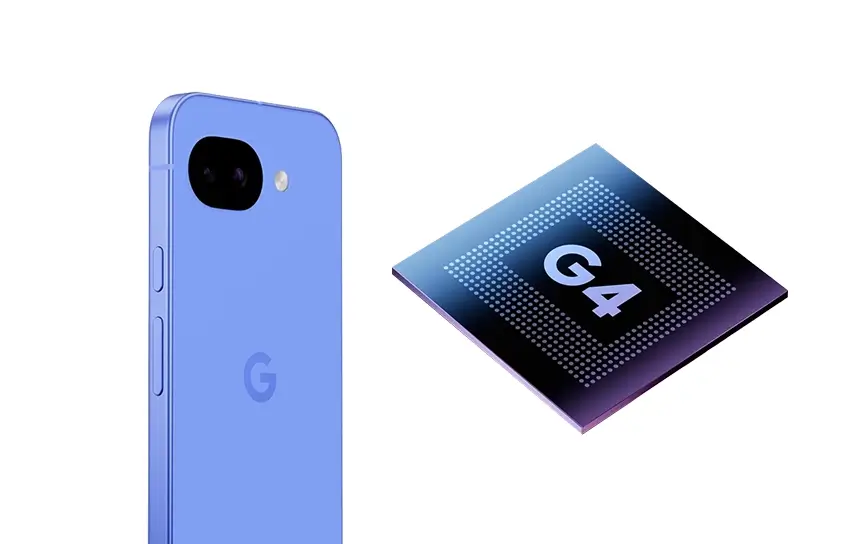
The Pixel 10a runs the Google Tensor G4 chip with 8GB of RAM, the same processor that was in the Pixel 9a last year and the entire Pixel 9 series the year before that. It’s a two-year-old chip in a 2026 phone, and Google hasn’t explained publicly why the Pixel 10a didn’t get the Tensor G5 that every other Pixel 10 model runs.
When I tested performance, the Pixel 10a delivered results virtually identical to the Pixel 9a across both single-core and multi-core workloads. The iPhone 17e’s A19 chip is considerably faster. The Pixel 10 is faster. In day-to-day use, you won’t notice most of this.
What you will eventually notice is the RAM. 8GB is tighter than it should be in 2026, and the gap between this phone and the 12GB in the base Pixel 10 shows up in multitasking. Keep ten or more apps open simultaneously and you’ll see background apps refreshing more than you’d want. It’s not constant, but it’s there.
For everyday tasks, messaging, email, navigation, social media, streaming, the Tensor G4 handles everything without any noticeable hesitation. Apps open fast, the interface is smooth, and the phone never felt sluggish during a normal day. Push into sustained gaming at high settings or try running complex video exports and it slows down. Most people won’t push it there.
The more legitimate concern is longevity. This phone comes with seven years of software updates, which means Google is committing to supporting it through roughly 2033. Whether an 8GB RAM device with a two-year-old chip is ready for what apps look like in 2030 is a genuine question that nobody can answer right now.
Camera
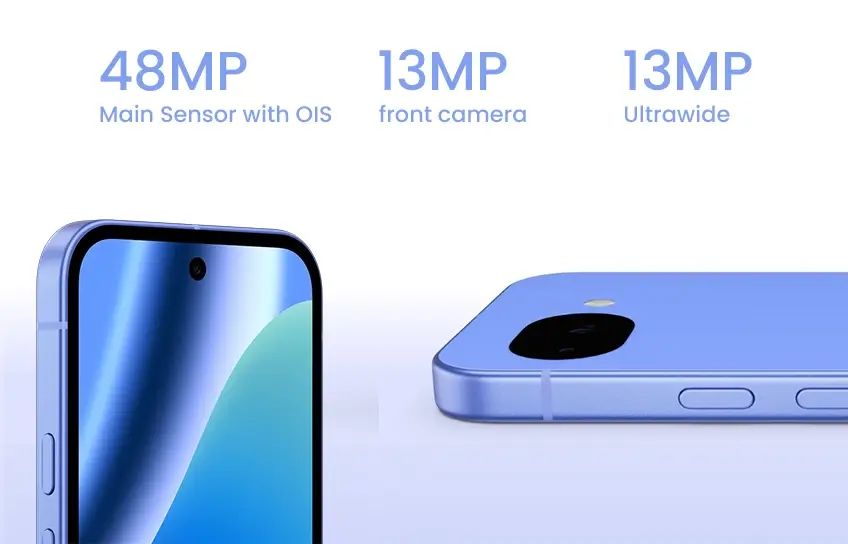
The camera hardware is unchanged from the Pixel 9a. Dual rear cameras, a 48MP main sensor with OIS and a 13MP ultrawide, and a 13MP front camera. No telephoto lens. Zoom tops out at 8x Super Res, but past 2x the detail softens quickly.
The photos this camera produces are on the natural side. Google isn’t cranking contrast or oversaturating colors the way some other Android cameras do. Images look closer to what your eyes actually saw. Portrait mode is a consistent strength, subject separation is clean, edge detection around hair is solid, and the blur looks natural rather than artificial. Night Sight remains one of the better low-light camera modes at any price near $500.
Camera specs:
| Camera | Resolution | Aperture | Notes |
| Main (wide) | 48MP, 1/2.0-inch | f/1.7 | OIS, dual-pixel PDAF, 4K at 60fps |
| Ultrawide | 13MP, 1/3.1-inch | f/2.2 | 120-degree FoV, no autofocus |
| Front | 13MP, 1/3.1-inch | f/2.2 | 4K at 30fps |
Two new software features are worth mentioning. Camera Coach uses Gemini to give you real-time framing and lighting guidance while you’re shooting. It’s helpful if you’re still building your eye for photography, it correctly caught backlit situations and low-exposure scenes during testing. Once you’ve developed some instincts yourself, it can feel like noise, but turning it off takes two taps.
Auto Best Take is the more universally useful one. It captures a burst of group shots and picks the best expression per face, then combines them. Group photos where someone always blinks or looks away are genuinely improved. It’s one of those features that sounds gimmicky until you use it at a family dinner.
The main camera focuses as close as 4.5cm, which gives you solid macro capability without a dedicated lens. The Samsung Galaxy A57 has a dedicated 5MP macro camera, in practice, the Pixel 10a’s software macro usually produces more detail.
Battery Life
This is the section where I can give you real numbers instead of estimates.
I’ve put the Pixel 10a through my typical day for a full month and it’s one of those devices you stop stressing about within the first week. My first full day of heavy use, a lot of photos, navigation running for a couple of hours, constant messaging, I ended the night at 38% battery. Day three, similar usage pattern, I had 49% remaining at bedtime. On the heaviest day of testing, five-plus hours of screen-on time including everything I could throw at it, the phone still had 31% left when I called it done.
The 5,100mAh cell isn’t bigger than last year, but the phone seems to use it more efficiently. When I ran battery testing, the Pixel 10a clocked over 15 hours of active use time, a significant jump from the roughly 12 hours and 42 minutes I recorded on the Pixel 9a. The improvement is real and noticeable in daily use.
Charging goes from 0 to 50% in about 30 minutes using a 30W USB-C PPS charger. A full charge from empty takes around 84 minutes. No charger comes in the box, Google gives you a USB-C cable and that’s it. Budget for a 30W+ USB-C PPS adapter separately.
Wireless charging at 10W is slow, best used for overnight top-ups rather than quick refills. There’s no PixelSnap magnetic charging here, Google left that for the Pixel 10 and above to keep costs down. If you’ve been using a magnetic charging setup, you’ll feel the absence.
Software
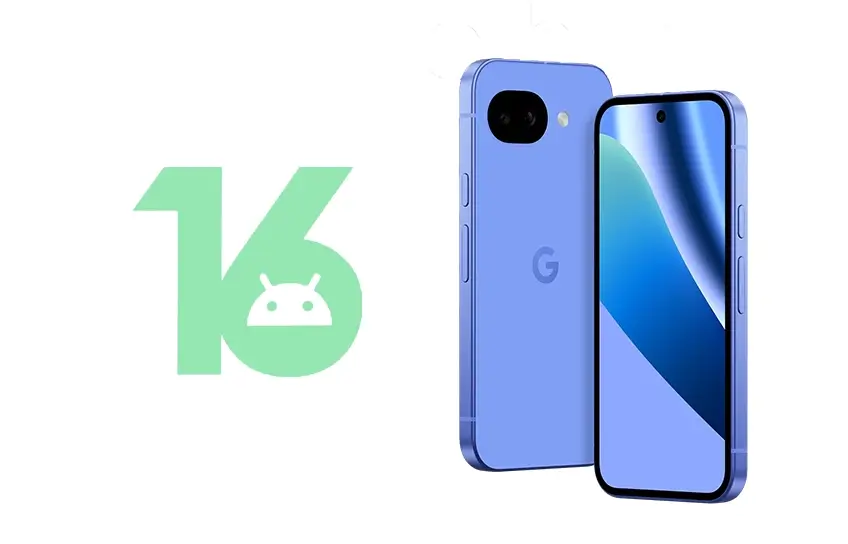
The Pixel 10a ships with Android 16 and Material 3 Expressive, and the software is honestly the strongest argument for buying a Pixel over anything else in this price range.
No bloatware, no duplicate apps, and no carrier apps shoved in the drawer. The setup process is clean, the interface is responsive, and everything Google has built into the OS actually works well. Hold for Me waits on hold during customer service calls and pings you when a human answers. Clear Calling filters background noise from phone calls in real time. Scam Detection flags suspicious incoming calls using on-device processing. These are features that sound like minor additions on paper and turn out to be genuinely useful in regular life.
Gemini is accessible from a long press of the power button, and for most tasks it pulls from cloud processing rather than running locally. The 8GB RAM limits which Gemini Nano models can run on-device, which means features like Pixel Screenshots and Call Notes, both of which require local processing,aren’t available on this phone. That’s a real omission worth knowing before you buy.
The seven-year update commitment is what separates this from everything else at $499. Samsung offers six years on the Galaxy A57. Motorola offers three on most of its lineup. Google is guaranteeing OS upgrades, security patches, and Pixel Drop feature updates on this phone through approximately 2033. For a $499 device, that’s a better long-term investment than almost anything else available right now.
How It Stacks Up Against the Competition
The phones most people are cross-shopping against the Pixel 10a right now are the Samsung Galaxy A57 5G and the Apple iPhone 17e.
| Details | Google Pixel 10a | Samsung Galaxy A57 5G | Apple iPhone 17e |
| Price (base) | $499 | $550 | $599 |
| Chip | Tensor G4 | Exynos 1680 | Apple A19 |
| Display | 6.3-inch pOLED, 120Hz | 6.7-inch AMOLED, 120Hz | 6.1-inch LCD, 60Hz |
| Peak brightness | 3,000 nits | ~2,000 nits | ~2,000 nits |
| Rear cameras | 48MP + 13MP ultrawide | 50MP + 12MP UW + 5MP macro | 48MP (single lens) |
| Battery | 5,100mAh | 5,000mAh | ~3,279mAh |
| Wired charging | 30W | 45W | 20W |
| Wireless charging | 10W Qi | None | 25W MagSafe |
| Satellite SOS | Yes | No | Yes |
| Software updates | 7 years | 6 years | 5 to 6 years |
The Galaxy A57 charges faster at 45W and has a bigger 6.7-inch screen. Those are real advantages if fast wired charging or a large display is what you need. It loses on wireless charging (none), camera processing quality, software longevity, and price. The Pixel 10a does more for less money for most buyers.
The iPhone 17e starts at $599 with 256GB base storage. Move up to a 256GB Pixel 10a and you’re spending $599 too, which makes the comparison tighter than the base prices suggest. At that price, the Pixel 10a wins on display quality,120Hz pOLED versus 60Hz LCD is not subtle, and camera versatility with its ultrawide. The iPhone 17e wins on raw processing power from the A19 and MagSafe convenience. If you’re already in the Apple ecosystem, the 17e makes more sense. If you’re not, the Pixel 10a is the better deal.
For people looking at affordable Android phones under $500, nothing in this class touches the Pixel 10a on camera quality and software longevity combined.
Should You Buy the Pixel 10a?
Recommending this phone is pretty straightforward, with one very clear exception.
If you own a Pixel 9a, don’t buy this. The hardware is functionally identical. Same chip, same cameras, same RAM, same battery capacity. The flat back and slightly faster charging are nice, but they’re not $499 nice. Wait for the Pixel 11a.
If you’re coming from a Pixel 8a or anything older, this is the upgrade to make. A meaningful durability improvement with Gorilla Glass 7i, faster charging, Satellite SOS, cleaner AI features, and a fresh seven years of updates from day one. The jump is worth it.
If you’re switching from Samsung and don’t want to spend Pixel 10 money, the Pixel 10a is an easy landing spot. Cleaner software, better camera processing, and the same basic hardware at $499.
If you’re leaving iOS, this is one of the best ways to try Android without overpaying. The Pixel software experience is clean, Gemini is well integrated, and Google’s camera processing is genuinely competitive with what you had on iPhone.
If you’re a heavy multitasker or mobile gamer, look elsewhere. The Samsung Galaxy A57 5G has a stronger GPU for sustained gaming. The base Pixel 10 at $549 gives you 12GB RAM and a Tensor G5, which is a more capable machine for power use cases.
The phone will also get discounted. Google always discounts its A-series phones within a few months of launch. At $399 during a sale, this is as close to a no-brainer as a $499 phone can get.
Conclusion
The Pixel 10a is not the most exciting phone Google has made. It’s the second release of a phone that was already great, and the changes are real but narrow. Google made a deliberate choice to hold the price at $499 instead of upgrading the hardware, and in 2026 with component costs doing what they’re doing, that decision is harder to argue with than it first appears.
Thirty days in, what actually stuck with me: the battery never once caused anxiety, the camera consistently produced photos I was happy with, and the software experience never once got in my way. The flat back made a phone I’d normally put a case on something I kept using bare. Night Sight still outperforms what rivals charge $700 to match.
The Tensor G4 and 8GB RAM are the ceiling, and they’re a real ceiling. Power users and heavy multitaskers will hit it. Everyone else will have a phone that handles their actual daily life without complaining, for seven years.
If you need a new phone and your budget is $500, this is the answer. If you own a Pixel 9a, it isn’t.
