


Home security has evolved dramatically over the past decade. Gone are the days when you needed expensive professional installations and clunky equipment to keep an eye on your property. Today, smart outdoor cameras promise to guard your home around the clock, sending alerts to your phone and recording everything that happens on your doorstep. But do they actually deliver on these promises, and is the Google Nest Cam Outdoor Review one of them?
When you’re investing in home security, you want to know you’re making the right choice. The Google Nest Cam Outdoor has been one of the most talked-about options in the smart security space, but it’s worth taking a closer look at what it really offers. This Google Nest Cam Outdoor review will walk you through everything you need to know about this camera, from its core features to its real-world performance, helping you decide whether it’s the right fit for protecting your home.
The question isn’t just whether a camera can record footage. It’s about whether it can intelligently detect threats, withstand harsh weather, integrate with your existing smart home setup, and give you genuine peace of mind. Let’s dive deep into what this outdoor security camera brings to the table and whether it lives up to the 24/7 protection promise.
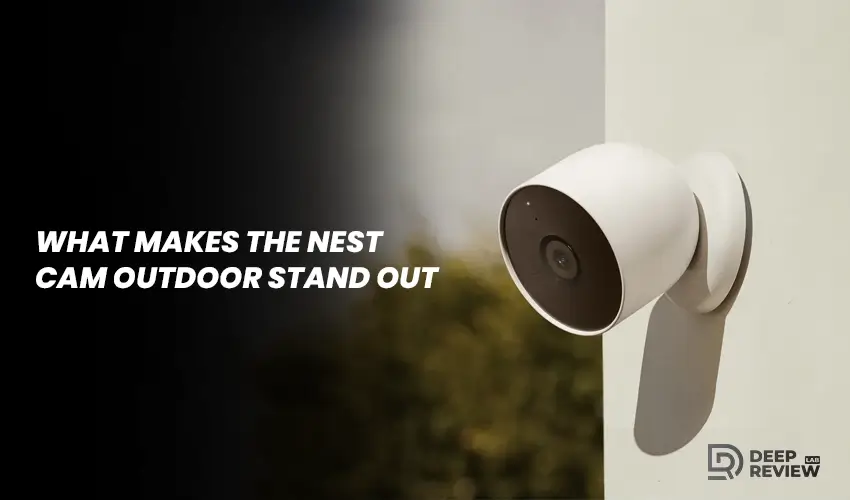
What Makes the Nest Cam Outdoor Stand Out
Weatherproof Design Built for All Seasons
Google has built a reputation for creating intuitive, user-friendly technology, and the nest nest cam outdoor follows that tradition. This camera was designed specifically for outdoor use, which means it needs to handle everything from scorching summer heat to freezing winter storms. The weatherproof design is one of its strongest selling points, rated to work in temperatures ranging from negative 4 degrees Fahrenheit to 104 degrees Fahrenheit.
Video Resolution and Field of View
The nest cam outdoor security camera captures video in 1080p HD resolution with a 130-degree field of view. This wide angle means you can cover a significant area of your front yard, driveway, or backyard without needing multiple cameras. The image quality remains crisp during daylight hours, and the camera automatically switches to night vision when darkness falls, using infrared LEDs to illuminate the area up to 25 feet away.
Intelligent Motion Detection That Reduces False Alarms
One feature that truly sets this camera apart is its ability to distinguish between different types of motion. Rather than alerting you every time a leaf blows past or a car drives down the street, the Nest Cam uses intelligent algorithms to identify people and send you more relevant notifications. This dramatically reduces false alarms and means you’re more likely to pay attention when an alert actually matters.
Installation and Setup Process
Physical Installation and Mounting
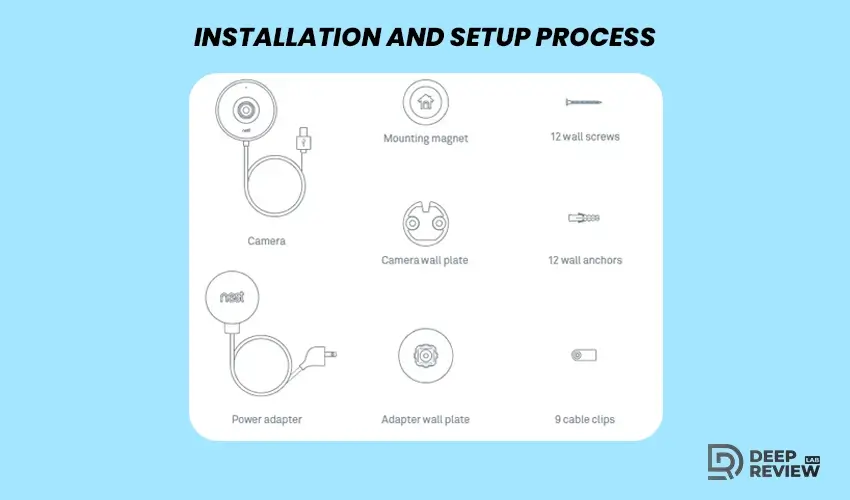
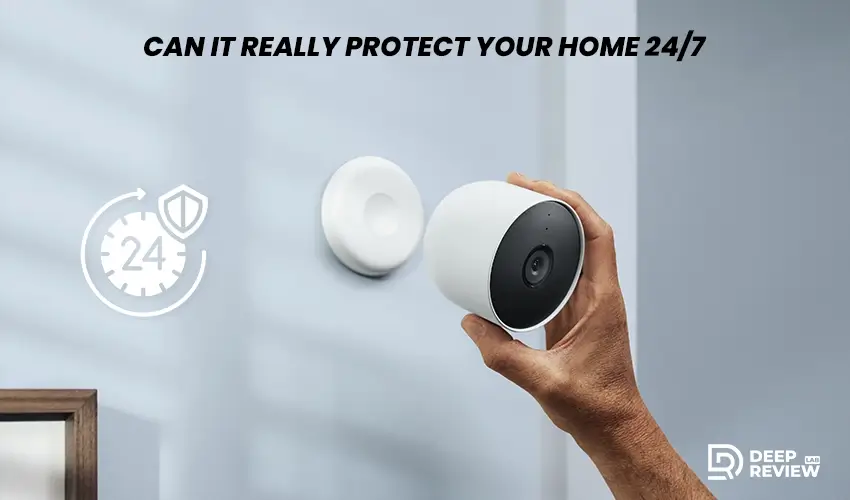
Setting up outdoor security cameras can sometimes feel like you need an engineering degree, but Google has made this process surprisingly straightforward. The nest cam outdoor mount comes with a magnetic design that attaches to a metal plate you secure to your wall. This design gives you flexibility in positioning the camera and makes it easy to remove for cleaning or repositioning without unscrewing anything.
Power Requirements and Cable Management
You will need access to an outdoor power outlet since this camera requires continuous power through its attached weatherproof cable. The nest cam outdoor power cable is about 10 feet long, which gives you some flexibility in placement, but you’ll need to plan your installation location accordingly. Some homeowners find this limiting compared to battery-powered alternatives, but the continuous power supply ensures true 24/7 recording without worrying about battery life. Unlike options that offer a nest cam outdoor battery configuration, this model prioritizes reliability over wireless convenience.
App Setup and Configuration
Learning how to install google nest cam outdoor through the app takes about 15 minutes from start to finish. You’ll scan a QR code on the camera, connect it to your WiFi network, and customize your notification preferences. The app walks you through each step with clear instructions, making it accessible even if you’re not particularly tech-savvy. Once connected, you can view your camera feed from anywhere in the world as long as you have an internet connection.
Video Quality and Performance in Different Conditions
Daytime Video Performance
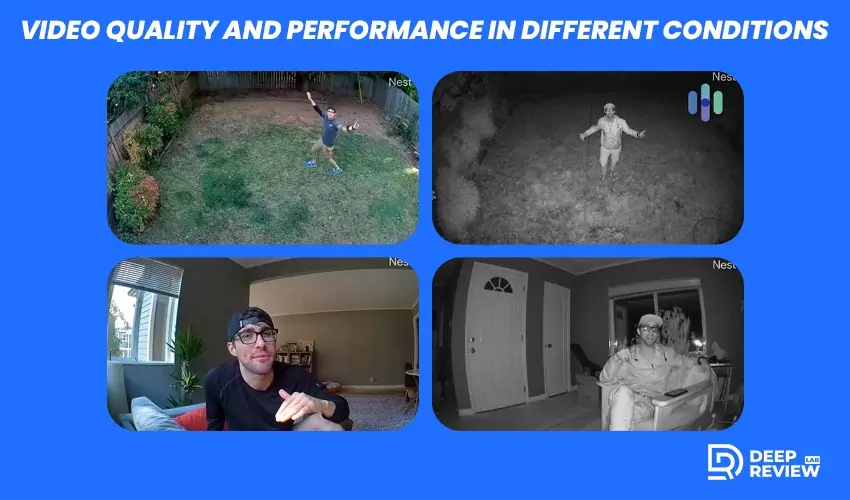
Image quality can make or break a security camera. After all, what good is footage if you can’t actually identify who’s at your door or read a license plate number? The Nest Cam Outdoor performs admirably in most lighting conditions, capturing clear, detailed video during the day with accurate colors and good contrast.
HDR Technology for Challenging Light
The camera’s HDR capability helps balance exposure when filming scenes with both bright sunlight and deep shadows. This is particularly useful if your camera faces a direction where the sun creates challenging lighting situations. You can clearly see details in both the bright and dark areas of the frame, something that cheaper cameras often struggle with.
Night Vision Capabilities
Night vision mode activates automatically as the sun sets, switching the camera to black and white infrared recording. The nest cam outdoor night vision quality remains impressive in darkness, with clear visibility up to about 25 feet from the camera. You can easily identify a person’s features and clothing at this range, which is crucial for security purposes. However, beyond that distance, details start to become less distinct, which is typical for cameras in this price range.
Performance in Adverse Weather
During adverse weather conditions like rain or snow, the camera continues to function normally. The weatherproof housing protects the lens, though heavy rain can sometimes obscure the view temporarily, just as it would with your own eyes. The camera doesn’t fog up from the inside, which is a common problem with poorly designed outdoor cameras.
Smart Detection and Alert System
Person Detection Technology
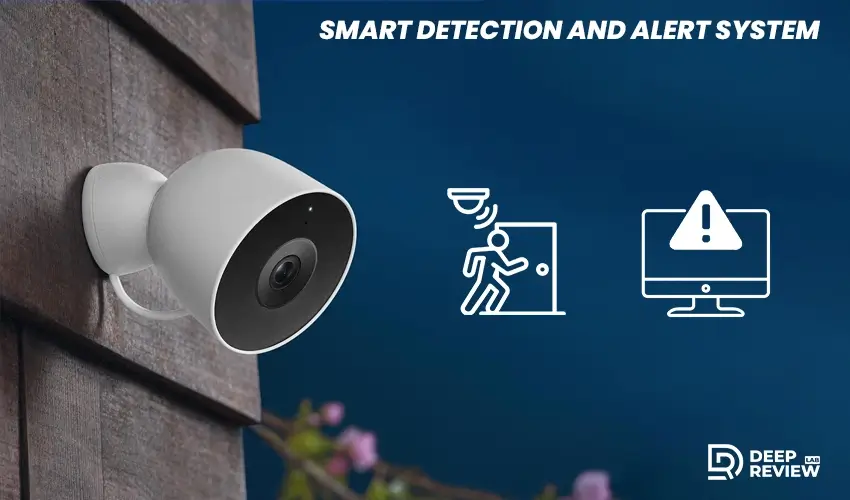
The intelligence behind the Nest Cam’s motion detection system is where Google’s software expertise really shines. Traditional security cameras trigger alerts based on any movement in their field of view, leading to dozens of meaningless notifications throughout the day. The Nest Cam takes a smarter approach by analyzing what’s actually moving in the frame.
Facial Recognition Features
With a Nest Aware subscription, the camera can specifically detect people and send you alerts labeled as such. This means you’ll know immediately whether that motion alert is worth checking or whether it’s just the neighbor’s cat crossing your yard. The facial recognition feature can even learn to identify familiar faces over time, allowing you to receive customized alerts like “Sarah is at the front door” instead of just “Person detected.”
Customizable Activity Zones
The camera also offers customizable activity zones, letting you define specific areas within the camera’s view that you want monitored. If you only care about motion near your front door but not the sidewalk beyond your property line, you can adjust the zones accordingly. This further reduces false alerts and makes the system more tailored to your specific security needs.
Alert Response Time
Response time for alerts is generally quite fast, usually arriving on your phone within a few seconds of motion being detected. However, this can vary depending on your internet connection speed and whether your phone has a strong cellular or WiFi signal. The lag is rarely more than five to ten seconds, which is acceptable for most security purposes.
Two-Way Audio Communication
Audio Quality and Clarity
One of the most practical features of the Nest Cam Outdoor is its built-in speaker and microphone, enabling two-way audio communication. This opens up several useful possibilities beyond just monitoring. You can speak to delivery drivers to give them instructions, warn off suspicious visitors, or even chat with family members as they arrive home.
The audio quality is clear enough for normal conversation, though there is a slight delay between speaking and the other person hearing you, similar to a phone call with a poor connection. The microphone picks up sound reasonably well, allowing you to hear what’s happening near the camera, though wind can sometimes create background noise that makes voices harder to distinguish.
Security and Deterrent Applications
Many homeowners use this feature to interact with delivery services, asking drivers to leave packages in specific locations or to ring the doorbell. Others use it as a deterrent, speaking to potential intruders to let them know they’re being watched and recorded. The psychological impact of a camera that can talk back shouldn’t be underestimated as a security measure.
Everyday Convenience Uses
The speaker is also useful for less serious purposes. You can use it to call your kids inside for dinner when they’re playing in the yard, or to greet guests who arrive when you’re not home. This versatility makes the camera feel like more than just a security device but rather an extension of your home’s communication system.
Storage Options and Subscription Requirements

Understanding Storage Without a Subscription
Understanding the storage options for your security footage is essential because it directly affects both the usefulness of the camera and the ongoing costs you’ll face. The Nest Cam Outdoor offers cloud storage through Google’s Nest Aware subscription service, and this is where things get a bit complicated compared to some competitors.
Without a subscription, the camera provides live viewing and sends motion and sound alerts to your phone. However, you won’t have access to recorded video history. This limitation makes the camera significantly less useful for actual security purposes, since you can’t review what happened while you were away or provide footage to authorities if needed.
Nest Aware Subscription Tiers
The Nest Aware subscription comes in two tiers. The basic plan provides 30 days of event video history, while the premium plan extends that to 60 days and adds 10 days of continuous 24/7 video recording. These subscriptions work across all your Nest cameras, so you don’t pay separately for each device, which is beneficial if you have multiple cameras installed.
Long-Term Cost Considerations
The cost of these subscriptions adds up over time and should be factored into your total investment in the system. Some competing cameras offer local storage options through SD cards or base stations, which might be more cost-effective in the long run. However, cloud storage has its advantages, including protection against theft of the recording device and access to your footage from anywhere.
Integration with Smart Home Ecosystems
Google Assistant Integration
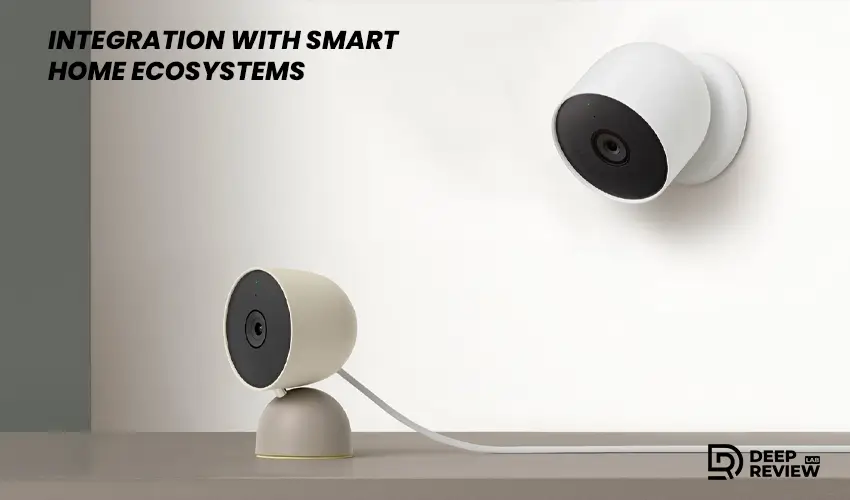
Modern security cameras shouldn’t exist in isolation but rather work seamlessly with your other smart home devices. The Nest Cam Outdoor integrates naturally with Google’s ecosystem, which can be either a major advantage or a limitation depending on what other smart home products you use.
If you have Google Assistant devices throughout your home, you can use voice commands to control your camera. Saying “Hey Google, show me the front door” will display the camera feed on your smart displays or Chromecast-enabled TVs. This hands-free access is convenient when you’re cooking, cleaning, or otherwise occupied and want to quickly check who’s outside.
Automated Routines and Smart Actions
The camera also works with Google Home routines, allowing you to create automated actions based on various triggers. For example, you could set your lights to turn on automatically when the camera detects motion after sunset, creating the impression that someone is home even when you’re away. These integrations make your security system feel more comprehensive and responsive.
Compatibility with Other Platforms
However, if you’re deeply invested in Amazon’s Alexa ecosystem or Apple’s HomeKit, you’ll find the Nest Cam less accommodating. Google has historically kept its Nest products primarily within its own ecosystem, which means you won’t get the same level of integration with competing smart home platforms. This is an important consideration if you’ve already committed to a different smart home system.
Privacy and Security Considerations
Data Encryption and Protection
When you install a camera that continuously watches your property and stores footage in the cloud, privacy and security naturally become major concerns. Google has implemented several measures to protect your data, but it’s worth understanding exactly what you’re agreeing to and how secure your footage really is.
All video footage is encrypted during transmission from the camera to Google’s servers and while stored in the cloud. This encryption makes it extremely difficult for hackers to intercept or access your recordings. Google also offers two-factor authentication for your account, adding an extra layer of security beyond just your password.
User Control and Transparency
You have control over when the camera records and what areas it monitors through the activity zones feature. The camera also has a visible LED light that indicates when it’s actively recording, providing transparency about its operation. You can turn off the camera entirely through the app when you want complete privacy, though this obviously defeats the purpose of having a security system.
Data Access and Company Policies
One consideration is that Google, as the company hosting your footage, technically has the ability to access your recordings. Their privacy policy outlines the circumstances under which they might do so, typically involving legal requests from authorities or investigating potential violations of their terms of service. Some people are comfortable with this arrangement, while others prefer systems with end-to-end encryption where even the service provider cannot access your footage.
Real-World Reliability and Durability
Long-Term Performance and Build Quality
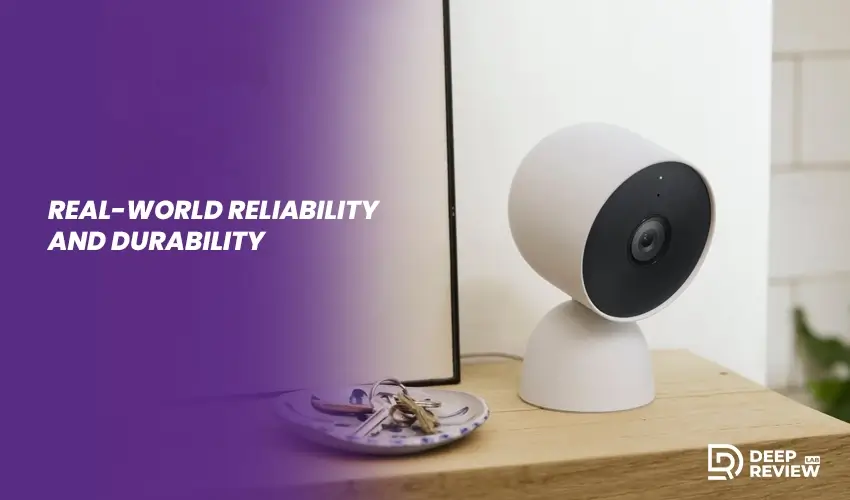
A security camera is only useful if it actually works when you need it. The nest cam outdoors has been on the market for several years now, giving us plenty of real-world data about its long-term reliability and durability. Overall, the camera proves to be a dependable device that continues functioning through years of outdoor exposure.
The weatherproof construction holds up well against rain, snow, and temperature extremes. Users in various climates report that the camera continues operating normally through harsh winters and hot summers. Understanding nest cam outdoor wiring is important for long-term durability, as the cable connection is the most vulnerable point. Some users have experienced issues with the power cable deteriorating over time when exposed to intense sunlight or extreme cold, though this seems to be relatively uncommon.
WiFi Connectivity Considerations
The camera’s dependence on your home’s WiFi network means that connectivity can sometimes be an issue, particularly if your router is far from where the camera is installed. A weak WiFi signal can result in choppy video, delayed alerts, or disconnections. Investing in a WiFi extender or mesh network system can solve this problem, but it’s an additional cost to consider.
Software Updates and Ongoing Support
Software updates are handled automatically by Google, ensuring your camera stays current with the latest features and security patches. This automatic maintenance is convenient and means you don’t need to think about keeping your security system up to date. However, it also means you’re dependent on Google continuing to support the device, and there’s always a possibility of older hardware being phased out in favor of newer models.
Comparing Costs and Value
Initial Purchase and Installation Costs
Understanding the true cost of any security camera system requires looking beyond the initial purchase price. The Nest Cam Outdoor typically retails at a mid-range price point for outdoor security cameras, making it more expensive than basic options but less costly than premium professional systems.
The upfront cost includes the camera itself and any installation supplies you might need, such as outdoor-rated cable clips if you want to run the power cable along your wall more neatly. Installation is simple enough to do yourself, saving you the cost of professional installation that some other systems require.
Subscription Fees and Total Ownership Cost
However, the ongoing subscription cost for Nest Aware is where the expenses accumulate. Over a five-year period, which is a reasonable lifespan for a security camera, the subscription fees can exceed the initial camera cost. This makes the total cost of ownership higher than some competitors that offer free cloud storage or local storage options.
Assessing Value for Your Situation
The value you receive depends heavily on how much you utilize the camera and its features. If you travel frequently, have experienced security issues in your neighborhood, or simply want peace of mind about your property, the investment can easily justify itself. The time you might save by receiving accurate person alerts instead of dozens of false alarms also has real value, even if it’s harder to quantify in dollars.
Alternatives Worth Considering
Ring Outdoor Cameras
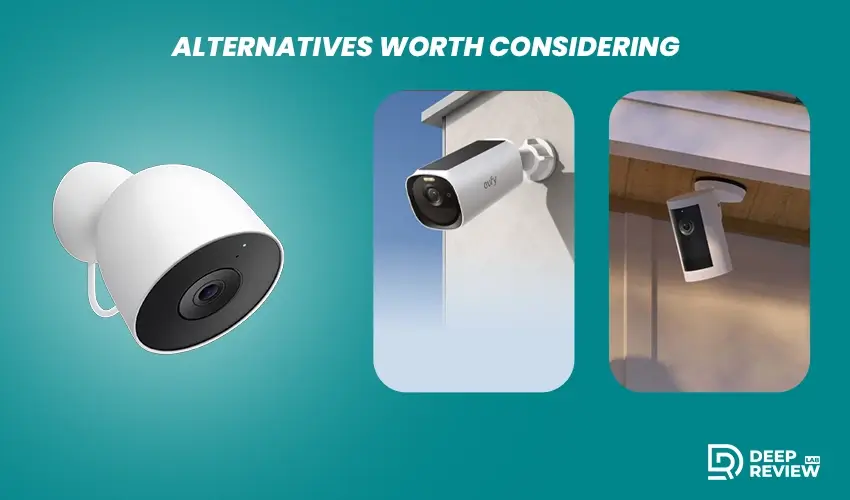
While the Nest Cam Outdoor offers solid performance and integration with Google’s ecosystem, it’s not the only option available, and depending on your specific needs, other cameras might serve you better. Understanding the alternatives helps you make a more informed decision about which camera best fits your situation.
Ring’s outdoor cameras are the most direct competitors, offering similar features with integration into Amazon’s Alexa ecosystem instead. Ring cameras often come at slightly lower price points and have subscription options that some users find more affordable. However, Google’s person detection tends to be more accurate than Ring’s, resulting in fewer false alerts.
Eufy and Local Storage Options
For those who prefer to avoid ongoing subscription fees entirely, cameras from companies like Eufy offer local storage through base stations, meaning all your footage stays on a physical device in your home rather than in the cloud. This approach eliminates monthly fees and addresses privacy concerns for some users, though you lose the convenience of accessing footage from anywhere and the protection against theft of the recording device.
Professional-Grade Systems
Professional-grade systems from companies like Arlo offer higher resolution options and more advanced features but at significantly higher costs. These cameras might appeal to users with more demanding security needs or larger properties to monitor. They typically offer more flexible mounting options and better zoom capabilities than the Nest Cam.
Can It Really Protect Your Home 24/7
Understanding What 24/7 Protection Means
Now we arrive at the central question that brought us here, often explored in any detailed google nest cam outdoor review. Can the Nest Cam Outdoor setup genuinely protect your home around the clock, every day of the year? The answer is nuanced and depends on what you mean by protection and what your security expectations are.
The camera absolutely can and does monitor your property continuously, assuming your power and internet connections remain stable. It records everything within its field of view, sends you alerts about relevant activity, and allows you to review footage from any time within your subscription period. In this technical sense, yes, it provides 24/7 monitoring.
The Reality of Camera-Based Security
However, it’s important to understand that a camera is a passive security measure. It observes and records but doesn’t physically prevent crimes from occurring. The deterrent effect of a visible camera is real and valuable, but determined criminals may not be dissuaded by it. The camera’s true value lies in providing evidence after an incident and in alerting you to suspicious activity so you can take action, whether that means calling authorities, speaking through the camera to deter intruders, or simply being aware of what’s happening at your property.
Factors That Affect Reliability
The reliability of 24/7 protection depends on several factors outside the camera itself. Your internet connection must be stable and fast enough to stream video and send alerts promptly. Your power supply needs to remain consistent. You need to have your phone with you and notifications enabled to receive alerts in real time. Any weak link in this chain can compromise the system’s effectiveness.
Part of a Comprehensive Security Approach
For most homeowners, the Nest Cam Outdoor provides a substantial increase in security compared to having no surveillance system at all. It won’t replace a comprehensive security system with door and window sensors, alarms, and professional monitoring, but it serves as an excellent component of a layered security approach. When combined with good locks, outdoor lighting, and sensible security practices, it contributes meaningfully to protecting your home.
Making Your Decision
Key Strengths of the Nest Cam Outdoor
Choosing a security camera is a personal decision that should account for your specific circumstances, budget, and security concerns. This Google Nest Cam Outdoor review highlights how the device excels in several key areas including image quality, intelligent person detection, ease of use, and seamless integration with Google’s smart home ecosystem. It’s a well-designed camera that performs reliably in diverse weather conditions and provides genuinely useful security monitoring.
Important Limitations to Consider
The main drawbacks center around the ongoing subscription costs required to access recorded footage and the camera’s limited compatibility with non-Google smart home systems. You’ll also need to ensure you have appropriate outdoor power outlets and strong WiFi coverage where you want to install the camera.
Who Benefits Most from This Camera
If you’re already using Google Assistant devices and value the convenience of ecosystem integration, the Nest Cam Outdoor becomes even more appealing. The ability to view camera feeds on your smart displays and create automated routines adds significant value beyond basic security monitoring. The person detection accuracy is genuinely impressive and makes the alert system much more useful than cameras that send notifications for every movement.
Final Words
For homeowners seeking an outdoor security camera that balances quality, features, and ease of use, the google nest cam outdoor review shows why the Nest Cam Outdoor represents a solid choice. It delivers on its promise of continuous monitoring, though with the understanding that effective home security requires multiple layers of protection rather than relying solely on surveillance cameras.
Consider your priorities carefully. If avoiding subscription fees is crucial, look at alternatives with local storage. If you need the absolute highest video resolution, premium options are available. But for most people seeking reliable, intelligent outdoor security monitoring that integrates smoothly with their daily lives, this camera delivers the protection and peace of mind they’re looking for, day and night, throughout the entire year.
