


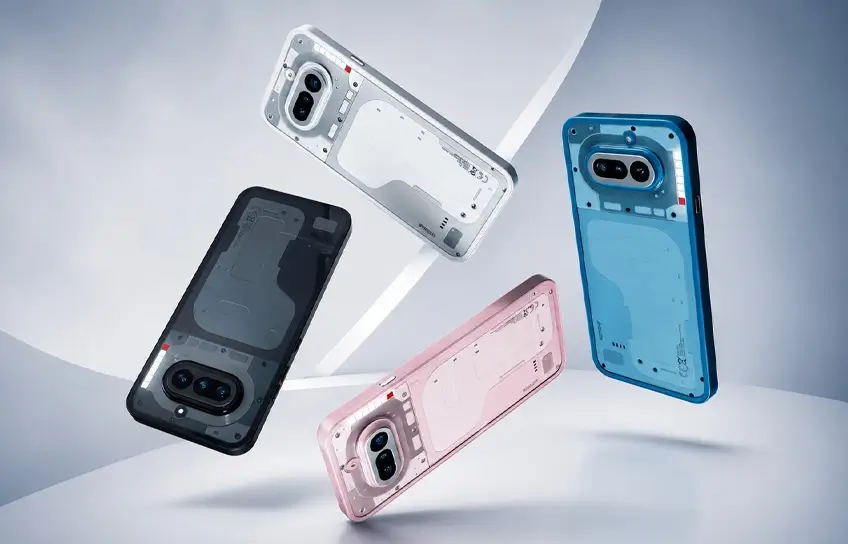
Nothing did something no phone company does. They looked at their 2026 roadmap, saw the slot where a new flagship was supposed to go, and deleted it. No Phone (4). Carl Pei said it himself: the company won’t launch hardware “just for the sake of annual upgrades.” So the Phone (3) stays at the top, and every engineer, every rupee, every decision this year pointed at a £349 phone instead.
That’s the phone you’re reading about. And that context matters, because the Nothing Phone (4a) isn’t a mid-ranger that got the leftovers after a flagship took priority. It got everything. Whether Nothing made the right call is something you’ll have your own view on by the end of this review.
Why This Phone Exists at All
Most phone companies launch a flagship every year. Nothing didn’t. CEO Carl Pei confirmed the company would skip the Phone (4) entirely in 2026, keeping the Phone (3) as the top of the lineup while concentrating the entire year’s engineering effort on the (4a) series. Pei said Nothing won’t “launch devices just for the sake of annual upgrades.”
That’s an unusual call. It also explains why this phone feels oddly ambitious for its price bracket. The engineering attention that would normally split between two products landed in one place. You can feel it in the camera system especially.
What you also feel is where the budget had to give. Performance is not this phone’s selling point. Neither is water resistance. The ultrawide camera is genuinely weak. None of that disqualifies it, but you should know before you hand over £349.
Nothing Phone (4a) Specification:
| Spec | Details |
| Display | 6.78-inch AMOLED, 120Hz, 4,500 nits peak, HDR10+ |
| Chipset | Qualcomm Snapdragon 7s Gen 4 (4nm) |
| RAM / Storage | 8GB or 12GB LPDDR4X / 128GB or 256GB UFS 3.1 |
| Cameras (rear) | 50MP main + 50MP periscope 3.5x + 8MP ultrawide |
| Camera (front) | 32MP |
| Battery | 5,080mAh (global) / 5,400mAh |
| Charging | 50W wired, no wireless charging |
| OS | Nothing OS 4.1 / Android 16 |
| Water resistance | IP64 |
| Price (UK) | £349 / £379 / £399 |
| Price (US) | $349 |
Design and Build Quality
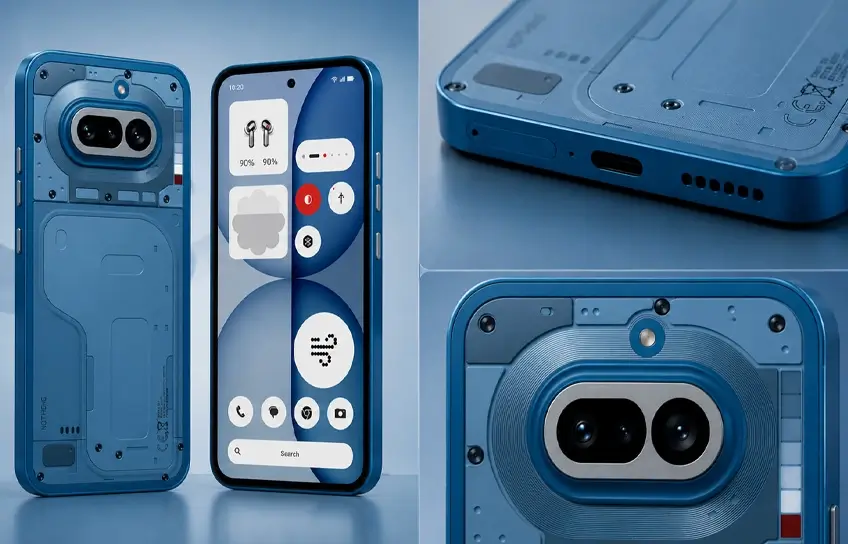
Pick up a Nothing phone for the first time and the transparent back still genuinely surprises people. Pick one up for the third year running and the reaction is more “nice, another Nothing phone.” Both responses are fair.
The Phone (4a) keeps the semi-transparent polycarbonate shell with the exposed internals aesthetic. The camera island has moved slightly higher on the back and gets a silver aluminium surround this year rather than the black of the (3a). It’s a small change. You’d only notice if you had both phones side by side.
Four colours are available: white, black, blue, and pink. The blue and pink variants use tinted glass, giving them more depth than the standard versions. The pink is the standout. It has different shades visible through the back panel that make the whole design feel more considered than a marketing colour decision.
Now, the Glyph Bar. This is where the (4a) tells a different story to the rest of Nothing’s lineup.
As Nothing has moved upmarket, the original Glyph light strips that made the brand famous have been replaced by the Glyph Matrix, which is basically a small circular display, on both the Phone (3) and the (4a) Pro. The standard Phone (4a) is now the only Nothing phone left with the original Glyph Bar concept: a horizontal strip of six LED segments that pulses, fills, and flashes to communicate information without you ever picking up the phone.
Here’s what the Glyph Bar actually does day to day:
- Fills progressively as the phone charges, so you can see the level at a glance from across the room
- Pulses in patterns assigned to specific contacts when they call
- Drains downward as a visual countdown timer
- Lights up when you flip the phone face down to silence it
- Connects to third-party apps including Uber ETA and Google Calendar countdowns
Is it a gimmick? That depends entirely on how you use your phone. After two weeks with it on my desk, I found it genuinely useful for staying informed without picking up the phone every few minutes. Flip it face down, let the Glyph Bar do the work. It’s not for everyone, but it’s far more practical than it first appears.
One honest build quality note: the IP64 rating protects against dust and water splashes. It is not submersion-rated. Several competitors at a similar price now offer IP67 or IP68. If you drop this phone in a puddle you’ll probably be fine. If you drop it in a sink full of water, you might not be.
Camera Performance
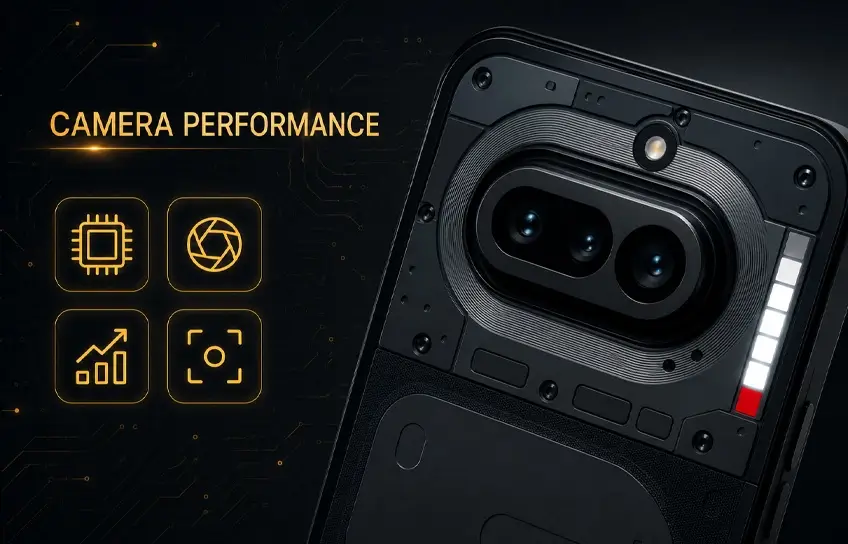
The 3.5x periscope telephoto is the reason many people will buy this phone, and it largely justifies that decision.
Finding a dedicated optical zoom lens under £400 is still genuinely unusual in 2026. Nothing’s implementation uses a dual-prism tetraprism design, the same technology found on the iPhone 17 Pro and Oppo Find X9 Pro, but in a module that’s 32% smaller than the conventional periscopic telephoto on last year’s Phone (3a) Pro. It achieves 3.5x optical zoom, 7x lossless zoom, and up to 70x digital zoom.
The 3.5x shots are excellent for the price. Portrait results are clean, subject separation is natural, and the 7x lossless range holds detail well. The jump to 70x is mostly a marketing number. Quality drops meaningfully after around 10x, and by 30x you’re preserving the broad strokes of a scene rather than actual detail. Don’t buy this phone for the 70x number.
Camera breakdown:
| Lens | Real-world verdict |
| 50MP main (wide) | Solid in daylight. Colors lean warm and punchy. Good dynamic range. |
| 50MP periscope (3.5x) | Best feature on the phone. Portraits and zoom shots are strong. |
| 8MP ultrawide | Weak. Soft around the edges. Low-light performance is mediocre. |
| 32MP front | Decent for calls and social. Skin tone accuracy is inconsistent. |
| 4K video | Capped at 30fps. No 4K/60fps due to chipset limitations. |
The photographic presets deserve a mention because almost no review gives them proper attention. Nothing has built Fujifilm-style LUT presets directly into the camera app. Seven come pre-loaded, including a Cine Amber option that adds a warm cinematic grade to footage. You can download community presets or create your own, and you can apply them at capture or import them via QR code. For anyone who uses Fujifilm film simulations on a dedicated camera and has been wanting something similar on a phone, this is the closest any Android has come.
One camera complaint worth flagging: the HDR preview in the camera app can look overexposed when composing a shot, even when the processed image turns out fine. It means you sometimes have to shoot on trust rather than what you see on screen. It’s not a dealbreaker, but it’s an annoying quirk.
The default colour profile also runs a little flat in auto mode. Images look more natural than punchy, which some photographers will prefer. If you want more pop, switch to the Alive display mode or apply a preset.
Performance and Battery Life
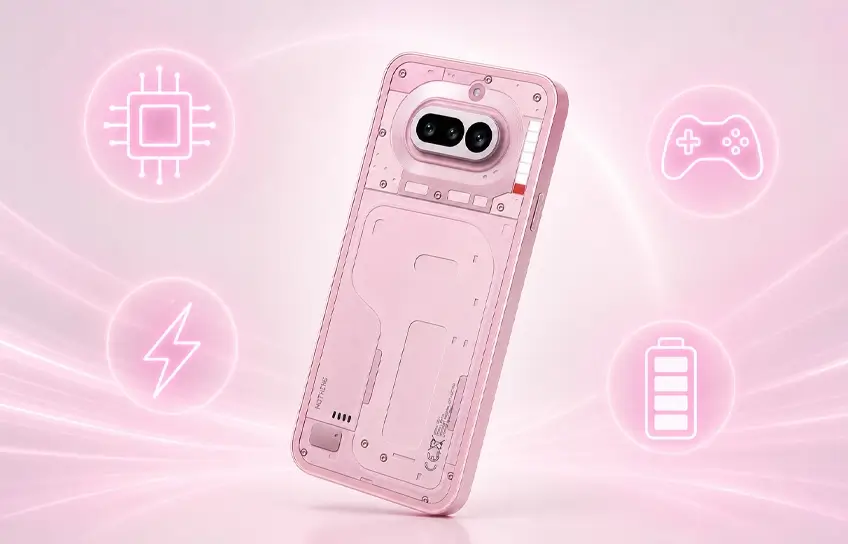
Honest answer: adequate. Nothing special.
The Snapdragon 7s Gen 4 keeps up with everyday use without any drama. Opening apps, switching between them, scrolling, watching video, all fine. Nothing OS 4.1 is well-optimised and contributes to the feeling of smoothness even where the raw specs don’t justify it.
The benchmarks tell a different story. The Google Pixel 10a scores around 37% higher in multi-core CPU tests. The OnePlus Nord 5 scores roughly 50% higher. In real-world use most people won’t feel that gap. In demanding games at maximum settings, they will.
Where performance limitations show up:
- Gaming: Most titles run without throttling at standard settings. Genshin Impact at maximum graphics will drop frames. Call of Duty: Mobile runs at up to 90fps in Nothing’s optimised mode.
- Video Recording: 4K is capped at 30fps. The Snapdragon 7s Gen 4 does not support 4K/60fps. If you shoot a lot of video this matters.
- RAM Type: The (4a) uses LPDDR4X memory. The rest of the industry, including the (4a) Pro, has moved to LPDDR5X. In heavy multitasking this creates a noticeable bandwidth gap.
- Storage: UFS 3.1 is a genuine upgrade over last year’s UFS 2.2. Sequential read speeds are nearly 2.5x faster, write speeds almost 5x faster. Day to day this shows up as snappier app loads and less lag when opening the camera.
In my own testing, one hour of YouTube streaming followed by a gaming session dropped the battery by around 28%. Heavy users should factor that in.
Nothing Phone (4a) vs (4a) Pro: Which One to Buy
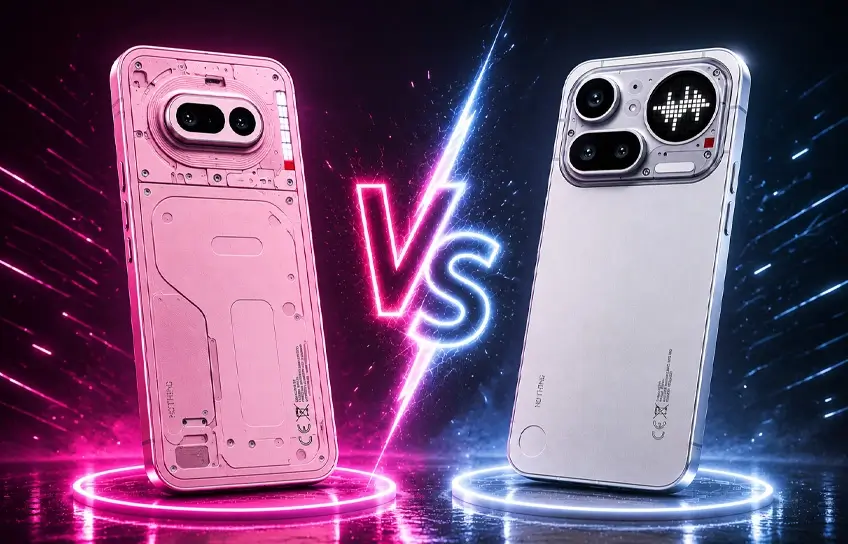
This is the question every review dances around. Here it is straight.
The Nothing Phone (4a) Pro costs £499 in the UK and $349 in US. For that extra £150, you get a faster Snapdragon 7 Gen 4 chip (around 30% better CPU and GPU performance), a full metal unibody, IP65 water resistance, a 144Hz display instead of 120Hz, the Glyph Matrix on the back, eSIM support, and LPDDR5X RAM.
The base Nothing Phone (4a) makes more sense if:
- The original Glyph Bar matters to you. The Pro has the Glyph Matrix instead.
- You’re budget-conscious in the US where $349 is genuinely competitive for what you’re getting
- The periscope zoom camera is your main reason to buy. Both phones share the same telephoto lens.
- Your budget is firm below £400
Side by side:
| Feature | Nothing Phone (4a) | Nothing Phone (4a) Pro |
| Starting price (UK) | £349 | £499 |
| Starting price (US) | $349 | $499 |
| Chipset | Snapdragon 7s Gen 4 | Snapdragon 7 Gen 4 |
| Display | 6.78-inch, 120Hz | 6.83-inch, 144Hz |
| Build | Polycarbonate frame | Full metal unibody |
| Water resistance | IP64 | IP65 |
| Glyph system | Glyph Bar (LED strips) | Glyph Matrix (mini display) |
| eSIM | No | Yes |
| RAM type | LPDDR4X | LPDDR5X |
| Wireless charging | No | No |
Neither phone has wireless charging. That’s a deliberate Nothing decision across the budget lineup. It’s worth thinking about if you charge wirelessly at your desk or bedside.
One thing worth flagging: NFC availability can vary depending on where you buy. If you use contactless payments regularly, confirm NFC is included in your specific configuration before purchasing.
Nothing OS 4.1: What the Software Is Actually Like
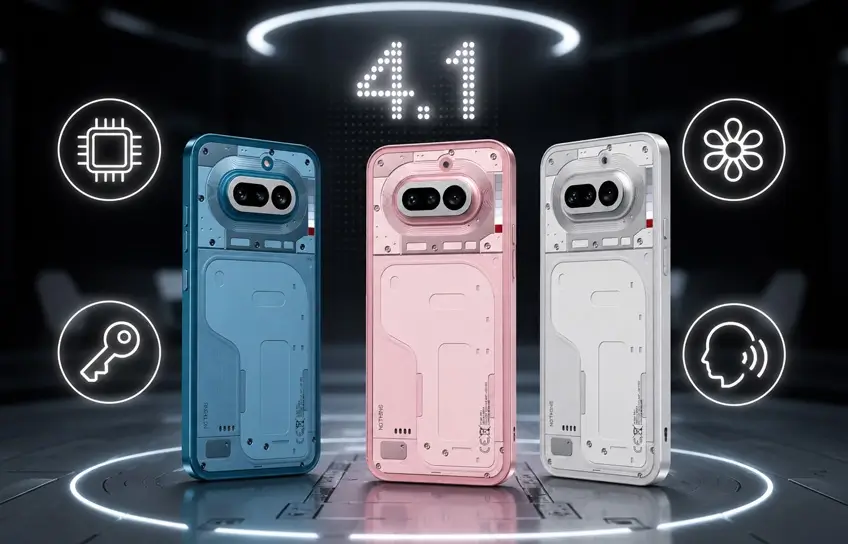
Nothing OS is one of the cleanest Android experiences you can get on a mid-range phone. No bloatware, no pre-installed third-party apps, no carrier additions. The interface runs a strict black-and-white visual theme that extends across every corner of the UI.
It feels close to stock Android, but with personality. The widgets are the best example. One screentime widget shows a small animated face that turns red and angry when you hit your daily limit. A step counter widget shows a tiny walking figure moving across the screen as you progress toward your goal. These are small things, but they show a design team that’s paying attention to details rather than just shipping features.
Key software features:
- Essential Space: An AI hub that automatically organises screenshots and voice recordings into searchable categories. Useful if you capture a lot of notes or references throughout the day. Less useful if you don’t.
- Essential Key: A dedicated hardware button on the left side of the phone. Short press captures a screenshot. Long press starts a voice recording. Both feed into Essential Space automatically. Some people love it. Some accidentally press it constantly. The placement was improved this year, moved to the upper left side rather than below the power button.
- Essential Voice: Added via post-launch update, this brings voice-based AI interaction to Essential Space and is also rolling out to the Phone (3).
- Breathing Break Widgets: Guided breathing exercises in three modes: calm, relaxation, and focus. Full-screen with custom visuals and haptics. Genuinely well-executed for a built-in mindfulness tool.
- AI Photo Editing: On-device background removal, object erasure, and pedestrian removal. The pedestrian eraser is inconsistent. It sometimes removes subjects cleanly, sometimes fails to detect them at all. Don’t rely on it.
Update Policy: 3 years of Android OS upgrades plus 6 years of security patches. Launching on Android 16 means OS support extends to Android 19 and security coverage through 2032. It matches the Google Pixel 10a’s commitment. It falls short of Samsung’s 7-year policy on flagship devices. For a sub-£400 phone, it’s a reasonable position.
Who Should Actually Buy This Phone?
The Nothing Phone (4a) is not the fastest phone at £349. The OnePlus Nord series has a bigger battery. The Google Pixel 10a has better cameras overall. The Honor Magic 8 Lite offers six years of both OS and security updates. Competitors exist and several of them beat the (4a) on individual specs.
None of them look like this. They don’t have the Glyph Bar, don’t run Nothing OS, and none of them offer a periscope zoom camera at this price.
That’s the actual decision you’re making. If the experience of the phone matters as much as a benchmark comparison, the (4a) makes a strong case. If you’re optimising purely for performance, storage, or gaming at a price point, there are better options and you should look at them.
Buy the Nothing Phone (4a) if:
- You want a distinctive design that gets noticed
- The 3.5x periscope telephoto is a priority and you don’t want to spend £500+
- Clean, bloatware-free Android is important to you
- You’re in the US where the $349 starting price makes a strong value case against the competition
- You want the original Glyph Bar before it disappears from the lineup entirely
Skip it and look elsewhere if:
- High-framerate gaming drives most of your phone use
- You rely on wireless charging daily
- You need confirmed NFC for contactless payments (check your region)
- You’re in the US, where the base model isn’t sold at all
- Long-term software support beyond 3 OS updates is a deciding factor
In a year where Nothing staked the whole company roadmap on this series, the standard (4a) delivers on what the brand has always promised. It’s not trying to win every category. It’s trying to be the phone you actually want to pick up. For a lot of people, that’s enough.
Conclusion
Nothing made a bold call in 2026. They killed the flagship, pointed every resource at a £349 phone, and asked buyers to trust that a mid-ranger could carry the brand. After spending two weeks with the Nothing Phone (4a), the answer is yes. Mostly.
What this phone does better than almost anything at its price is make you actually want to use it. The transparent design still stops people mid-scroll. The Glyph Bar has more personality than any notification LED has a right to. The 3.5x periscope zoom camera delivers shots that feel borrowed from a phone costing £150 more. And Nothing OS remains the one Android skin that genuinely gets out of your way.
But being honest matters here too. Rivals are faster. Several offer IP68 where this phone gives you IP64. The ultrawide camera needed more attention. Three years of OS updates is respectable, not industry-leading.
Here is what it comes down to. If you want the most powerful phone at £349, there are better options and you should buy one of them. If you want the most interesting phone at £349, that search ends here.
- The 3.5x periscope telephoto is the best camera feature available under £400 right now
- Nothing OS 4.1 on Android 16 is the cleanest mid-range Android experience outside a Pixel
- IP64 and LPDDR4X RAM are real compromises worth knowing before you buy
- Skip the Pro unless the metal build and 144Hz display justify £150 more to you personally
Want to see how it stacks up dollar for dollar? Our Samsung Galaxy A37 5G comparison breaks down exactly where that extra budget goes.
