


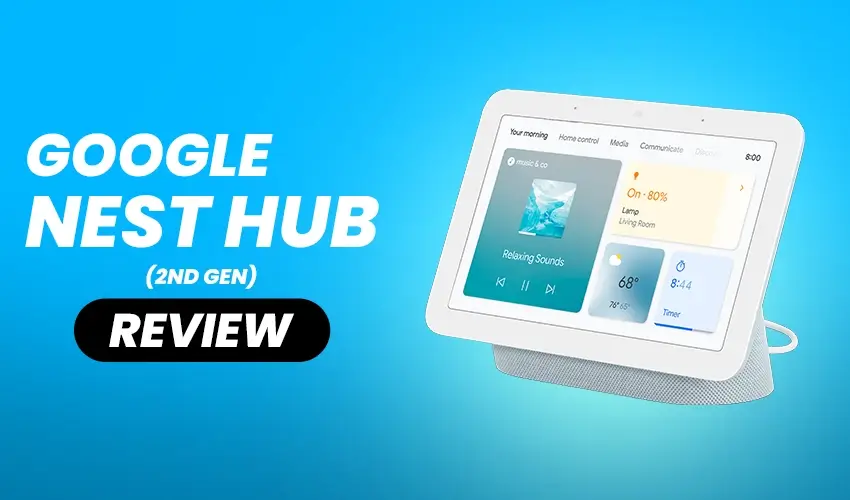
Smart displays have become essential hubs for managing our connected homes, and choosing the right one can make all the difference in how smoothly your daily routines flow. If you’re considering adding a smart display to your setup or upgrading from an older model, you’re probably wondering whether the Google Nest Hub (2nd Gen) lives up to the hype.
The google nest hub 2nd gen brings several meaningful improvements over its predecessor, including sleep tracking capabilities and a faster processor that makes navigation noticeably smoother. With its compact 7-inch screen and fabric-covered base, it fits naturally on nightstands, kitchen counters, or desks without demanding too much space. But does it truly deserve a spot in your smart home ecosystem?
What Makes This Smart Display Stand Out
Smart displays have evolved significantly, and the Google Nest Hub (2nd Gen) brings features that address real pain points from earlier generations. The addition of sleep tracking without wearables, improved processing speed, and thoughtful privacy considerations show that Google listened closely to user feedback.
The device sits in a competitive price range where every feature matters. At around $100, it competes directly with Amazon’s Echo Show lineup while offering unique capabilities that set it apart. Understanding what this display does well and where it falls short helps you decide if it fits your specific needs.
Whether you’re building a smart home from scratch or adding to an existing setup, the integration capabilities and daily usability determine long-term satisfaction. Let’s examine how this device performs in real-world scenarios.
Design and Build Quality of the Google Nest Hub (2nd Gen)
Aesthetic Appeal and Color Options
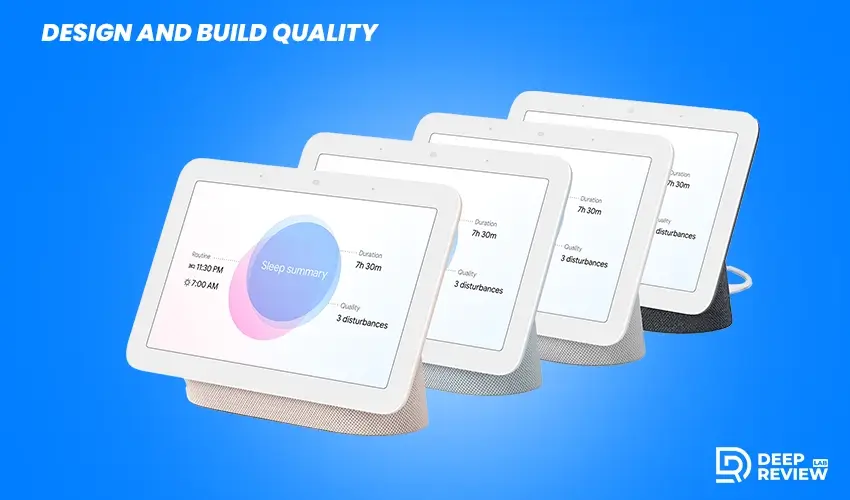
The first thing you’ll notice is how well this device blends into home decor. Unlike many tech gadgets that scream for attention, it uses a fabric-covered base available in multiple colors.
Whether you choose the Google Nest Hub 2nd Gen Chalk for a lighter aesthetic or the charcoal variant for something darker, both options look sophisticated on any surface. The fabric texture adds warmth that plastic alternatives simply can’t match.
Physical Design and Portability
The 7-inch touchscreen sits at a comfortable viewing angle, making it easy to see from across the room or up close. At just over a pound, it’s light enough to move between rooms but substantial enough to feel quality-built.
The bezels around the display are minimal but not distractingly thin, striking a good balance between modern aesthetics and practical durability. The compact footprint means it won’t dominate your counter space or nightstand.
Privacy-First Approach
One standout design choice is the absence of a camera. While some might see this as a limitation, many users appreciate the privacy this affords, especially when placing the device in bedrooms.
The mute switch for the microphones is physical and easy to locate by touch, giving you tangible control over when the device can listen. A visual indicator shows when the microphones are muted, adding another layer of transparency.
Display Performance and Visual Quality
Screen Quality and Resolution
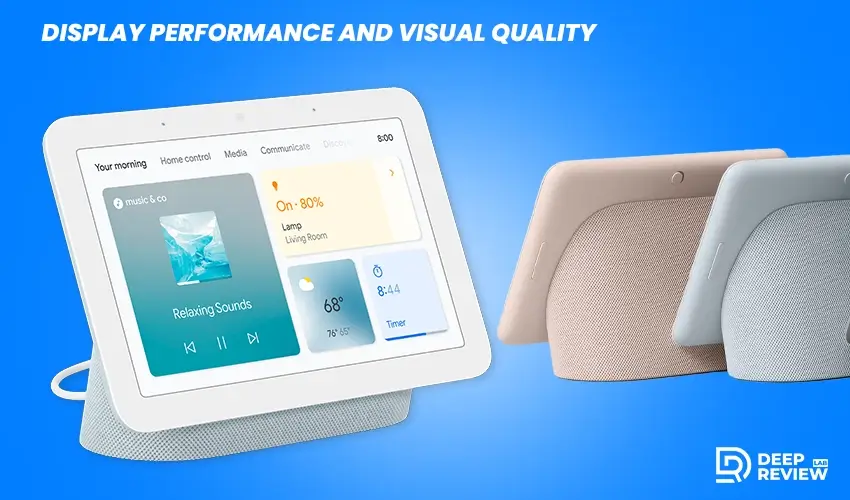
The 7-inch LCD touchscreen delivers clear, vibrant images that function effectively for everything from viewing recipes to watching quick YouTube clips. The resolution stands at 1024 x 600 pixels, which looks crisp enough at this screen size for typical viewing distances.
Colors appear natural without oversaturation, and text remains readable even in smaller fonts. The viewing angles are generous, so you don’t need to position yourself directly in front to see content clearly.
Ambient EQ Technology
What really impresses is the Ambient EQ feature that automatically adjusts screen brightness and color temperature based on your room’s lighting. This means the display never feels blindingly bright at night or washed out during sunny afternoons.
You won’t find yourself constantly fiddling with brightness settings. The adaptation happens seamlessly in the background, creating a more comfortable viewing experience throughout the day.
Touch Responsiveness
The touchscreen responds quickly to taps and swipes without lag. Whether you’re dismissing alarms, adjusting smart home controls, or browsing through photo albums, the interface feels fluid and intuitive.
The improved processor in this generation makes a noticeable difference compared to the first model. Navigation between screens happens instantly, and there’s no frustrating delay when executing commands.
Smart Home Control Hub Capabilities
Visual Control Advantages
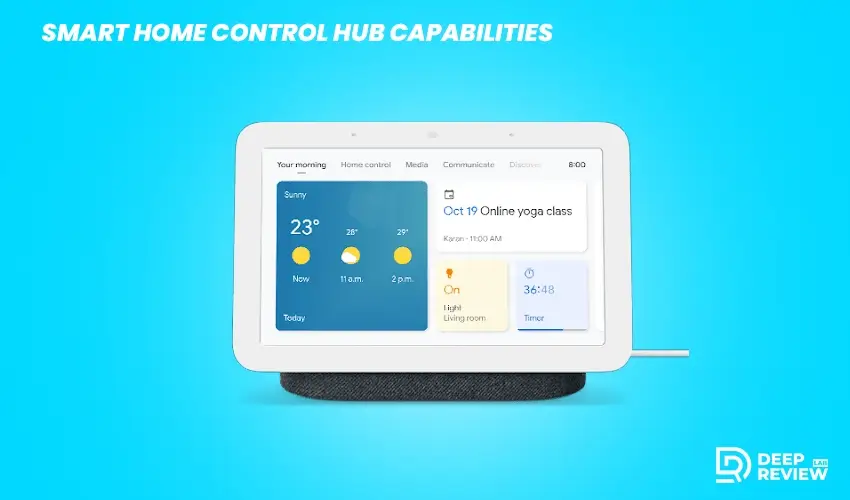
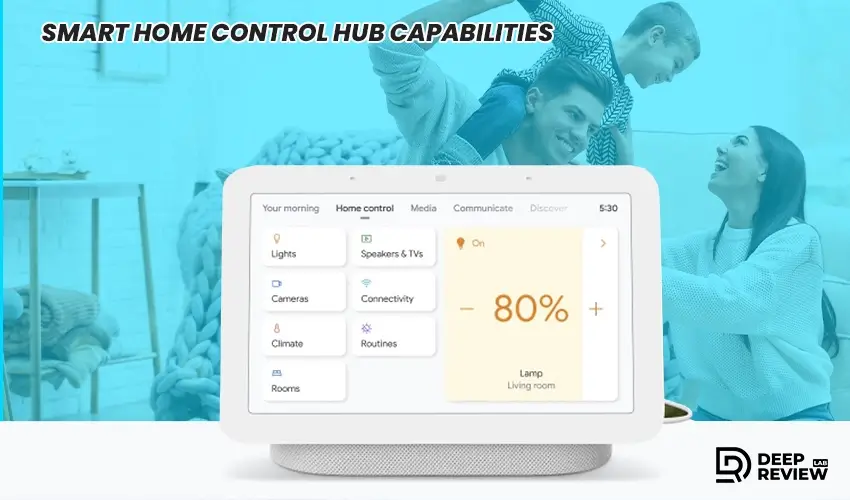
This is where the Google Nest Hub (2nd Gen) smart display truly shines as a command center for your connected home. The integration with Google Home is seamless, letting you control thousands of compatible devices through voice commands or the touchscreen interface.
Controlling lights, thermostats, locks, and cameras through the visual interface offers advantages over voice-only smart speakers. You can see the status of multiple devices at a glance with the home view dashboard.
The visual confirmation eliminates the uncertainty that sometimes comes with voice-only interactions. You’ll know instantly whether your commands executed successfully without having to ask follow-up questions.
Routine Management
Setting up routines becomes more intuitive with the touchscreen. You can create morning routines that gradually increase light brightness, adjust your thermostat, and start your coffee maker, all while seeing exactly how each action is configured.
The drag-and-drop interface makes customization straightforward even for those less comfortable with technology. You can reorder actions, adjust timing, and add new steps without navigating through complex menus.
Camera Integration
The device operates particularly well with Nest cameras and doorbells. When someone rings your doorbell, the screen automatically shows the camera feed, letting you see and speak with visitors without pulling out your phone.
This instant visual notification proves more practical than audio-only announcements, especially when you’re busy in another part of the house. You can quickly assess whether you need to answer the door or handle the visitor remotely.
Sleep Sensing Technology
How It Functions
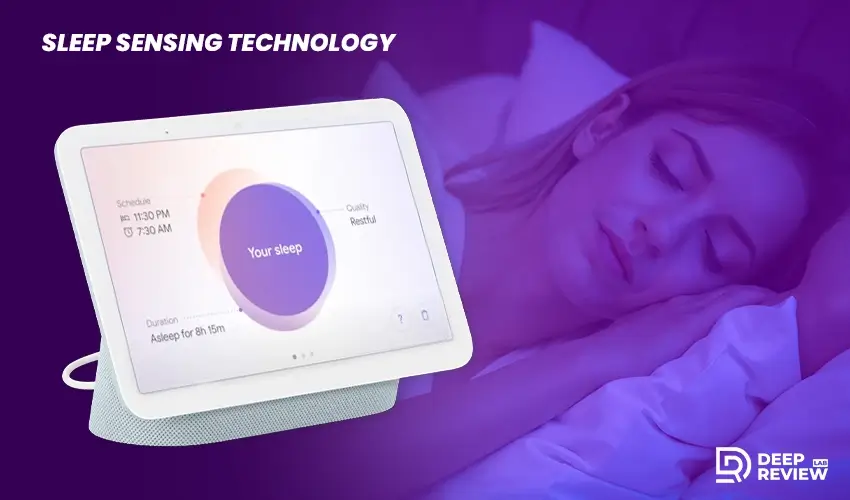
Perhaps the most innovative addition is Sleep Sensing technology, which uses motion and sound detection to monitor your sleep patterns without requiring you to wear any devices. The radar-based Soli sensor tracks breathing patterns, movement, and even snoring or coughing throughout the night.
The technology operates silently in the background without any lights or sounds that might disturb your rest. It’s remarkably accurate at detecting when you get into and out of bed.
Sleep Insights and Data
Each morning, you’ll find a detailed sleep summary showing when you went to bed, how long you slept, and how many times you woke up during the night.
The information is surprisingly accurate compared to wearable sleep trackers. Many users appreciate not having to remember to charge and wear another device to bed, making sleep tracking more consistent and hassle-free.
Beyond basic tracking, the insights offer personalized recommendations based on your patterns. If you consistently struggle to fall asleep at a certain time, the device might suggest adjusting your routine or bedroom environment.
Subscription Requirements
One important note: Sleep Sensing was free during a preview period but now requires a Fitbit Premium subscription for full access to detailed insights and trends.
The basic sleep summary remains free and provides enough information for casual sleep monitoring. However, advanced analytics, personalized coaching, and historical comparisons are behind the paywall. This is worth considering in your total cost of ownership.
Audio Quality and Sound Performance

Speaker Performance
For a device this size, the audio output exceeds expectations. The 1.7-inch full-range speaker delivers clear mids and highs with surprising volume for casual listening.
You won’t get deep, room-filling bass, but the sound quality operates effectively for podcasts, audiobooks, and background music. The audio remains clear even at higher volumes without distortion or muddiness.
Voice Call Quality
When making voice calls through Google Meet or Google Duo, both parties can hear each other without excessive echo or feedback issues.
The three far-field microphones do an excellent job picking up your voice even when music is playing or kitchen appliances are running. Voice recognition accuracy remains consistent across different accents and speaking styles.
Multi-Room Audio
The device supports multi-room audio when grouped with other Google speakers or displays. This lets you play the same music throughout your home, all controlled from the interface.
The synchronization is reliable without annoying delays between rooms. You can start music in the kitchen and have it follow you seamlessly to other areas of your home.
Google Assistant Integration Features
Query Handling and Accuracy
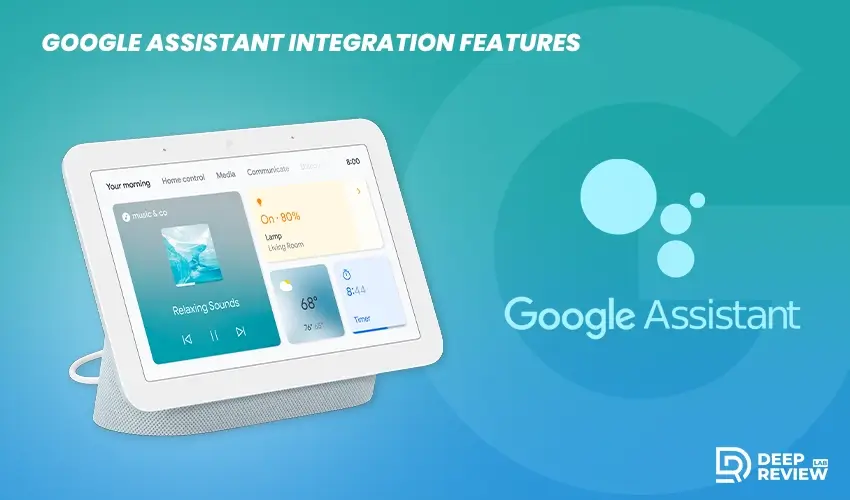
The Google Assistant implementation feels mature and capable, handling a wide range of queries with accuracy. You can ask about weather, traffic, sports scores, and general knowledge questions with consistent results.
The visual responses often provide more context than voice-only answers. Maps, images, and structured data enhance understanding, making complex information easier to digest at a glance.
Timer and Alarm Management
Setting timers and alarms functions flawlessly, with visual confirmation that helps prevent miscommunications. Multiple timers can run simultaneously, each labeled differently, which is incredibly useful when cooking multiple dishes.
The visual display shows all active timers at once, so you can quickly check how much time remains without asking. This simple feature dramatically improves the cooking experience.
Recipe Assistance
Recipe assistance stands out as particularly useful. You can ask Google to find recipes, then have it walk you through steps one by one with voice commands.
The screen displays ingredient lists, timers, and step-by-step photos, making it easier than constantly checking your phone with messy hands. YouTube integration lets you watch cooking videos directly on the display when you need more visual guidance.
Setup Process and Initial Configuration
Getting Your Device Running
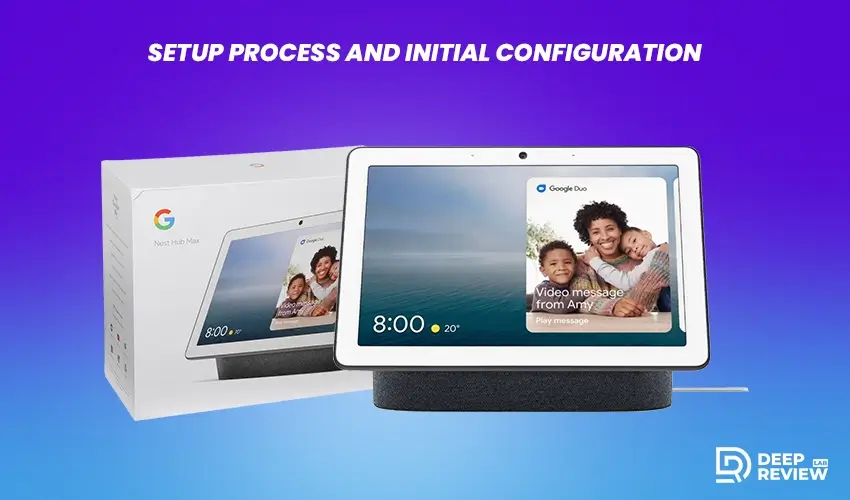
The Google Nest Hub 2nd Gen setup takes just a few minutes through the Google Home app on your smartphone. The process guides you through connecting to your network, signing into your Google account, and customizing basic settings.
Most users complete the entire process in under ten minutes. The on-screen prompts are clear and easy to follow, even for those who aren’t particularly tech-savvy.
Learning Curve
Once configured, the device is immediately intuitive to use. Even family members less comfortable with technology can grasp the basics within their first day of interaction.
The touchscreen interface uses familiar gestures like swiping and tapping that most people already know from smartphones. Voice commands follow natural language patterns, so you don’t need to memorize specific phrases.
Photo Frame and Ambient Display Options
Personal Photo Integration
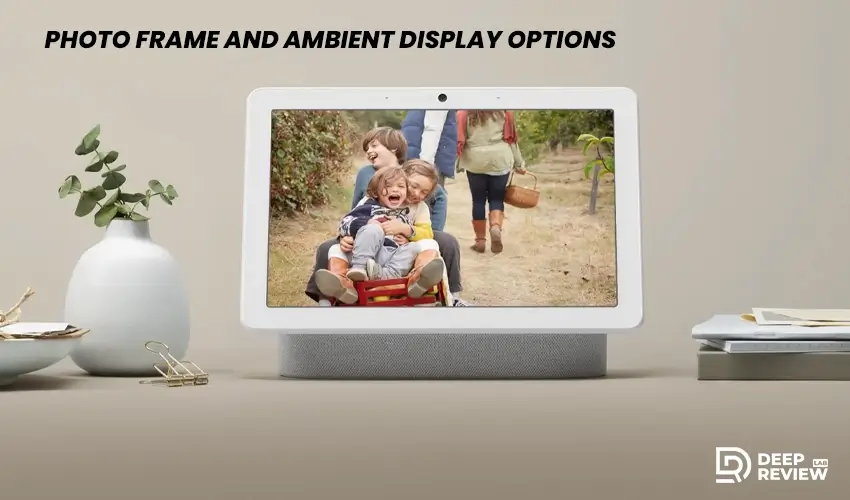
When not actively in use, the device transforms into a digital photo frame, cycling through your Google Photos albums. This feature brings life to the screen between tasks and serves as a pleasant reminder of memories and loved ones.
You can select specific albums to display or let Google Photos’ AI choose highlights. The selection stays fresh without requiring constant manual curation.
Display Customization
The Ambient EQ technology adjusts color temperature so photos look natural under different lighting conditions. Live albums automatically update with new photos, so your display stays current with recent memories without manual intervention.
Google’s AI can recognize faces and curate photo selections, though you have full control over which albums appear. For privacy-conscious users, you can easily exclude specific albums or photos from the rotation.
Alternative Display Options
Ambient display options extend beyond personal photos. You can choose from various art galleries, curated collections, and even live weather-based backgrounds.
Some users prefer landscape photography or abstract art instead of personal photos, and the selection is diverse enough to match different tastes and decor styles. The transitions between images are smooth with tasteful animations.
Real-World User Experience
Real-world use shows the Nest Hub (2nd Gen) excels in kitchens, bedrooms, and offices with smooth routines, reliable smart control, and practical daily value.
What Reviews Say
Based on user feedback and the Google Nest Hub 2nd gen reviews from verified owners, most users praise the sleep tracking accuracy and the intuitive smart home controls.
The compact size receives consistent appreciation, particularly from those using it on nightstands or small kitchen counters. Many reviewers mention how quickly it became an indispensable part of their daily routines.
Kitchen Use Case
In the kitchen, it excels as a culinary assistant. You can follow recipes hands-free, set multiple timers for different dishes, convert measurements with quick voice commands, and play music while cooking.
The screen stays on when you’re nearby, so you don’t need to touch it with messy hands. The viewing angle works well for both standing at the counter and sitting at a nearby table.
Bedroom Functionality
As a bedside companion, it handles morning and bedtime routines effectively. Gentle alarms that gradually increase in volume, sleep tracking without wearables, and quick voice commands to check weather before getting out of bed all contribute to smoother mornings.
The display automatically dims at night based on room lighting, so it won’t disrupt your sleep. The sunrise alarm feature gradually brightens the screen while playing gentle sounds to wake you more naturally.
Home Office Application
For home office setups, the device serves as a convenient communication hub. You can make hands-free calls, quickly check your schedule between meetings, and control office lighting or temperature without interrupting your workflow.
The compact size means it doesn’t take up valuable desk space. Quick glances at the screen provide calendar updates and reminders without the distraction of opening your computer.
Connectivity and Compatibility
Connectivity is reliable with Wi-Fi, Bluetooth 5.0, Thread, and future Matter support, ensuring broad smart home compatibility and long-term usability.
Network and Wireless Standards
The Google 2nd Gen Nest Hub connects via Wi-Fi (802.11ac) with reliable range throughout typical home sizes. The connection remains stable without frequent dropouts or disconnections.
Bluetooth 5.0 support lets you pair external speakers for better audio quality or use it as a Bluetooth speaker for your phone. The connection remains stable without frequent dropouts, and switching between devices operates smoothly.
Future-Proofing
Thread support is built in, positioning the device well for future smart home standards. While Thread devices aren’t as common yet, this forward-thinking inclusion means the display won’t become obsolete as the smart home landscape evolves.
Matter support will also be added through software updates, ensuring long-term compatibility with emerging smart home devices. This commitment to updates demonstrates Google’s investment in the platform’s longevity.
Port Limitations
The lack of a USB port or auxiliary input might disappoint some users who want to connect external devices directly. Everything runs through wireless connections, which keeps the design clean but limits flexibility for certain use cases.
This wireless-only approach means you can’t use it as a wired speaker or connect other accessories physically. For most users, this won’t be an issue, but it’s worth noting for those with specific connectivity needs.
Privacy Considerations
Privacy features include a physical mic mute switch, visible indicators, guest mode, and full control over voice data storage and auto-deletion settings.
Physical Controls
Privacy concerns are valid with any always-listening device in your home. The physical microphone mute switch provides tangible assurance that the device isn’t listening when you don’t want it to.
A visual indicator shows when the microphones are muted, adding transparency. The switch’s physical nature means you can verify the mute status by touch, even in the dark.
Data Management
Through your Google account settings, you can review and delete voice recordings captured by the device. You can set recordings to auto-delete after three months, 18 months, or keep them until manually deleted.
The choice gives you control over how much data Google retains. Regular auto-deletion provides peace of mind without requiring you to remember to clear recordings manually.
Guest Mode
Guest Mode allows visitors to use the device without accessing your personal information or affecting your activity history. This is useful when having people over who might want to play music or ask Google questions.
Their interactions remain separate from your data, and they can’t view your photos, calendar, or other personal information. It’s a thoughtful feature that balances hospitality with privacy.
Limitations Worth Noting
Key limitations include no camera for video calls, a small 7-inch screen for media, and audio that falls short of dedicated speakers.
Video Calling Constraints
The lack of a camera prevents video calling through most platforms except Google Duo, which has limited adoption compared to Zoom or FaceTime. For users wanting comprehensive video conferencing capabilities, this is a significant constraint.
Audio-only calls work fine, but in an era where video communication has become standard, this limitation may be a dealbreaker for some users. The privacy benefit comes at the cost of functionality.
Screen Size Trade-offs
The 7-inch screen size, while perfect for countertops and nightstands, may feel small if you want to watch longer video content. It serves well for quick clips but isn’t ideal for extended viewing sessions.
For reference videos while cooking or working out, the size is adequate. But if entertainment is a priority, you’d be better served by a larger smart display or dedicated streaming device.
Audio Limitations
Speaker quality, while good for the size, can’t compete with dedicated smart speakers or soundbars. It functions adequately for casual listening but won’t satisfy critical listeners or serve well as a primary music system.
The lack of deep bass is the most noticeable limitation. Music sounds clear but somewhat flat compared to larger speakers. It’s perfect for background audio but not for focused listening sessions.
Value and Alternatives
At around $100, the Nest Hub (2nd Gen) offers strong value with sleep tracking and smart home control, though alternatives like Echo Show may suit different needs.
Price Point Analysis
At its typical price point around $100, it offers solid value for users invested in the Google ecosystem. It’s more affordable than the larger Nest Hub Max while delivering most of the functionality except for the camera and larger screen.
The sleep tracking feature alone adds significant value for those interested in sleep wellness. When compared to standalone sleep trackers, the display essentially pays for itself while offering additional smart home capabilities.
Competition Comparison
The Amazon Echo Show 8, a primary competitor, offers similar screen size with the addition of a camera and Alexa ecosystem integration. It’s comparable in price and functionality, making the choice largely dependent on whether you prefer Google Assistant or Alexa.
Each has its strengths in different areas. The Nest Hub excels at sleep tracking and Google service integration, while the Echo Show offers video calling and works better with Amazon services.
Size Options
For those wanting a larger display, the Echo Show 10 or Nest Hub Max provide bigger screens but at significantly higher prices. The improved viewing experience may justify the cost if you plan to use the display for video calls or entertainment regularly.
Budget-conscious shoppers might consider the Echo Show 5 or original Nest Hub when on sale. These sacrifice screen size and some features but handle basic smart home control and Google Assistant queries adequately.
Release Information and Availability
The Google Nest Hub 2nd Gen release date was March 2021, which means it’s had several years in the market for Google to refine the software and address initial bugs through updates.
This maturity benefits current buyers who receive a more polished product than early adopters experienced. The device has proven its reliability over time, with consistent software support and feature additions from Google.
Final Verdict
The Google Nest Hub (2nd Gen) excels as a versatile smart home hub that balances functionality, design, and affordability. Its standout feature is sleep tracking without wearables, combined with seamless Google Home integration and a privacy-friendly design without a camera.
At around $100, it’s ideal for users invested in the Google ecosystem who prioritize smart home control, kitchen assistance, and sleep wellness. However, skip it if you need video calling capabilities or premium audio quality. For Google users wanting an affordable, practical smart display, this delivers excellent everyday value.
