
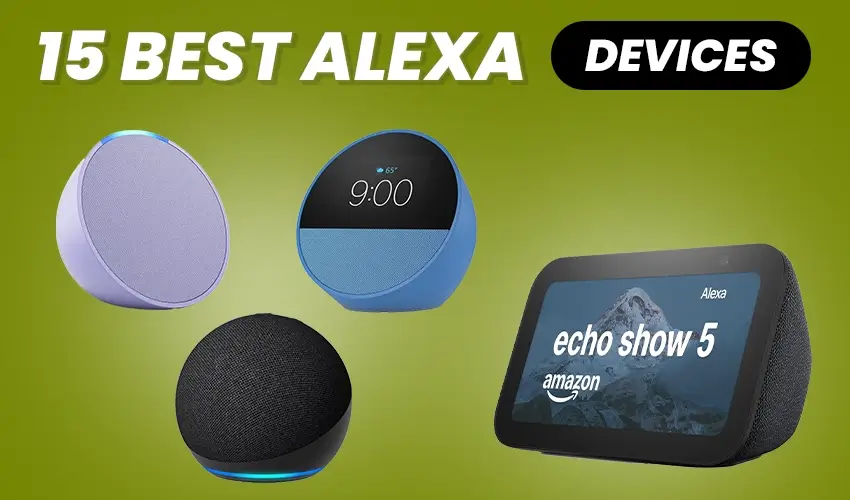
15 Best Alexa Devices That Truly Upgrade Your Smart Home
Picture this: You’re juggling grocery bags, trying to unlock your front door, and wishing you could just tell someone to turn on the lights. With the right smart home setup, you actually can.Smart homes aren’t just about convenience anymore. They’re about creating a living space that understands you, anticipates your needs, and makes daily life genuinely easier. And in 2026, Alexa devices have evolved far beyond simple voice commands.
If you’ve been thinking about building or upgrading your smart home, you’re in the right place. We’ve put together this guide to help you understand which devices actually make a difference and which ones might just collect dust on your shelf.
What Makes 2026 Different for Alexa Devices
Before we dive into the best alexa devices available right now, let’s talk about what’s changed. Early 2025 brought us Alexa+, which transformed how these devices work. Instead of just responding to commands, Alexa+ actually holds conversations, understands context, and can coordinate multiple services at once.
Think about the difference between telling someone “order pizza” versus having a conversation where you say “I’m hungry” and they remember you love pepperoni, know your favorite local spot, and can place the order for you. That’s the leap we’re talking about.
The new devices also come with custom AZ3 chips that process information faster and work better even when your internet is spotty. Plus, many now include Omnisense technology, which helps your home recognize who’s in the room and adjust accordingly.
Top 15 Alexa Devices to Transform Your Smart Home
Now that you understand what makes 2026 special for smart home technology, let’s explore the devices that actually deliver on that promise. We’ve tested and reviewed dozens of Alexa-enabled products to bring you this list of 15 devices that truly make a difference in daily life. From compact speakers that fit any budget to advanced security systems and everything in between, these are the best alexa devices you can buy right now.
1. Echo Dot Max
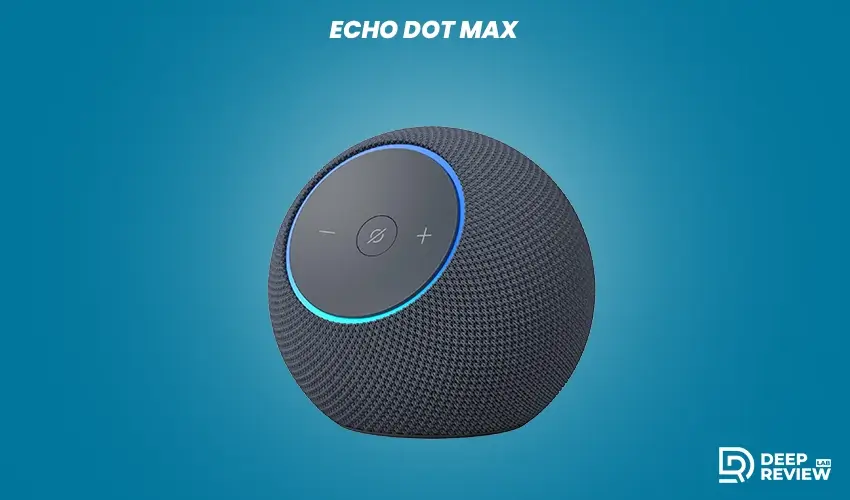
Let’s start with something that surprised a lot of people. The Echo Dot Max costs $99.99 and produces nearly three times the bass of its predecessor. If you’ve dismissed the Dot line as “good enough for alarms,” this one will change your mind.
The compact design fits anywhere, from your nightstand to your kitchen counter. But what makes it special is the AZ3 chip inside. This thing processes voice commands noticeably faster than older models, and the sound quality actually fills a room rather than just occupying space.
It’s perfect if you want to start small or if you’re building a multi-room audio setup. You can group several of these together and have music follow you from room to room. For the price, it’s hard to find a better entry point into smart speakers.
Best for: First-time smart home users, renters, or anyone building multi-room audio on a budget
2. Echo Studio
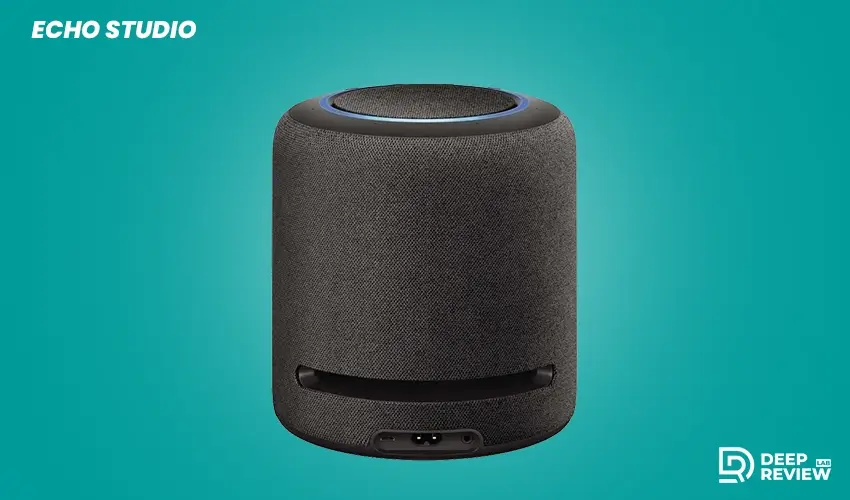
At $219.99, the 2025 Echo Studio costs more than twice what you’d pay for an Echo Dot Max. But if you’re serious about sound quality, it’s worth every penny.
The redesigned spherical shape is 40% smaller than the original, so it doesn’t dominate your living room anymore. But don’t let the size fool you. The high-excursion woofer delivers deep, room-filling bass, and the spatial audio with Dolby Atmos support creates an immersive listening experience that rivals dedicated home theater speakers.
The AZ3 Pro chip inside handles more complex AI tasks, which means better music recommendations and faster responses. If you stream a lot of music or use your smart speaker as part of a home entertainment setup, this is the one to get.
Best for: Music lovers, home theater enthusiasts, and anyone who wants premium audio quality
3. Echo Show 11
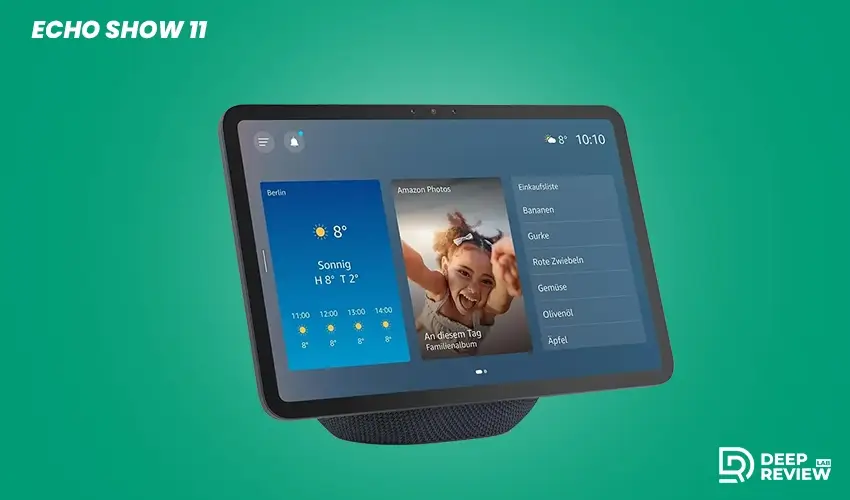
The Echo Show 11 launched in October 2025 at $219.99, and it quickly became the sweet spot for smart displays. The 11-inch screen is large enough to actually see recipes from across the kitchen but not so massive that it feels intrusive.
What really sets this apart is the 13-megapixel camera combined with Omnisense integration. During video calls, the camera follows you around the room so you’re not stuck standing in one spot. And when family members walk by, the display can recognize them and show personalized information.
The front-facing stereo speakers plus custom woofer mean you get surprisingly good sound for a display. Use it as a digital photo frame when you’re not actively using it, check the weather while making coffee, or pull up video instructions while fixing something around the house.
It also serves as a hub for Matter, Thread, and Zigbee devices, so it can control a wide variety of smart home products beyond just Amazon’s ecosystem.
Best for: Families, home cooks, and anyone who wants a central control point for their smart home
4. Echo Show 8
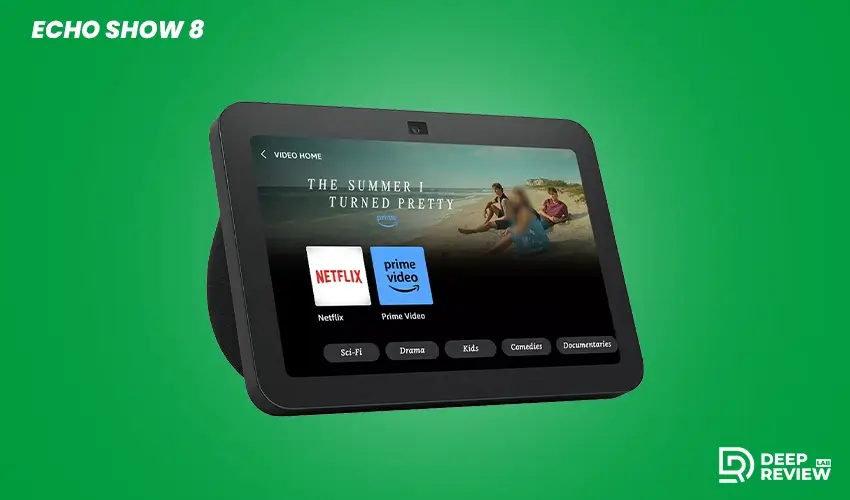
Sometimes the middle option really is just right. The Echo Show 8 costs $179.99 and offers most of what makes the Show 11 great in a more compact package.
The 8-inch display works perfectly on a bedroom nightstand or office desk. You get the same 13-megapixel camera, so video calls look sharp and clear. The redesigned speaker configuration delivers better audio than you’d expect from something this size.
Where it shines is versatility. Use it as a smart alarm clock that can show your calendar when you wake up. Place it in your home office for quick video meetings. Set it on the kitchen counter for recipe videos. At under $180, it does all of this without breaking the bank.
Best for: Bedrooms, home offices, and people who want a smart display without dominating the space
5. Echo Show 21
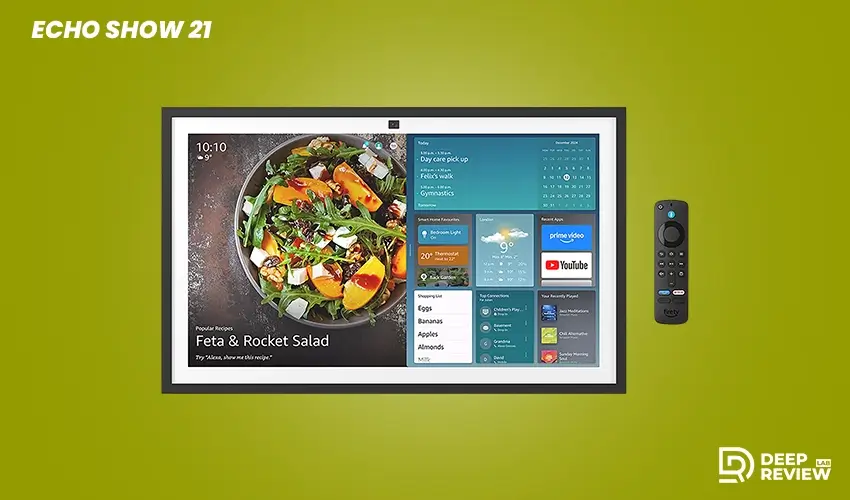
If you’re building a serious smart home and money isn’t the primary concern, the Echo Show 21 deserves a look. This 21-inch Full HD display is designed specifically as a kitchen hub and family command center.
The built-in Fire TV integration means you can watch shows while cooking or catch the news during breakfast. It’s designed to be wall-mounted, turning an empty kitchen wall into a functional information and entertainment center.
The price reflects its premium positioning, but for families who spend a lot of time in the kitchen and want a single device that handles recipes, video calls, entertainment, and smart home control, it makes sense.
Best for: Serious smart home enthusiasts, large families, and anyone renovating their kitche
6. Ring Elite 360 Camera
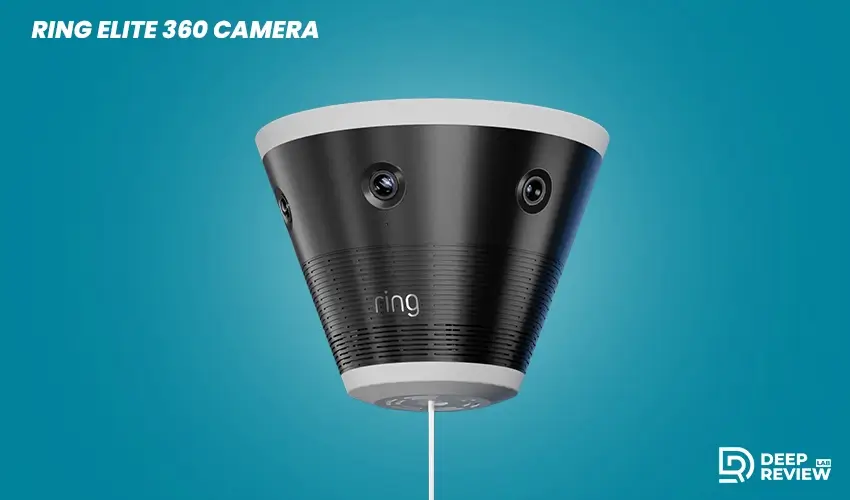
Home security cameras have gotten incredibly sophisticated, and the Ring Elite 360 represents the current peak. Starting at $999.99, it’s not cheap, but consider what you’re getting.
The 360-degree panoramic coverage means one camera can monitor an area that used to require multiple cameras. The 4K resolution captures details clearly, even when you zoom in. But the real game-changer is the AI-powered detection system.
Instead of alerting you every time a leaf blows past, the AI learns your home’s normal patterns. It knows when the mail carrier usually arrives, recognizes your family members, and only alerts you to genuinely unusual events. After a week or two, you’ll stop getting false alarms about shadows and start getting notified about things that actually matter.
The weather-resistant design handles rain, snow, and temperature extremes. And it works with the Ring Appstore, so you can add functionality over time.
Best for: People with large properties, parents who want comprehensive outdoor monitoring, tech enthusiasts
7. Ring Elite Standard Camera
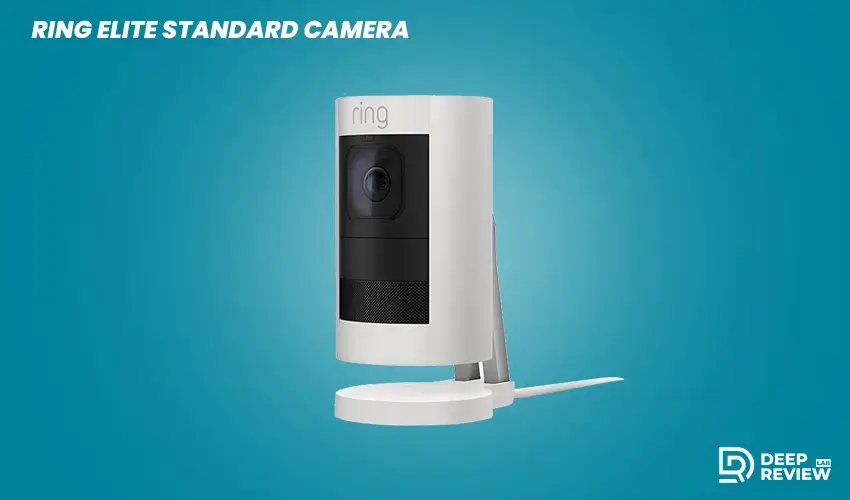
If the 360 model feels like overkill, the Ring Elite Standard starting at $499.99 offers excellent security at half the price. The 140-degree field of view covers most doorways, driveways, and backyard areas effectively.
You still get 4K recording, AI Video Descriptions that explain what’s happening, and unusual event detection. The difference is you might need two or three of these to cover what one 360 model would handle.
For most homes, this is the better choice. You can strategically place cameras where you actually need them rather than mounting one expensive camera that covers areas you don’t care about monitoring.
Best for: Average-sized homes, people starting with home security, anyone wanting quality without paying premium prices
8. Ring Sensors
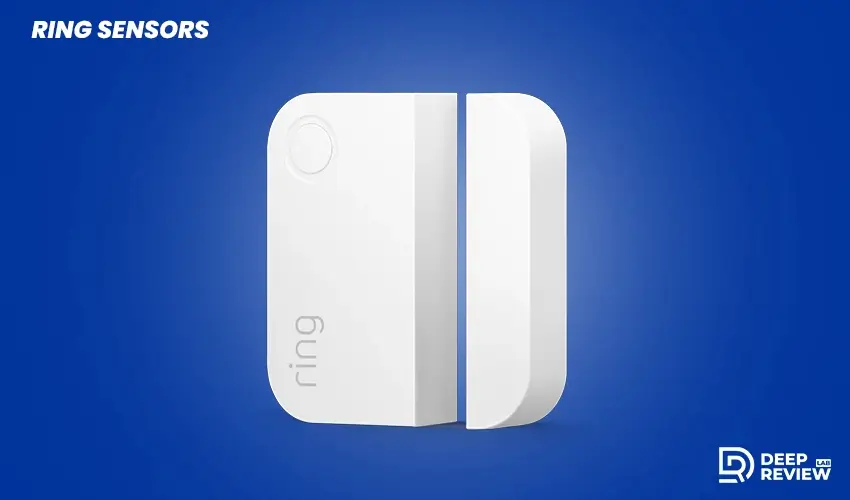
Launched in March 2026, the Ring Sensors line represents a different approach to home security. Instead of cameras watching everything, these sensors detect specific events: doors opening, windows breaking, motion in certain areas, smoke, carbon monoxide, water leaks, and even air quality changes.
What makes them special is they work without a traditional hub. Using Amazon Sidewalk, they can communicate even beyond your Wi-Fi range. The panic button gives you a quick way to call for help, and the OBD-II car alarm sensor can alert you if someone’s messing with your vehicle.
This system works great on its own or alongside cameras. Maybe you don’t want cameras inside your home but still want to know if someone opens a window. Or you want smoke detection that actually talks to your phone. The modular approach lets you build exactly the security setup you need.
Best for: People who want security without cameras inside, renters who can’t install permanent systems, anyone expanding existing security
9. Ring Video Doorbell with Alexa+ Greetings
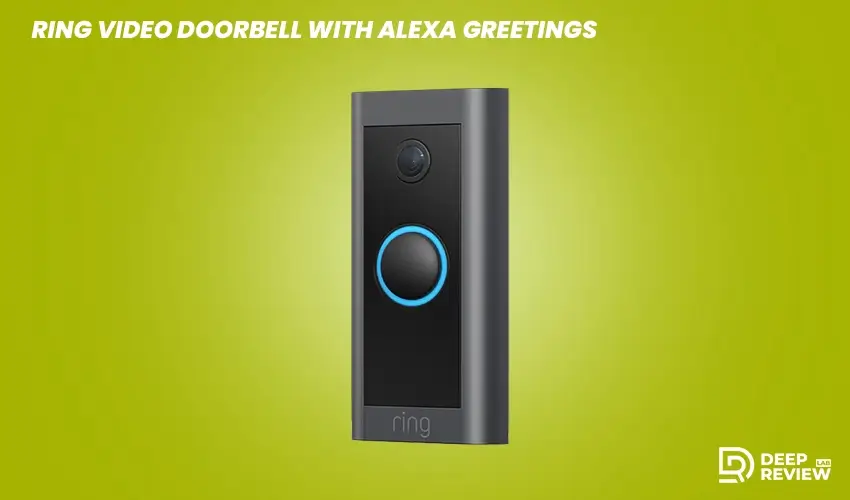
Video doorbells have become pretty standard, but the latest Ring models with Alexa+ Greetings take things further. When someone rings your doorbell and you can’t answer, Alexa+ can actually have a conversation with them.
It’s not just playing a recorded message. The AI can answer questions, take messages, and even handle deliveries intelligently. The 4K video on compatible models shows clear detail, and the Fire Watch integration can alert you to nearby wildfire smoke.
The seamless smart home integration means your doorbell can trigger lights, unlock doors, or start recording on other cameras based on who’s at the door.
Best for: Busy professionals, parents, anyone who misses a lot of deliveries, people in wildfire-prone areas
10. Fire TV Cub
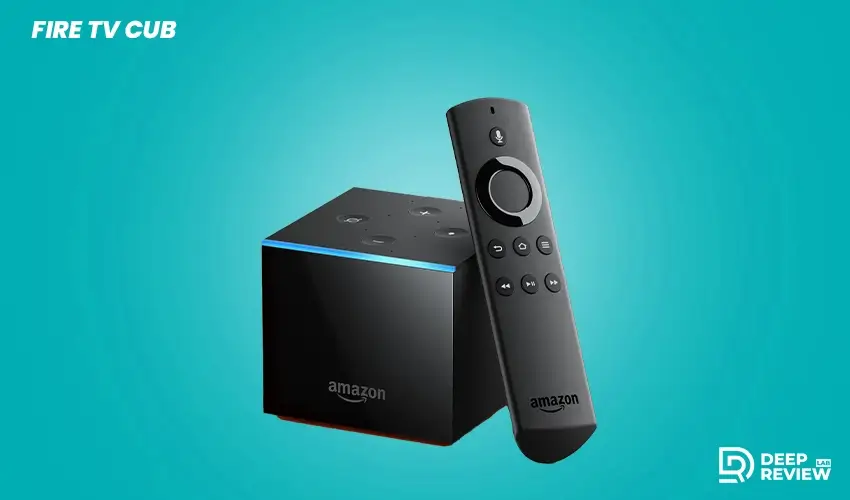
The 2026 Fire TV Cube runs up to 30% faster than previous versions, which you’ll notice immediately when navigating menus or switching between apps. The hands-free Alexa+ voice control means you can search for shows, change volume, or switch inputs without picking up a remote.
The 4K streaming quality looks excellent, and the AI recommendations actually get better at suggesting shows you’ll like. The gaming capabilities have improved too, making it a decent casual gaming device beyond just a streaming box.
What sets it apart from cheaper streaming sticks is the processing power and the truly hands-free experience. You can control not just the TV but your entire entertainment center with voice commands.
Best for: Cord-cutters, home theater enthusiasts, people who want the fastest streaming experience
11. Fire TV Stick 4K Max (2nd Gen)
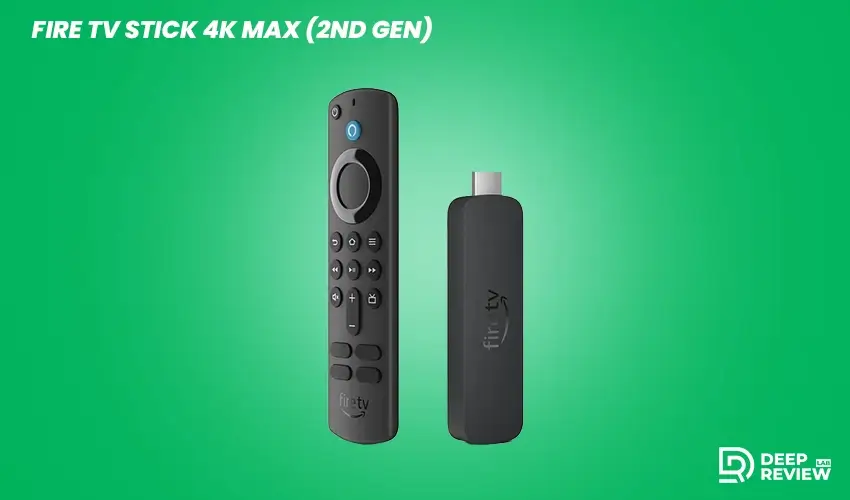
If you don’t need the absolute fastest performance, the Fire TV Stick 4K Max delivers excellent value. You still get 4K streaming, Alexa+ integration for voice search, and improved performance over the previous generation.
The new Fire TV interface works smoothly, and at this price point, it’s one of the best streaming devices available. It might take a half-second longer to load apps compared to the Cube, but for most people, that difference doesn’t matter.
Best for: Budget-conscious shoppers, people with multiple TVs, anyone wanting 4K streaming without premium prices
12. Bee Pioneer Edition Wearable

Amazon acquired Bee in mid-2025, and the Pioneer Edition represents something genuinely new. This wrist-worn device isn’t trying to be a smartwatch. It’s focused entirely on being an ambient AI assistant.
You can dictate voice notes that get transcribed, draft emails while walking, manage your calendar, and access information without pulling out your phone. The 7-day battery life means you’re not charging it constantly, and support for 40+ languages makes it useful for international travelers.
It complements rather than replaces your phone. Think of it as having a personal assistant who’s always listening and ready to help but never demanding your attention unless you ask.
Best for: Busy professionals, people who want to reduce phone usage, multitaskers
13. Amazon Smart Thermostat
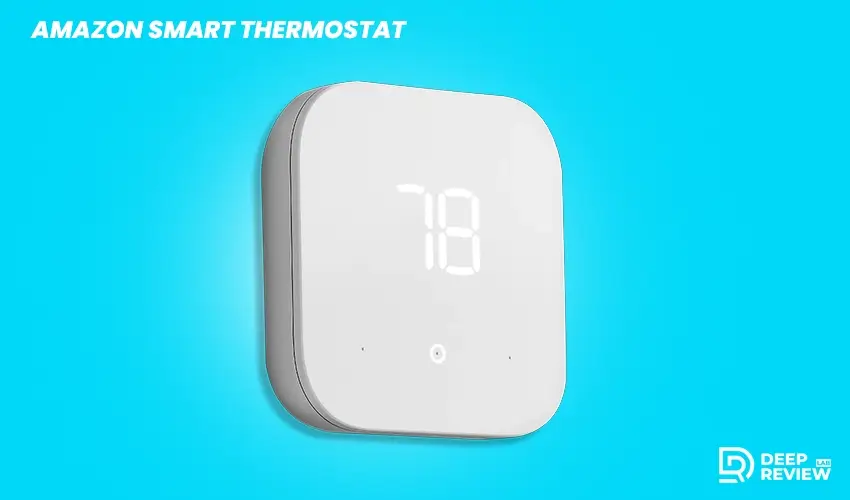
The 2025 refresh of Amazon’s Smart Thermostat keeps things straightforward. At an affordable price point, you get Energy Star certification, easy DIY installation, and compatibility with most HVAC systems.
The enhanced Alexa+ integration means it learns your patterns and makes automatic adjustments. Come home earlier than usual? It’ll notice and adjust faster next time. Going on vacation? Tell Alexa once and it’ll maintain an energy-efficient temperature until you return.
The real benefit shows up on your utility bills. Most users see noticeable savings within the first few months, which helps offset the purchase price.
Best for: Homeowners, people with high utility bills, anyone wanting simple automation
14. Echo Auto (2nd Gen)
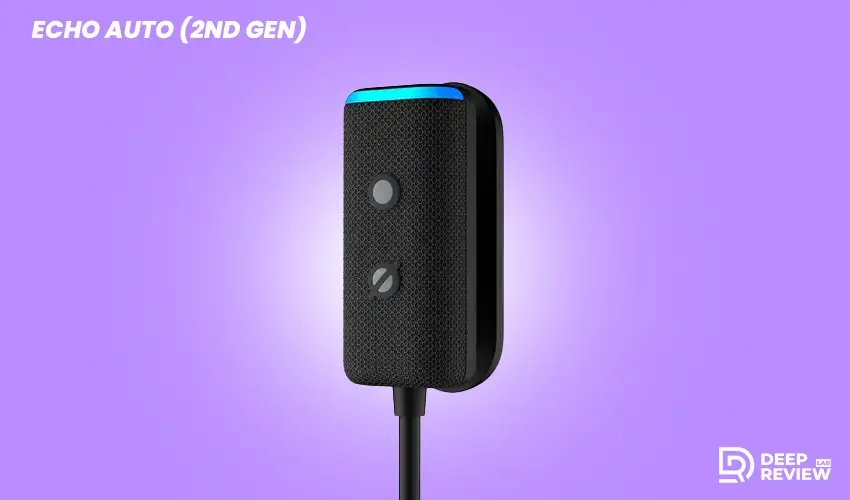
The compact Echo Auto mounts on your dashboard and brings Alexa+ into your vehicle. Hands-free navigation, music streaming, and phone calls make driving safer and more convenient.
It works with your car’s existing speakers through Bluetooth or auxiliary connection. The setup takes about five minutes, and then you’ve got a smarter car without buying a new vehicle.
The main use case is commuting. Ask for traffic updates, control your smart home before you arrive (turn on lights, adjust temperature), or catch up on news and podcasts during your drive.
Best for: Commuters, people with older vehicles, road trip enthusiasts
15. Echo Frames

Smart glasses have had a rough history of looking dorky and dying quickly. Echo Frames (2025) tackle both problems. They look like regular glasses, work with prescription lenses, and use open-ear audio so you’re not blocking out the world.
The all-day battery life means you can actually wear them from morning until night. Voice-activated Alexa+ access gives you information and control without pulling out your phone.
They work best for people who already wear glasses daily. Adding smart features to something you’re already wearing makes more sense than carrying another device.
Best for: Daily glasses wearers, people who want subtle tech, podcast listeners, urban walkers
The Bigger Picture: Building a System
Here’s something important that doesn’t get talked about enough: individual devices matter less than how they work together.A single Echo Dot Max on your kitchen counter is nice. Three Echo Dot Max speakers creating a whole-home audio system where music follows you from room to room? That’s genuinely useful. One Ring camera at your front door helps with security. Ring cameras at multiple points plus door sensors plus a smart thermostat that knows when you leave? That’s a home that takes care of itself.
The best alexa devices become truly valuable when they’re part of a larger ecosystem. You don’t need to buy everything at once. Start with one or two devices that solve your biggest pain points, then expand as you discover new possibilities.
Third-Party Partners Worth Knowing About
Amazon isn’t building all these devices alone. Some interesting partnerships have emerged that expand what’s possible:
Samsung Smart TVs from 2021 onward are getting Alexa+ built directly in. No extra devices needed. Your TV becomes another node in your smart home network. BMW’s latest iX3 models include Alexa Custom Assistant for in-vehicle AI integration. Your car understands your preferences and can prepare your home before you arrive. Bosch’s 800 Series coffee makers let you voice-direct your brewing.
Tell Alexa exactly how you want your coffee while you’re still in bed, and it’s ready when you get downstairs. Our Ring health tracking now integrates with Alexa+ to provide insights about your sleep patterns and recovery. Your smart home can adjust based on how well-rested you are. These partnerships matter because they mean your smart home isn’t limited to just Amazon products. You can choose the best device for each job and still have everything work together.
Starting Your Smart Home Journey
If you’re new to smart homes, the options can feel overwhelming. Here’s a practical approach:
Starter Setup ($300-400 total)
Begin with an Echo Dot Max, a couple of Amazon Smart Plugs, and the Smart Thermostat. This gives you voice control, the ability to automate lamps and small appliances, and climate control. You’ll immediately see the benefit without a huge investment.
Security-Focused Setup ($800-1200 total)
Get an Echo Show 8 as your hub, add a Ring Video Doorbell, and install Ring Sensors on doors and windows. This covers the basics of home security with modern features and gives you peace of mind.
Premium Whole-Home System ($2000+ total)
Go for the Echo Show 21 as your command center, Echo Studio speakers for quality audio, and Ring Elite cameras for comprehensive security. This is the setup for someone building a serious smart home from the ground up.
Most people should start small and expand. Buy one device, use it for a month, understand what it does well and what gaps remain, then add the next piece. This approach prevents you from spending money on devices that don’t fit your actual lifestyle.
Making the Most of What You Have
Buying devices is just the first step. The real magic happens when you set up routines and automations. A morning routine might turn on your bedroom lights gradually at wake-up time, start your coffee maker, tell you the weather and traffic, and unlock your front door when your phone’s GPS shows you leaving for work.
A goodnight routine could lock all doors, turn off lights throughout the house, lower the thermostat, and set your alarm for the next morning. All triggered by saying “Alexa, goodnight.”
An away-from-home routine activates when your phone leaves the geofence around your house. Lights turn off, the thermostat adjusts to save energy, cameras activate, and sensors arm themselves. When you return, everything reverses automatically. These routines take about 10 minutes to set up in the Alexa app, but they save you time and mental energy every single day.
Privacy Considerations You Should Know
Smart home devices listen to you by design. That’s how they work. But you should understand what’s happening with that data.
All modern Echo devices have physical mute buttons that electrically disconnect the microphones. When muted, the device cannot hear you at all. It’s not a software switch that could be overridden; it’s a hardware disconnect.
You can review and delete voice recordings through the Alexa app. Set it to automatically delete recordings after three months, or manually delete them whenever you want. Omnisense sensors can be controlled room by room. Maybe you want presence detection in the living room but not the bedroom. You can set that up.
Amazon Sidewalk, which helps Ring Sensors work beyond Wi-Fi range, uses encrypted, limited-bandwidth connections. You can disable it entirely if you prefer, though some features won’t work as well. Camera privacy shutters on Echo Show devices physically block the lens. Again, it’s a hardware solution, not just software.
Smart homes require some trust in the companies making these devices. Amazon’s privacy policies and controls are reasonably robust, but you should understand what you’re agreeing to and use the privacy features available.
What About Subscriptions?
Here’s the financial reality: some features require ongoing subscriptions.
Alexa+ is free if you have Amazon Prime, which costs $19.99 per month (or $139 per year). Without Prime, Alexa+ standalone costs $19.99 per month. The AI-powered conversational features and enhanced integrations come with this subscription.
Ring Protect plans add cloud storage for your security camera footage. The basic plan starts around $4.99 per month per device, or you can get a home plan that covers multiple cameras for about $20 per month. Without a plan, you only get live viewing and real-time alerts, no recording.
Individual apps in the Ring Appstore, launching Spring 2026, may have their own subscription costs. PoolScout, Meld, and other services will charge separately for their features.Factor these ongoing costs into your decision. A $100 device that requires a $20 monthly subscription costs $340 in the first year. That might still be worth it, but you should know what you’re committing to.
Common Problems and Real Solutions
Devices Not Responding
Usually, this is a Wi-Fi issue. Most people’s routers are in basements or corners, creating dead zones. Consider a mesh Wi-Fi system or Wi-Fi 6 router if you’re building a serious smart home. The improved connectivity pays for itself in reduced frustration.
Alexa Doesn’t Understand You
Voice profile training helps significantly. Spend five minutes teaching Alexa your voice through the app. It learns your accent, pronunciation quirks, and speech patterns.
Routines Don’t Trigger Reliably
Check your phone’s GPS permissions for the Alexa app. Many location-based routines fail because the app doesn’t have proper access to your location.
Devices Show as Offline
Amazon Sidewalk helps with this for supported devices. Make sure it’s enabled if you’re using Ring Sensors or other Sidewalk-compatible products.
Most problems have simple solutions once you know where to look. The Alexa app has troubleshooting guides built in, and Amazon’s customer service is generally helpful with device issues.
Conclusion
Building a smart home in 2026 is easier and more affordable than ever. The best alexa devices have evolved from novelty gadgets to genuinely useful tools that solve everyday problems. Start with one device that addresses your biggest pain point, whether that’s an Echo Dot Max for voice control, a Ring Video Doorbell for security, or an Echo Show for your kitchen.
Let your system grow naturally as you discover what works for your lifestyle. With Alexa+ bringing true conversational AI and devices that actually communicate with each other, your smart home becomes less about technology and more about living better.