


I spent two weeks with the Bose Lifestyle Ultra Soundbar in my living room before writing a single word of this. Two weeks of movies, late-night TV, music sessions, and one genuinely frustrating evening trying to get the app to cooperate with a pair of rear speakers.
At $1,099 for the soundbar alone, and $899 more if you want the matching subwoofer, Bose is asking for real money. This is not a casual purchase. So the honest question going in was simple: does this system do something meaningfully different from the $500 options sitting beside it on the shelf?
After living with it, the short answer is yes. But there are trade-offs that matter depending on what you actually need.
If you are comparing premium audio options across categories before committing to a home theater setup, our headphones review guide is worth reading alongside this.
Design and Build Quality
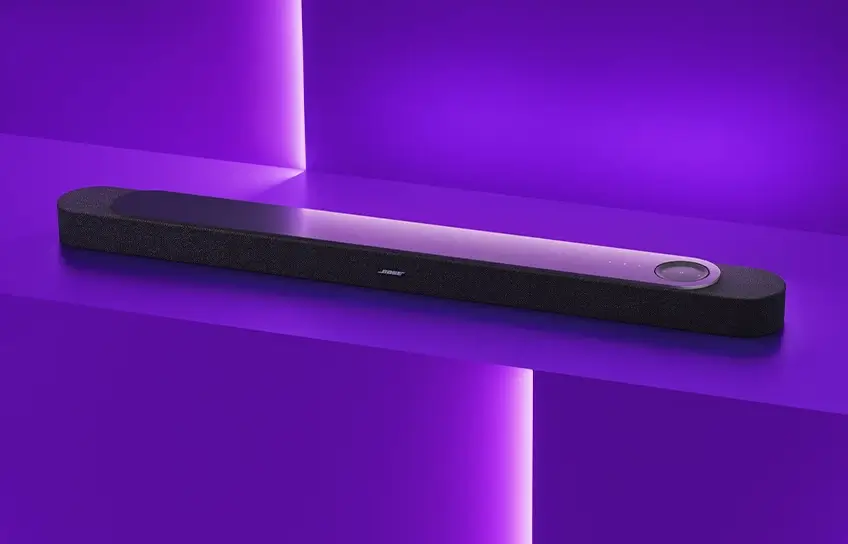
The Lifestyle Ultra Soundbar does not look like other soundbars. That is not marketing language. It was genuinely the first thing I noticed when I lifted it out of the box.
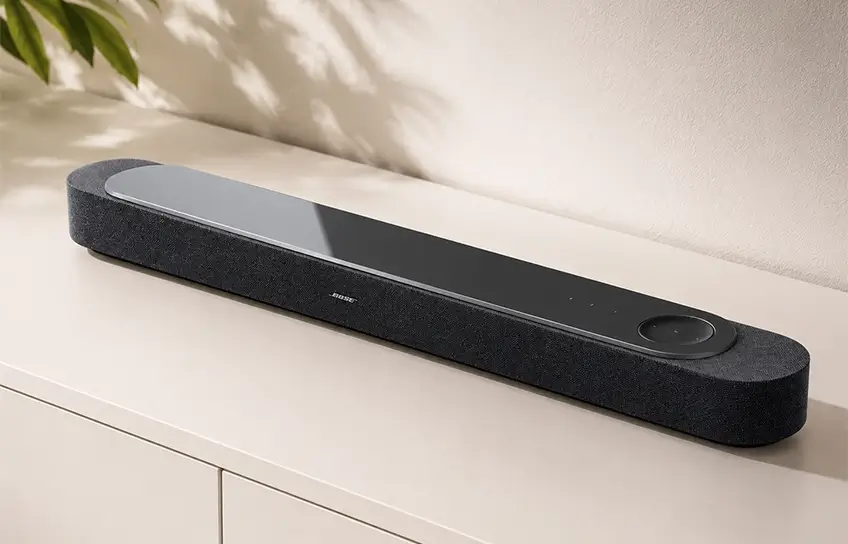
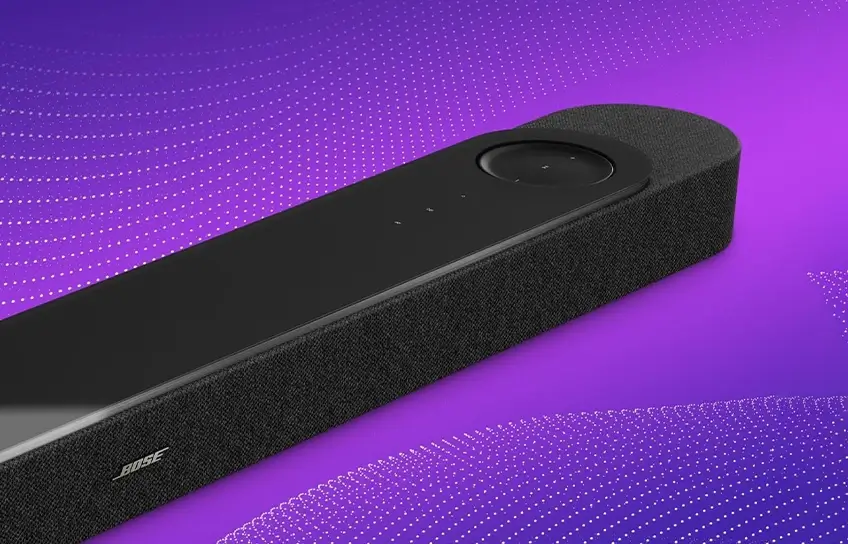
The body is wrapped in a soft textured knit fabric that feels closer to a premium speaker grille than the hard plastic shells most soundbars rely on. Sitting on top is a tempered glass panel with a circular touch-control area built into it. Pressed from a distance it looks clean and intentional. Up close, it collects fingerprints immediately and constantly. That is the obvious trade-off for anything with a glossy glass surface, and you will be reaching for a microfibre cloth more often than you expect.
The soundbar stretches just over 43 inches wide. It sat comfortably under my 65-inch Samsung TV without looking undersized. I briefly set it up under a 55-inch screen as well and it worked, though the proportion felt slightly off. Bose clearly designed this with larger panels in mind.
It comes in black and Arctic White. I tested the black version throughout. The Arctic White finish looks genuinely elegant in person, but for anyone pairing this with a black TV and dark furniture, black is the obvious call.
One physical detail that confused a lot of early coverage is the angled rear ports. The HDMI and power connections point downward at an angle rather than straight back. On a TV stand, this looks strange and the cables splay outward awkwardly. Once I wall-mounted the unit using the optional bracket (sold separately for $49), the reason became immediately obvious. The angled ports route cables cleanly down the wall without creating a gap between the soundbar and the surface behind it.
It is a wall-mount design choice that happens to look odd on a shelf. Not a flaw, just a context-dependent feature. Build quality overall is exactly where it needs to be at this price. Nothing flexes, nothing rattles, and the cabinet feels properly substantial when you pick it up.
Features and Connectivity
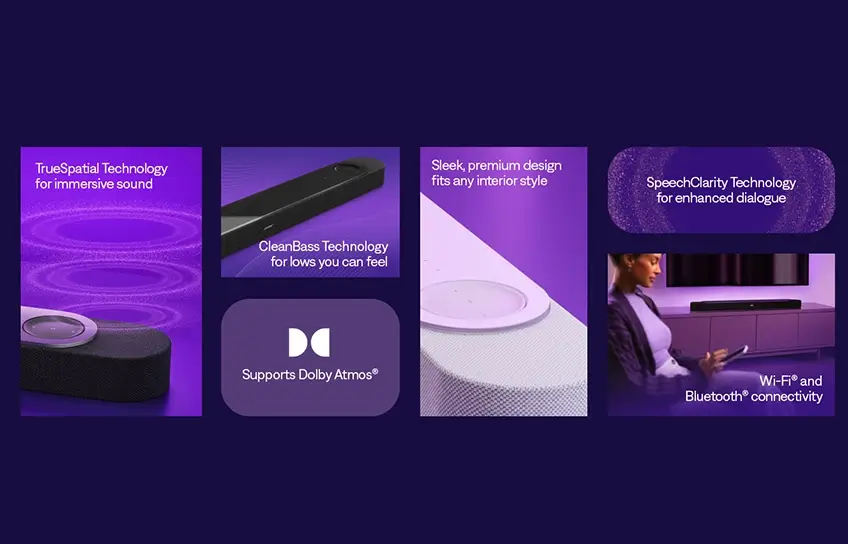
Inside that 43-inch enclosure, Bose packed nine drivers: four front-facing full-range drivers, two upward-firing drivers for Atmos height, one dedicated center tweeter, and two proprietary PhaseGuide drivers positioned on the sides. The PhaseGuide units are responsible for steering sound horizontally across the room, creating the impression of surround channels without needing physical rear speakers.
The feature that matters most for everyday viewing is SpeechClarity, which is Bose’s AI-driven dialogue enhancement mode. It pushes vocal frequencies forward in the mix independently from the surrounding sound effects. I’ll get into how that actually performed in a moment.
Streaming support is thorough. Apple AirPlay, Google Cast, Spotify Connect, Bluetooth 5.3, and Wi-Fi 6 are all onboard. Alexa is built in. The soundbar works as both a home theater anchor and a standalone music streaming speaker, which removes the need for a separate device to handle everyday listening.
The connectivity limitations are real and worth understanding before you hand over your card. There is one HDMI eARC port. That is the only wired audio connection between the soundbar and your TV. There is no HDMI passthrough port, which means you cannot route a Blu-ray player or game console through the soundbar. There is also no optical input, so older TVs without HDMI ARC or eARC support will not connect to this soundbar at all. For a $1,099 product, those absences sting a little, even if the Sonos Arc Ultra has the exact same limitation on the passthrough front.
DTS:X is not supported. The Lifestyle Ultra handles Dolby Atmos, Dolby TrueHD, Dolby Digital Plus, and Dolby Digital. Most streaming content is covered. But if your disc collection carries a lot of DTS-encoded tracks, or if you watch DTS:X content on Disney Plus, those tracks will not play in their intended format on this system. Sony’s Bravia Theatre Bar 9 still supports DTS:X if that format is a priority for you.
Tidal Connect is listed as arriving in a future firmware update. It was not live during my two weeks of testing.
Setup
Setup runs through the Bose app, which has been redesigned for the Lifestyle Ultra lineup. I connected the soundbar to my TV via the included HDMI eARC cable, opened the app, and followed the on-screen steps through pairing and calibration. The process was genuinely intuitive and required no external documentation.
CustomTune is Bose’s room calibration system. Unlike the old ADAPTiQ process that required a physical calibration headset, CustomTune uses microphones built directly into the soundbar to measure your room’s dimensions, surfaces, and seating layout. I started the calibration, set my phone on the couch where I usually sit, and let it run. The whole thing finished in under two minutes. After calibration, the app allows manual EQ adjustments across treble, midrange, and bass if you want to push the tuning further.
The first time I set up the soundbar and subwoofer together, everything paired on the first attempt. The trouble came when I added two Lifestyle Ultra Speakers as rear surrounds. The app failed to recognize both speakers simultaneously on the first three tries. I restarted the speakers and re-entered the setup flow, and they finally locked in on the fourth attempt. It was not catastrophic, but it is the kind of friction that feels out of place at this price level.
There is no physical remote included in the box. Bose routes basic controls through HDMI-CEC, which means your existing TV remote handles volume and power for the soundbar. On my Samsung TV this worked immediately with no configuration. Deeper adjustments like subwoofer output level, SpeechClarity intensity, and height speaker balance all live inside the app, so your phone becomes part of the daily workflow whether you want it to or not.
Sound Quality
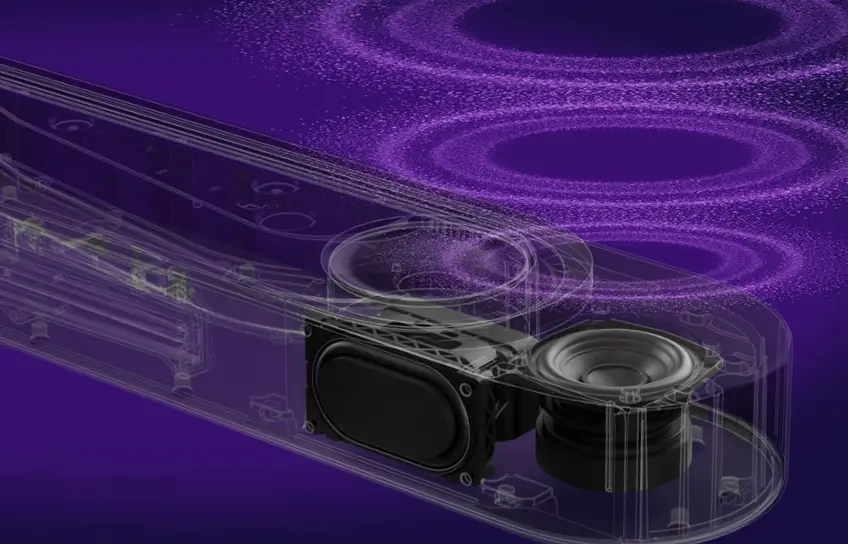
Soundbar Alone
I started with Dune: Part Two in Dolby Atmos because the film is loaded with exactly the kind of content that separates a soundbar doing the job from one just claiming to. The ornithopter sequences have directional aircraft movement, the desert battles have wide spatial cues, and the sandworm attacks have low-frequency demands that expose a cabinet’s honest limits.
The height performance impressed me from the first sequence. The ornithopter movement tracked convincingly overhead. It did not replicate the precision of physically placed in-ceiling speakers, but the effect was genuine and consistent across the room. I tested this at a second location with a vaulted ceiling and the height impression weakened noticeably there. Flat, standard-height ceilings give this system its best chance.
PhaseGuide surround worked better in my living room than I expected. My space is rectangular with hard reflective side walls, which is close to ideal for beam-steering. Sound appeared to come from the sides rather than from the soundbar itself during wide panning sequences. I tested the same content in a room with a large open doorway on the left side, and the left-channel surround effect fell apart. The room geometry matters more here than it does with a physical speaker system.
Dialogue clarity was the genuine standout, even before I activated SpeechClarity. Running a late-night episode of a dense drama series at low volume, voices stayed clean, centered, and intelligible against the background score. I turned SpeechClarity to its middle setting and dialogue moved a little further forward without the mix sounding artificially processed. The top setting pushed things too far into a filtered quality, so I landed on the middle position and left it there for most of my testing.
Bass from the soundbar alone is honest. It handles the lower registers of a film score without sounding thin. Heavy low-frequency moments like impact effects and subterranean rumble hit a ceiling and plateau there. It is a respectable ceiling for a standalone bar, but it is a ceiling.
Adding the Subwoofer
The Lifestyle Ultra Subwoofer transformed the character of the system more than I expected from a wireless add-on. Going back to Dune: Part Two after adding the subwoofer, the sandworm sequences had physical weight that was not present before. The difference registered in my chest during the attack scenes, not just through the speakers.
I also ran several episodes of Game of Thrones Season 7 in Dolby Atmos through the soundbar and subwoofer combination. The dragon sequences, the siege scenes at Eastwatch, and Ramin Djawadi’s score all benefited substantially from the bass foundation the subwoofer added. Dialogue stayed as clean as it had been with the bar alone. Everything underneath those voices felt properly grounded for the first time.
For music, the combination worked best with tracks that lean on low-end energy structurally. Electronic music from artists like The Prodigy and Massive Attack felt wider and more physical with the sub running. Acoustic tracks and jazz sounded clean and balanced, though music through a soundbar system never fully involves me the way a good pair of stereo speakers does. That is not a criticism specific to Bose. It is just the reality of what a soundbar can and cannot replicate in a music-focused listening session.
Full System
Adding the Lifestyle Ultra Speakers ($299 each) as wireless rear surrounds moved the experience into genuinely different territory. With the full 7.1.4 configuration running, arrow-flight sequences in action content originated from behind the listening position and crossed overhead toward the screen in a way that felt spatially accurate rather than approximated. That rear-to-front movement is what most soundbars attempt to create through beam-steering alone. With physical rear speakers handling those channels, the illusion became considerably more convincing.
For anyone comparing how different brands approach portable and personal audio before deciding where to invest, the JBL Boombox 3 and JBL Clip 4 reviews show how differently Bose and JBL tune their products at opposite ends of the price range.
Bose Lifestyle Ultra Soundbar vs. Sonos Arc Ultra
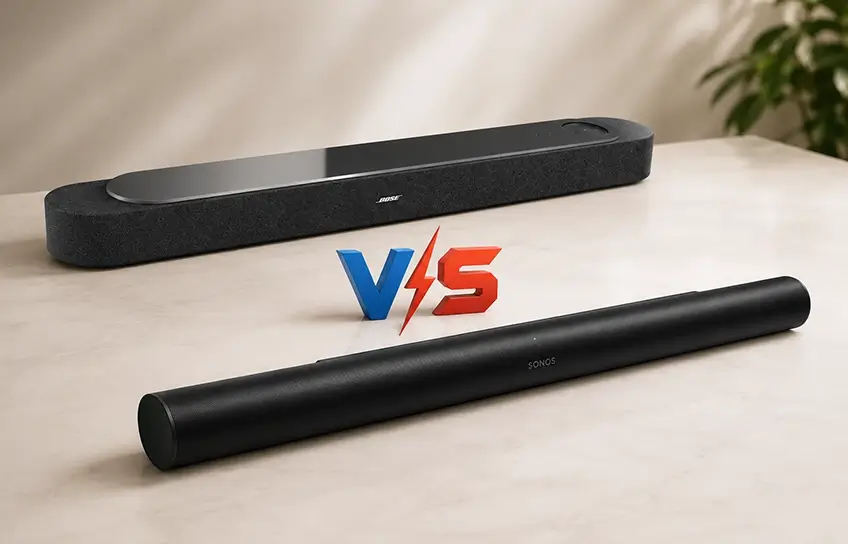
At $1,099, the Lifestyle Ultra Soundbar sits right at the Sonos Arc Ultra’s price in most markets. This is the comparison every buyer in this category is actually making.
| Feature | Bose Lifestyle Ultra | Sonos Arc Ultra |
| Price | $1,099 | $999 |
| Total drivers | 9 | 14 |
| Dolby Atmos | Yes | Yes |
| DTS:X support | No | No |
| Room calibration | CustomTune, built-in mic | Trueplay, phone mic |
| HDMI eARC | Yes | Yes |
| HDMI passthrough | No | No |
| AirPlay and Google Cast | Both supported | Both supported |
| Headphone ecosystem pairing | No integration | Sonos Ace with head-tracking |
| App experience | Redesigned, currently strong | Rebuilt after 2024 problems |
The Sonos Arc Ultra’s 14-driver configuration produces a wider default soundstage. The Sonos Ace headphone pairing with dynamic head-tracking audio is also a feature with no equivalent on the Bose side. The Bose QuietComfort Ultra headphones are excellent personal audio devices, but they do not integrate with the Lifestyle Ultra soundbar the way Sonos Ace integrates with the Arc Ultra.
Where the Bose system earns its price: SpeechClarity is more effective than anything Sonos offers at this tier for dialogue. The physical build quality of the Lifestyle Ultra feels more premium in person. And the Bose app right now is more stable and more intuitive than the Sonos app was during its difficult post-redesign period.
Who Should Buy This
Buy it if:
- Dialogue clarity is your highest priority, particularly for late-night viewing at lower volumes where background sound effects tend to bury speech
- You want to start with the soundbar now and add the subwoofer and rear speakers later as separate purchases rather than committing to the full system cost upfront
- Clean industrial design that blends into a living room matters alongside sound quality
- You stream the majority of your content and Dolby Atmos is the format you encounter most often
Skip it if:
- Your physical disc library is heavy with DTS-encoded titles, or you regularly watch DTS:X content on Disney Plus
- You need HDMI passthrough to connect a Blu-ray player or game console directly through the soundbar
- You are already invested in the Sonos ecosystem and use Sonos Ace headphones, where the Arc Ultra’s head-tracking integration becomes a meaningful advantage
- Your room has vaulted ceilings, an unusual shape, or large open doorways on multiple sides that will disrupt the PhaseGuide beam-steering reflections
Final Verdict
The Bose Lifestyle Ultra Soundbar earned its place in my living room across two weeks of real use. Dialogue clarity is the best I have heard from a soundbar at this price. Dolby Atmos performance is convincing in a standard rectangular room at normal ceiling height. The modular path from a solo soundbar to a 7.1.4 system is practical and genuinely flexible.
The missing HDMI passthrough and absent DTS:X support are not deal-breakers for most buyers, but they are real limits worth knowing before you commit. The app setup had a few frustrating moments I would not expect from a $1,099 product. And the full system cost climbs quickly once the subwoofer and rear speakers enter the picture.
For someone who wants a premium wireless home theater without running cable across the floor, and who watches primarily streaming content in Dolby Atmos, the Bose Lifestyle Ultra Soundbar is one of the strongest options available at this price right now.
